• About
  • Contact
  • Disclaimer
  • Sitemap
  • Privacy Policy
  • Terms Of Service
Information Technology for You
  • Home
  • Guides
  • ChromeOS
  • MacOS
  • Windows
  • Utilities
  • Reviews
  • Tech Basics
    • Hardware
    • Software
    • Operating System
    • Networking
No Result
View All Result
  • Home
  • Guides
  • ChromeOS
  • MacOS
  • Windows
  • Utilities
  • Reviews
  • Tech Basics
    • Hardware
    • Software
    • Operating System
    • Networking
No Result
View All Result
Intechfy
No Result
View All Result

Windows 11 KB5127936 Adds Menu Controls and Cloud Rebuild

Ethan Carter by Ethan Carter
October 30, 2026
Home Windows
Share on FacebookShare on Twitter

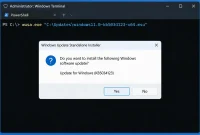
On October 28, 2026, Microsoft released Windows 11 KB5127936, an optional preview designed for versions 25H2 and 26H2. This release introduces a gradually rolling out File Explorer context menu alongside Cloud rebuild recovery capabilities. Systems operating without performance issues can safely bypass this update unless specific documented fixes address an active problem on the machine.

Table of Contents

Toggle
  • Build Numbers and Version Scope
  • File Explorer Context Menu Improvements
  • Cloud Rebuild Recovery Mechanism
  • Evaluations, Fixes, and Known Issues
  • Update Guidance and Alternatives

Build Numbers and Version Scope

According to Microsoft release notes, KB5127936 establishes OS build 26200.9818 for version 25H2 and build 26300.9818 for version 262H2 (listed as 26300.9818 for 26H2). This specific optional preview is absent for version 24H2, though this exclusion does not reflect the deployment status of all future updates for that platform.

File Explorer Context Menu Improvements

Microsoft states that the revised File Explorer right-click menu operates with greater speed and reduced visual clutter. Users gain the ability to select which specific commands and application extensions appear within the interface. Independent benchmarking has not verified these speed claims, but the customization controls provide a practical remedy for cluttered menus caused by accumulated software installations.

Because the menu rollout occurs gradually, systems may display the KB5127936 update in Windows Update before the interface controls become active. Microsoft documentation indicates that users can right-click and choose Customize menu once the feature arrives. The corresponding settings manage commands, app extensions, and overall layout based on official guidelines rather than direct hands-on verification.

Cloud Rebuild Recovery Mechanism

Microsoft describes Cloud rebuild as a recovery option capable of downloading a fresh Windows image and necessary drivers directly through Windows Update, even when a computer fails to start normally. The Windows Recovery Environment can reuse eligible saved Wi-Fi profiles during this process, though regional and device availability remains phased.

Unlike an in-place repair that preserves user data, Cloud rebuild functions as a destructive reinstall that erases local files. Completing this process requires backing up important files in advance and preparing for the restoration of user accounts, applications, and system configurations. Selecting drive sanitization makes the data erasure permanent, and utilizing the feature requires stable network access, an uninterrupted power supply, and confirmation that recovery options exist on the target machine.

Evaluations, Fixes, and Known Issues

Daily File Explorer operations experience subtle interface modifications, whereas Cloud rebuild remains relevant exclusively during critical system recovery scenarios. Without independent performance benchmarks from Microsoft, these additions alone do not guarantee enhanced system speed or overall reliability. Stable personal computers benefit from waiting, while systems experiencing documented bugs find a clear purpose in applying the update.

Official documentation for Windows 11 and the 25H2 resolved-issues page address a Remote Desktop Connection failure identified as error 0xC000000D. This bug impacts non-admin users attempting to connect to enterprise-managed devices acting as Remote Desktop hosts while Administrator protection remains enabled. KB5127936 serves as the verified fix for this specific vulnerability, providing affected administrators a concrete reason to install the preview.

Release tracking pages document known bugs rather than guaranteeing error-free performance, leaving room for unforeseen issues to emerge later. An unrelated USB Audio Class 1.0 issue emerged following a September 2026 security update but remains unlinked to KB5127936. Verified user sentiment data is currently unavailable, preventing any broad claims regarding user satisfaction or widespread stability disruptions.

Update Guidance and Alternatives

Evaluation of the update options involves weighing immediate installation against deferring to a regular cumulative update. The available choices and their operational impacts are outlined below.

Choice What the evidence supports Best fit
Install KB5127936 Microsoft lists it as an optional preview for Windows 11 25H2 and 26H2. It brings builds 26200.9818 and 26300.9818. Menu features roll out gradually. Source: Microsoft You need a listed fix, or you want early access and can wait for the menu controls to arrive.
Wait for a regular cumulative update You can keep using the current menu without installing KB5127936 now. The next regular update’s date is not specified here. Sources: Microsoft’s update notes and Windows 11 release information Your PC is stable and the new controls aren’t urgent.
Use existing recovery options Cloud rebuild downloads Windows and drivers to reinstall the system; existing recovery options may serve different needs. No controlled reliability comparison is available here. You need to recover a PC now and can’t count on Cloud rebuild being available.

Verifying the operating system version requires navigating to Settings, System, and About. Users operating Windows 11 25H2 or 26H2 who encounter the documented Remote Desktop error can locate the optional preview under Settings and Windows Update. Stable systems lacking specific issues should wait for a standard release, while systems requiring recovery must verify that Cloud rebuild is natively supported within their local recovery environment.

Ultimately, Windows 11 KB5127936 warrants consideration primarily when it resolves an active system error. Systems performing without issues can safely delay installation, given that the advertised menu performance gains lack independent verification and preview deployment does not guarantee immediate access to interface controls.

Views: 2

Share this:

Related posts:

  • Outlook Attachment Issue Caused by Edge 156 Update

  • How to Manually Download and Install Windows 11 Updates from the Microsoft Update Catalog

  • How to Fix TPM Device Is Not Ready Windows 11 Errors

Ethan Carter

Ethan Carter

Ethan Carter is a tech writer focused on Windows optimization, lightweight software, and practical PC troubleshooting. He enjoys testing utilities, improving low-end PC performance, and sharing simple tech solutions that help everyday users get more from their devices.

Leave a Reply Cancel reply

Your email address will not be published. Required fields are marked *

Recommended.

How to Know When It Is Time to Replace Your Router

How to Know When It Is Time to Replace Your Router

October 26, 2026
Apple iMac M6 Performance Boost and Specs Overview

Apple iMac M6 Performance Boost and Specs Overview

October 29, 2026

Trending.

Microsoft PC Manager Review: Surprisingly Useful, But Not the PC Booster You Expect

Microsoft PC Manager Review: Surprisingly Useful, But Not the PC Booster You Expect

June 16, 2026
Is CCleaner Worth It in 2026? Honest Review After Testing It on Modern Windows PCs

Is CCleaner Worth It in 2026? Honest Review After Testing It on Modern Windows PCs

June 17, 2026
What to Expect at Apple’s October 28 Pro and Tell Event

What to Expect at Apple’s October 28 Pro and Tell Event

October 25, 2026
iPad mini (A20 Pro): Release Date, OLED, Price, and Specifications

iPad mini (A20 Pro): Release Date, OLED, Price, and Specifications

October 29, 2026
How to Update Your BIOS (UEFI)

How to Update Your BIOS (UEFI): When You Should, When You Shouldn’t, and How to Do It Safely

October 25, 2026
12 Best PC Boosters for Gaming, Low-End PCs, and Everyday Performance

12 Best PC Boosters for Gaming, Low-End PCs, and Everyday Performance

June 17, 2026
What Is Programming Software? Types, Functions, and Best Tools for Beginners

What Is Programming Software? Types, Functions, and Best Tools for Beginners

June 14, 2026
7 Best Free Antivirus for Windows 11 Ranked by Performance and Security

7 Best Free Antivirus for Windows 11 Ranked by Performance and Security

June 19, 2026
20 Operating System Examples Categorized by Device and Purpose

20 Operating System Examples Categorized by Device and Purpose

June 27, 2026
Windows 11 version 26H2 Now Broadly Available for Eligible Devices

Windows 11 version 26H2 Now Broadly Available for Eligible Devices

October 26, 2026
Microsoft Tests Cleaner, Faster File Explorer Context Menu for Windows 11

Microsoft Tests Cleaner, Faster File Explorer Context Menu for Windows 11

October 26, 2026
How to Resize the Windows 11 Start Menu With New Built-In Controls

How to Resize the Windows 11 Start Menu With New Built-In Controls

October 26, 2026
How to Fix a USB Device That Keeps Disconnecting

How to Fix a USB Device That Keeps Disconnecting

October 26, 2026
iPhone Duo Guide: Price, Specifications, Availability, and Reviews

iPhone Duo Guide: Price, Specifications, Availability, and Reviews

October 26, 2026
Internal Hardware of a Computer: Definition, Components, and How Internal Computer Hardware Works

Internal Hardware of a Computer: Definition, Components, and How Internal Computer Hardware Works

March 9, 2026
Best Free Screen Recorders for Windows We Tested No Watermarks, No Time Limits

9 Best Free Screen Recorders for Windows We Tested in 2026 (No Watermarks, No Time Limits)

June 23, 2026
PowerToys 0.102 Adds Mouse Utilities, Quick Commands, and Dictation

PowerToys 0.102 Adds Mouse Utilities, Quick Commands, and Dictation

October 27, 2026
What Is a Distributed Operating System? Architecture, How It Works, Functions, Benefits, and Examples

What Is a Distributed Operating System? Architecture, How It Works, Functions, Benefits, and Examples

June 27, 2026
Microsoft Tests Controller-Friendly Gaming Task View for Windows 11

Microsoft Tests Controller-Friendly Gaming Task View for Windows 11

October 26, 2026
macOS 27 Golden Gate: What’s New, Compatible Macs, and Features

macOS 27 Golden Gate: What’s New, Compatible Macs, and Features

October 29, 2026
Touchscreen MacBook Pro Rumors: OLED, Design and Release Date

Touchscreen MacBook Pro Rumors: OLED, Design and Release Date

October 29, 2026
Microsoft Project Zenith: A Developer-Ready Windows 11 Experience

Microsoft Project Zenith: A Developer-Ready Windows 11 Experience

October 26, 2026
Apple Unveils Thinner, Lighter iPad mini (A20 Pro) with OLED Screen and Major Power Boosts

Apple Unveils Thinner, Lighter iPad mini (A20 Pro) with OLED Screen and Major Power Boosts

October 29, 2026
8 Best Driver Updater Software for Windows: Free and Paid Options Compared

8 Best Driver Updater Software for Windows: Free and Paid Options Compared

July 2, 2026
Why Wrong Wi-Fi Bands Slow Your Devices and How to Fix It

Why Wrong Wi-Fi Bands Slow Your Devices and How to Fix It

October 26, 2026
How to Dual-Boot Linux and Windows 11: A Safe Step-by-Step Guide

How to Dual-Boot Linux and Windows 11: A Safe Step-by-Step Guide

October 26, 2026
Best PC Cleaner for Windows 11: 7 Safe Tools to Clean Junk Files and Free Up Storage

Best PC Cleaner for Windows 11: 7 Safe Tools to Clean Junk Files and Free Up Storage

June 17, 2026
Can You Run Regular Ethernet Cables Outside?

Can You Run Regular Ethernet Cables Outside?

October 26, 2026
iOS 27 Features, Compatibility, and Siri AI Overview

iOS 27 Features, Compatibility, and Siri AI Overview

October 29, 2026
What Is Utility Software? Functions, 5 Types, Benefits, and Real-World Examples

What Is Utility Software? Functions, 5 Types, Benefits, and Real-World Examples

June 16, 2026
Intechfy

Intechfy.com is a technology-focused information platform created to make everyday tech concepts easier to understand, more practical, and more accessible.

  • About
  • Contact
  • Disclaimer
  • Sitemap
  • Privacy Policy
  • Terms Of Service

© 2026 Intechfy.com - Information Technology for You

No Result
View All Result
  • Home
  • Guides
  • Utilities
  • Reviews
  • Tech Basics
    • Computer
    • Hardware
    • Software
    • Operating System
    • Networking

© 2026 Intechfy.com - Information Technology for You