• About
  • Contact
  • Disclaimer
  • Sitemap
  • Privacy Policy
  • Terms Of Service
Information Technology for You
  • Home
  • Guides
  • ChromeOS
  • MacOS
  • Windows
  • Utilities
  • Reviews
  • Tech Basics
    • Hardware
    • Software
    • Operating System
    • Networking
No Result
View All Result
  • Home
  • Guides
  • ChromeOS
  • MacOS
  • Windows
  • Utilities
  • Reviews
  • Tech Basics
    • Hardware
    • Software
    • Operating System
    • Networking
No Result
View All Result
Intechfy
No Result
View All Result

How to Fix TPM Device Is Not Ready Windows 11 Errors

Ethan Carter by Ethan Carter
October 30, 2026
Home Windows
Share on FacebookShare on Twitter

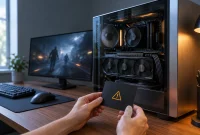
Encountering a TPM device is not ready Windows 11 error means the operating system detects your Trusted Platform Module hardware but cannot utilize it. This issue frequently interrupts BitLocker encryption setups, Windows Hello credentials, or system compatibility checks, and it often surfaces following a BIOS update. A Trusted Platform Module functions as a dedicated security processor that safeguards private data across the system. When this hardware fails to communicate properly, understanding the underlying cause helps resolve the barrier.

Table of Contents

Toggle
  • Diagnosing Your TPM Status
  • Common TPM Errors and How to Address Them
  • Troubleshooting Persistent TPM Failures

Diagnosing Your TPM Status

Verifying system reports determines how the operating system interacts with the security chip. The message “The TPM is ready for use” confirms full functionality, whereas “The TPM is not ready for use” indicates the chip requires attention. Seeing “Compatible TPM cannot be found” typically points to a disabled setting in the UEFI firmware or unavailable hardware. For a second check, right-click the Start menu, select Terminal with administrator privileges, and run the command Get-Tpm. Seeing TpmPresent : True confirms detection, while TpmReady : False shows that Windows has not yet prepared the module for use.

Common TPM Errors and How to Address Them

Error or Status What It Means Best Starting Point
“The TPM is not ready for use” Windows sees the TPM but can’t use it yet Run Initialize-Tpm
“Compatible TPM cannot be found” TPM is disabled, hidden, or unavailable Enable TPM, Intel PTT, or AMD fTPM in UEFI
TpmPresent : True, TpmReady : False The TPM exists but isn’t prepared Initialize it, then update firmware if needed
TpmPresent : False Windows can’t detect a TPM Check UEFI and Device Manager
“Security processor troubleshooting” warning Windows found a TPM health or firmware problem Install updates before considering Clear TPM
Specification version 1.2 The active TPM mode is older than Windows 11 expects Check for TPM 2.0 mode or vendor firmware
Device Manager Code 10 or Code 43 The TPM device failed to start or respond correctly Reinstall the device and update firmware

When the management console reports that the TPM is not ready, running initialization commands often resolves the unready state. If the tool fails to prepare the module, checking the UEFI firmware becomes the necessary next step. A missing security processor option in Windows Security usually happens because the feature is disabled in the motherboard firmware. Intel systems typically refer to this setting as Intel PTT or Platform Trust Technology, while AMD systems label it AMD fTPM or AMD PSP fTPM.

Secure Boot and TPM both support system security, but they operate as separate UEFI settings. Enabling Secure Boot will not repair an uninitialized TPM chip. Furthermore, verifying that the processor runs TPM 2.0 is essential because older systems utilizing TPM 1.2 fail Windows 11 requirements. Motherboards lacking native TPM 2.0 support may require checking for a UEFI update or considering a compatible hardware module.

Troubleshooting Persistent TPM Failures

If a warning icon appears in Device Manager following a driver or system update, the device entry may be corrupted. Reinstalling the device through Device Manager removes the old Windows entry while preserving stored keys, allowing the built-in driver to install cleanly upon restart. When errors continue past initialization and driver reinstalls, outdated UEFI firmware, TPM firmware, or chipset drivers can block proper communication. Applying official manufacturer updates resolves these communication blocks, though care must be taken to match model-specific BIOS files.

As a final troubleshooting measure when other fixes fail, clearing the chip addresses damaged ownership data or internal keys. Always back up your BitLocker recovery key before clearing the TPM, because this action removes protected keys and can restrict access to encrypted drives. If initialization continuously fails or the hardware disappears entirely after updates, contacting the motherboard manufacturer helps identify underlying hardware faults.

Step Action Applies To
1 Check tpm.msc and Get-Tpm Every TPM error
2 Run Initialize-Tpm TPM present but not ready
3 Enable PTT, fTPM, or TPM TPM not detected
4 Reinstall the device Driver warnings
5 Update Windows and firmware Errors that persist
6 Clear the TPM after backing up keys Corrupt TPM state

Following a structured diagnostic path resolves the TPM device is not ready Windows 11 error effectively. Addressing UEFI settings, running initialization commands, and maintaining current firmware ensure that your security processor remains fully operational.

Views: 2

Share this:

Related posts:

  • Phantom Blade Zero Developers Warn Against Nvidia Driver 621.01

  • Windows 11 Expands Search Controls to Disable Bing-Powered Web Results

  • Microsoft Teams Notifications Not Working in Windows 11? 9 Fixes to Try

Ethan Carter

Ethan Carter

Ethan Carter is a tech writer focused on Windows optimization, lightweight software, and practical PC troubleshooting. He enjoys testing utilities, improving low-end PC performance, and sharing simple tech solutions that help everyday users get more from their devices.

Next Post
Best Mac 2026: Every Apple Mac and MacBook compared

Best Mac 2026: Every Apple Mac and MacBook compared

Leave a Reply Cancel reply

Your email address will not be published. Required fields are marked *

Recommended.

What Is a Real-Time Operating System (RTOS)? Types, Features, Examples, and Applications Explained

What Is a Real-Time Operating System (RTOS)? Types, Features, Examples, and Applications Explained

June 27, 2026
How to Protect Windows 11 From Malware Without Slowing Down Your PC

How to Protect Windows 11 From Malware Without Slowing Down Your PC

October 26, 2026

Trending.

Microsoft PC Manager Review: Surprisingly Useful, But Not the PC Booster You Expect

Microsoft PC Manager Review: Surprisingly Useful, But Not the PC Booster You Expect

June 16, 2026
Is CCleaner Worth It in 2026? Honest Review After Testing It on Modern Windows PCs

Is CCleaner Worth It in 2026? Honest Review After Testing It on Modern Windows PCs

June 17, 2026
What to Expect at Apple’s October 28 Pro and Tell Event

What to Expect at Apple’s October 28 Pro and Tell Event

October 25, 2026
iPad mini (A20 Pro): Release Date, OLED, Price, and Specifications

iPad mini (A20 Pro): Release Date, OLED, Price, and Specifications

October 29, 2026
How to Update Your BIOS (UEFI)

How to Update Your BIOS (UEFI): When You Should, When You Shouldn’t, and How to Do It Safely

October 25, 2026
12 Best PC Boosters for Gaming, Low-End PCs, and Everyday Performance

12 Best PC Boosters for Gaming, Low-End PCs, and Everyday Performance

June 17, 2026
7 Best Free Antivirus for Windows 11 Ranked by Performance and Security

7 Best Free Antivirus for Windows 11 Ranked by Performance and Security

June 19, 2026
What Is Programming Software? Types, Functions, and Best Tools for Beginners

What Is Programming Software? Types, Functions, and Best Tools for Beginners

June 14, 2026
20 Operating System Examples Categorized by Device and Purpose

20 Operating System Examples Categorized by Device and Purpose

June 27, 2026
Windows 11 version 26H2 Now Broadly Available for Eligible Devices

Windows 11 version 26H2 Now Broadly Available for Eligible Devices

October 26, 2026
How to Resize the Windows 11 Start Menu With New Built-In Controls

How to Resize the Windows 11 Start Menu With New Built-In Controls

October 26, 2026
How to Fix a USB Device That Keeps Disconnecting

How to Fix a USB Device That Keeps Disconnecting

October 26, 2026
iPhone Duo Guide: Price, Specifications, Availability, and Reviews

iPhone Duo Guide: Price, Specifications, Availability, and Reviews

October 26, 2026
Best Free Screen Recorders for Windows We Tested No Watermarks, No Time Limits

9 Best Free Screen Recorders for Windows We Tested in 2026 (No Watermarks, No Time Limits)

June 23, 2026
macOS 27 Golden Gate: What’s New, Compatible Macs, and Features

macOS 27 Golden Gate: What’s New, Compatible Macs, and Features

October 29, 2026
PowerToys 0.102 Adds Mouse Utilities, Quick Commands, and Dictation

PowerToys 0.102 Adds Mouse Utilities, Quick Commands, and Dictation

October 27, 2026
Internal Hardware of a Computer: Definition, Components, and How Internal Computer Hardware Works

Internal Hardware of a Computer: Definition, Components, and How Internal Computer Hardware Works

March 9, 2026
Microsoft Tests Controller-Friendly Gaming Task View for Windows 11

Microsoft Tests Controller-Friendly Gaming Task View for Windows 11

October 26, 2026
8 Best Driver Updater Software for Windows: Free and Paid Options Compared

8 Best Driver Updater Software for Windows: Free and Paid Options Compared

July 2, 2026
What Is a Distributed Operating System? Architecture, How It Works, Functions, Benefits, and Examples

What Is a Distributed Operating System? Architecture, How It Works, Functions, Benefits, and Examples

June 27, 2026
Microsoft Tests Cleaner, Faster File Explorer Context Menu for Windows 11

Microsoft Tests Cleaner, Faster File Explorer Context Menu for Windows 11

October 26, 2026
Microsoft Project Zenith: A Developer-Ready Windows 11 Experience

Microsoft Project Zenith: A Developer-Ready Windows 11 Experience

October 26, 2026
How to Dual-Boot Linux and Windows 11: A Safe Step-by-Step Guide

How to Dual-Boot Linux and Windows 11: A Safe Step-by-Step Guide

October 26, 2026
Can You Run Regular Ethernet Cables Outside?

Can You Run Regular Ethernet Cables Outside?

October 26, 2026
Touchscreen MacBook Pro Rumors: OLED, Design and Release Date

Touchscreen MacBook Pro Rumors: OLED, Design and Release Date

October 29, 2026
Global PC Shipments Plunge Over 20 Percent Amid Rising Component Costs

Global PC Shipments Plunge Over 20 Percent Amid Rising Component Costs

October 25, 2026
Why Wrong Wi-Fi Bands Slow Your Devices and How to Fix It

Why Wrong Wi-Fi Bands Slow Your Devices and How to Fix It

October 26, 2026
Best PC Cleaner for Windows 11: 7 Safe Tools to Clean Junk Files and Free Up Storage

Best PC Cleaner for Windows 11: 7 Safe Tools to Clean Junk Files and Free Up Storage

June 17, 2026
iOS 27 Features, Compatibility, and Siri AI Overview

iOS 27 Features, Compatibility, and Siri AI Overview

October 29, 2026
Apple Unveils Thinner, Lighter iPad mini (A20 Pro) with OLED Screen and Major Power Boosts

Apple Unveils Thinner, Lighter iPad mini (A20 Pro) with OLED Screen and Major Power Boosts

October 29, 2026
Intechfy

Intechfy.com is a technology-focused information platform created to make everyday tech concepts easier to understand, more practical, and more accessible.

  • About
  • Contact
  • Disclaimer
  • Sitemap
  • Privacy Policy
  • Terms Of Service

© 2026 Intechfy.com - Information Technology for You

No Result
View All Result
  • Home
  • Guides
  • Utilities
  • Reviews
  • Tech Basics
    • Computer
    • Hardware
    • Software
    • Operating System
    • Networking

© 2026 Intechfy.com - Information Technology for You