Apple has officially announced the new 14-inch M6 MacBook Pro, marking the debut of its next-generation silicon in a portable professional chassis. This specific launch focuses on the standard M6 chip, while the Pro and Max iterations are reserved for a later date. Preorders for the new hardware open on October 28, 2026, with general retail availability starting on November 6.
M6 MacBook Pro release date: When will it launch?
Early adopters can secure the device through preorders starting Wednesday, October 28, 2026, via the official Apple online store and mobile app. The hardware will reach 35 countries and regions during the initial rollout. Physical sales and deliveries through Apple Stores and authorized resellers are scheduled to begin on Friday, November 6.
M6 MacBook Pro design: What does it look like?
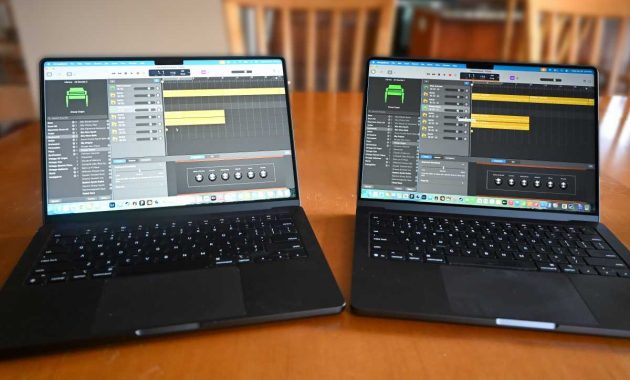
The external chassis of the new model remains identical to the previous generation, utilizing the established aluminum enclosure. It is available in the signature Space Black and Silver finishes. While a more significant redesign featuring a touchscreen is rumored for the near future, this release maintains the classic professional aesthetic.
The device dimensions are unchanged, measuring 12.31 inches in width, 8.71 inches in depth, and 0.61 inches in thickness. It maintains a weight of 3.4 pounds (1.55kg), ensuring consistency for users upgrading from recent models. The interface includes the standard backlit Magic Keyboard, a Force Touch trackpad, and Touch ID for biometric security.
M6 MacBook Pro display: Resolution and screen quality
Visual specifications remain consistent with the high standards of the previous generation. The 14.2-inch Liquid Retina XDR display uses mini-LED technology to deliver a 3024 × 1964 native resolution. It supports ProMotion technology, allowing for adaptive refresh rates reaching up to 120Hz for fluid movement.
The screen provides a peak HDR brightness of 1,600 nits and a sustained full-screen HDR brightness of 1,000 nits. For outdoor use, the SDR brightness can also reach 1,000 nits. Users still have the option to add a nano-texture finish to minimize reflections and glare in challenging lighting environments.
M6 MacBook Pro processor: What does M6 change?
The M6 chip is built on a new 2-nanometer manufacturing process, which allows for higher transistor density and improved power efficiency. The CPU has been expanded to a 12-core configuration, featuring two super cores, four performance cores, and six efficiency cores. This architecture provides roughly 20 percent faster multithreaded performance than the 10-core M5.
| Feature | New 14-inch M6 | Previous 14-inch M5 |
|---|---|---|
| Manufacturing process | 2nm | Third-generation 3nm |
| CPU cores | 12 | 10 |
| CPU architecture | New complex with super, performance, and efficiency cores | Earlier CPU design |
| GPU cores | 12 | 10 |
| Graphics performance | Up to 30% faster, Apple claims | Comparison baseline |
| Neural Engine | Dual 16-core | 16-core |
| GPU Neural Accelerators | Retained across the larger GPU | Present |
| Maximum memory bandwidth | Up to 170GB/s | 153GB/s |
| Wi-Fi | Wi-Fi 7 | Wi-Fi 6E |
| Bluetooth | 6 | 5.3 |
Graphics processing also sees an upgrade to a 12-core GPU, which Apple claims is up to 30 percent faster than the M5. The inclusion of a dual 16-core Neural Engine specifically targets artificial intelligence, offering 25 percent faster on-device AI workload processing. Hardware-accelerated ray tracing and Neural Accelerators remain integrated into the GPU architecture.
| Specs | M6 | M5 |
|---|---|---|
| CPU | 12 cores: 2 super, 4 performance, 6 efficiency | 10 cores: 4 super, 6 efficiency |
| GPU | 12 cores | 10 cores |
| Neural Engine | Dual 16-core | Single 16-core |
| Memory bandwidth | Up to 170GB/s | 153GB/s |
The Media Engine continues to support essential professional codecs, including H.264, HEVC, and ProRes. It also features dedicated AV1 decoding for efficient high-quality video streaming. While the core capabilities mirror the M5, the increased memory bandwidth of 170GB/s ensures smoother data flow during heavy video editing tasks.
M6 MacBook Pro RAM: How much memory does it have?
Base configurations start with 16GB of unified memory, with optional upgrades to 24GB or 32GB. While these capacities remain the same as the M5, the increased bandwidth allows the system to access stored data more rapidly. This improvement is particularly beneficial for graphics-heavy projects and complex multitasking.
For users focused on local AI development, the memory capacity determines the size of models that can run on the device. Higher bandwidth directly influences how quickly these models process information. General productivity users will find 16GB sufficient, while creative professionals should consider 24GB or 32GB for more intensive workloads.
M6 MacBook Pro Connectivity: What ports and wireless options are there?
The wireless communication suite has been modernized to include Wi-Fi 7 and Bluetooth 6. These standards offer improved stability and speed over the Wi-Fi 6E and Bluetooth 5.3 found in older models. Note that the availability of Wi-Fi 7 features depends on local regional regulations and compatible hardware.
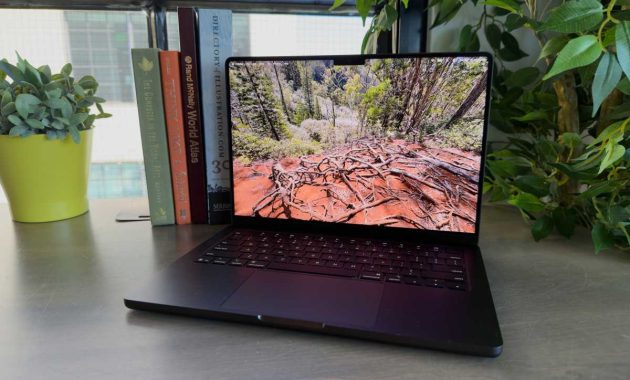
Physical I/O remains robust, featuring three Thunderbolt 4 (USB-C) ports for high-speed data and display output. The laptop also includes an HDMI port, an SDXC card slot, and a MagSafe 3 charging port. A 3.5mm headphone jack is provided, designed to drive high-impedance professional headphones without an external amp.
M6 MacBook Pro battery, MagSafe, and charging
Apple estimates the battery life at up to 24 hours for video streaming and 16 hours for wireless web browsing. These figures match the endurance of the M5 model, despite the increased core counts and performance. The device uses a 72.4Wh lithium-polymer battery to achieve these results.
| Battery/charging specification | Both models |
|---|---|
| Wireless web browsing | Up to 16 hours |
| Video streaming | Up to 24 hours |
| Battery capacity | 72.4Wh lithium-polymer |
| Power adapter listed | 70W USB-C |
| Fast charging | Requires a 96W or higher USB PD power source |
In the United States, the laptop ships with a 70W USB-C power adapter, though this is sold separately in the U.K. and Europe. To utilize the fast-charging feature, users must acquire a 96W or higher USB Power Delivery adapter. The standard 70W unit does not provide enough power to meet the fast-charging requirements.
M6 MacBook Pro: Price
The starting price for the M6 MacBook Pro is $1,999 in the U.S. and £1,999 in the U.K. This matches the current list price of the outgoing M5 model. Education customers can access a reduced starting price of $1,899 or £1,899. This entry point is $400 higher than the original 2025 launch price of the base M5 14-inch model.
| Model and pricing point | U.S. starting price | U.K. starting price |
|---|---|---|
| M5 at October 2025 launch | $1,599 | £1,599 |
| Outgoing M5, current listing | $1,999 | £1,999 |
| New M6 | $1,999 | £1,999 |
| M6 vs. current M5 | No increase | Await confirmation |
| M6 vs. original M5 U.S. launch | $400 more | $400 more |
Should you buy the M6 MacBook Pro?
Upgrading is most beneficial for those using older Intel-based Macs or the earliest M-series chips. The 2nm M6 offers substantial improvements in both efficiency and raw processing power for these users. However, owners of the M5 generation may find the performance gains incremental unless their specific workflow relies heavily on Wi-Fi 7 or AI processing.
If your current machine comfortably manages your daily tasks, waiting for independent benchmarks is a prudent strategy. The choice of memory configuration should be based on your current project requirements, especially for video editing or AI experimentation. Those interested in potential chassis redesigns or touchscreen capabilities may want to wait for future announcements.
Wait for independent benchmarks if your current M5 setup remains capable, as this will provide a clearer picture of the value offered by the M6 MacBook Pro.