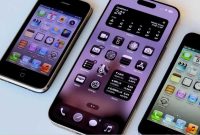
Apple senior management holds positive feelings toward touchscreens, largely because touch technology drove the financial success of the iPhone, iPad, and Apple Watch. However, touchscreens do not solve every problem and fail to work in certain contexts. Nobody expects Apple to install a tiny touchscreen on the stem of an AirPods pair or a full touchscreen on an Apple TV.
The Ergonomic Challenge of Touchscreen Laptops
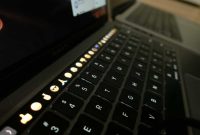
The touchscreen on the iPhone functions smoothly because users hold the device in a comfortable position for one hand while interacting with the other. A MacBook, conversely, rests on a desk or a user’s lap, which simultaneously supports the user’s wrists during typing and trackpad navigation. Reaching upward to interact with a vertical display creates physical fatigue and directly contradicts established laptop usage patterns.
Software and Operating System Complexities
Software adaptation presents another significant obstacle for a touchscreen MacBook. Elements sized adequately for cursor clicks often prove too small for precise finger taps, requiring distinct design practices for touch and non-touch environments. Apple has intentionally kept macOS and iPadOS separate to serve different user needs effectively. Introducing a touchscreen to the MacBook would force macOS to handle both interaction models, creating unnecessary friction for users and the UX team.
Viable Contexts for Touchscreen Integration
A touchscreen MacBook could potentially function under two specific conditions. One possibility involves a hybrid laptop and tablet convertible form factor where users detach or fold the keyboard behind the screen. Alternatively, the touchscreen functionality could remain entirely optional for standard laptop operations, serving niche tasks like digital signatures or CAPTCHA verification. Nevertheless, building a touchscreen MacBook introduces hardware compromises and cost increases that outweigh these infrequent use cases.