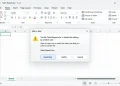

On November 6, 2026 (JST), a Steam update for NieR:Automata on Windows PC began telling players that the game requires roughly 366GB of free space. This massive jump from the usual 50GB footprint caused confusion and concern among players. Square Enix quickly acknowledged the installation storage issue and published an official workaround to help players bypass the error.
What Caused the NieR:Automata 366GB Steam Update Bug?
The headline change for this update was the introduction of new language support, specifically adding Korean, Simplified Chinese, and Traditional Chinese language options according to PC Gamer. However, once the update rolled out, Steam began listing an astronomical installation requirement of 366GB—representing about a 7.3-fold increase over the standard file size.
The official NieR account on X responded swiftly to the situation, stating that the development team had identified an issue causing the installation to demand far more storage than intended. Square Enix confirmed that a storage-calculation error was responsible and noted that they were actively investigating while working on a permanent fix. As of November 7, 2026, a definitive fix date has not yet been announced.
Is the 366GB File Size Real?
Fortunately, the 366GB requirement is entirely an illusion. Tests conducted by outlets like Game*Spark revealed that the actual download and disk usage figures were far below the reported 366GB, indicating that the inflated figure acted merely as a pre-install space check rather than the game’s actual footprint on the system.
While OpenCritic framed the bug as accidentally turning the title into one of the biggest games ever, the real danger is how players react. Players with around 200GB of free space might be tempted to delete other games or important personal files to accommodate an incorrect metric. If Steam reports a shortfall, it is vital to check your drive and library manually before uninstalling anything.
How to Apply Square Enix’s Official Workaround
If you want to play the game right away without clearing massive amounts of space, you can utilize Square Enix’s official workaround within the Steam desktop client. Follow these steps:
- Open your Steam library and locate NieR:Automata.
- Right-click the game title and select Properties.
- Navigate to the DLC section and uncheck the DLC entries listed there (labels may vary).
Keep in mind that unchecking these entries means the DLC will not be present on your drive until you re-enable it. Furthermore, it remains unclear whether the new language options are tied to those specific DLC packages, so players specifically needing Korean or Chinese text may prefer to wait for a patch.
What to Do While Waiting for a Permanent Fix
Deciding how to handle the NieR Automata 366GB update bug depends on your immediate gaming needs. If you cannot spare the extra space or want to avoid changing your Steam settings, pausing the update is a safe alternative until Square Enix releases a proper patch.
If you choose to use the DLC toggle workaround, remember to re-enable the DLC files once the developer confirms a fix. Above all, do not clear out 366GB of storage based on this error message. Verify your actual Windows free disk space, and monitor the official NieR social channels or Steam news page for the latest updates on a permanent resolution.