
Modern software development relies on a wide range of applications designed to help programmers create, test, maintain, and improve code. When people search for examples of programming software, they are often looking for real tools that developers use every day rather than technical definitions or software categories.
From building websites and mobile apps to managing databases and collaborating on large projects, different tools play different roles throughout the development process.
A professional developer rarely depends on a single application. Most projects require a combination of editors, integrated development environments, source control platforms, and automation utilities.
Some tools focus on writing code efficiently, while others help track changes, identify bugs, or speed up repetitive tasks. This combination creates a workflow that allows teams and individuals to develop software more effectively.
What Are Examples of Programming Software?
Programming software refers to applications that help developers write, edit, test, debug, manage, and deploy code. These tools support different stages of software creation, making development faster, more organized, and easier to maintain. When discussing examples of programming software, the focus is usually on practical applications that programmers use regularly rather than abstract concepts.
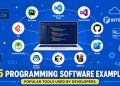
Some of the most recognized examples of programming software include Visual Studio Code, IntelliJ IDEA, PyCharm, Git, GitHub Desktop, Android Studio, Xcode, GitHub Copilot, Cursor, and DBeaver. Each tool serves a specific purpose within the development process.
These applications can be grouped into several categories. Some are software for coding and editing source files, while others provide advanced debugging and project management features. Certain tools specialize in database administration, and newer platforms use artificial intelligence to assist developers with writing and reviewing code.
As you explore the following examples of programming software, you will notice that many modern teams combine multiple solutions. This approach allows them to choose the best developer software for each task while improving productivity through specialized coding applications.
Programming Software Examples by Category

Before exploring individual tools in detail, it helps to understand how they fit into broader categories. Modern development workflows often combine several types of programming software, with each category serving a different purpose.
Looking at these examples of programming software by category makes it easier to identify which tools are relevant to your projects and skill level.
Code Editors
Among the most widely used code editors are Visual Studio Code, Notepad++, and Sublime Text. These applications focus on creating and editing source code efficiently. They are generally lightweight, highly customizable, and suitable for working with multiple programming languages. Many developers start with a code editor before moving to more advanced environments.
Integrated Development Environments (IDEs)
Popular IDE software includes IntelliJ IDEA, Visual Studio, PyCharm, and Eclipse. Unlike simple editors, IDEs combine coding, debugging, testing, and project management features within a single interface. These platforms are often preferred for large-scale applications and professional development projects.
Version Control Tools
Modern software projects rely heavily on version control tools such as Git and GitHub Desktop. These applications help developers track changes, collaborate with team members, manage repositories, and restore previous versions of code when necessary.
Database Development Tools
Working with databases requires specialized applications. Common database tools include DBeaver and MySQL Workbench. These platforms simplify database design, querying, administration, and performance monitoring across different systems.
AI Coding Assistants
Artificial intelligence is becoming a larger part of software development. Popular AI coding assistants include GitHub Copilot, Cursor, and Tabnine. These tools help generate code suggestions, automate repetitive tasks, and improve productivity during development.
25 Examples of Programming Software Developers Use Today

The following examples of programming software are commonly used across web, mobile, desktop, enterprise, and cloud development environments. Some focus on writing code, while others improve debugging, testing, and project management. Together, these applications form the foundation of many professional workflows.
These programming software examples highlight the tools developers rely on to build everything from simple websites to large-scale business applications. Whether you are learning to code or exploring professional development environments, understanding how each solution fits into a workflow can help you choose the right tools for your needs.
1. Visual Studio Code
Visual Studio Code is one of the most popular code editors available today. Developed by Microsoft, it combines a lightweight design with powerful features such as syntax highlighting, integrated terminal access, and extensive extension support. Developers can customize the editor for virtually any programming language, making it suitable for web, mobile, desktop, and cloud projects.
According to the 2025 Stack Overflow Developer Survey, Visual Studio Code remains the most widely used development environment among programmers, maintaining its position as the top IDE for five consecutive years. Its flexibility and large extension marketplace make it a preferred choice among both beginners and experienced professionals.
2. IntelliJ IDEA
IntelliJ IDEA is a professional integrated development environment primarily known for Java development. It provides intelligent code analysis, advanced refactoring capabilities, and smart code completion that helps developers write cleaner code with fewer errors.
Many enterprise teams choose IntelliJ IDEA because it streamlines large projects and supports popular frameworks such as Spring and Hibernate. Its productivity-focused features make it one of the most respected development tools in the Java ecosystem.
3. PyCharm
PyCharm is a dedicated Python IDE developed by JetBrains. It includes powerful debugging utilities, code inspections, testing frameworks, and project management features that simplify Python development.
Developers working on web applications, automation scripts, machine learning projects, and data science solutions often use PyCharm because it provides a complete environment tailored to Python workflows. Its intelligent suggestions and built-in debugging capabilities help reduce development time while improving code quality.
4. Visual Studio
Visual Studio is Microsoft’s flagship development environment for building Windows applications, web services, and enterprise software. It is especially popular among developers working with .NET technologies such as C#, ASP.NET, and .NET MAUI.
The platform includes advanced debugging tools, integrated testing features, and project management capabilities designed for large development teams. For organizations building complex business solutions, Visual Studio remains one of the most trusted software development platforms available.
5. Eclipse
Eclipse is an open-source IDE that has played a major role in Java development for many years. Its plugin-based architecture allows developers to expand functionality based on project requirements, making it suitable for multiple programming languages beyond Java.
Although newer environments have gained popularity, Eclipse continues to maintain a strong presence in educational institutions and enterprise environments. Many developers appreciate its flexibility, mature ecosystem, and support for a wide range of development frameworks.
6. NetBeans
NetBeans is another open-source IDE widely used for Java development. It also supports PHP, JavaScript, HTML, and several other programming languages, giving developers a versatile environment for different types of projects.
One of its strengths is simplicity. New developers can get started quickly without spending significant time configuring the environment. At the same time, experienced programmers benefit from built-in debugging, code analysis, and project management features. Among many programming software examples, NetBeans remains a practical choice for developers seeking an accessible yet capable IDE.
7. Android Studio
Android Studio is the official integrated development environment for Android app development. Built on IntelliJ IDEA, it provides a complete set of features for designing, coding, testing, and deploying Android applications. Developers can use visual layout editors, device emulators, and performance monitoring tools without leaving the platform.
Its deep integration with the Android SDK makes development more efficient and reduces the complexity of managing mobile projects. For anyone building Android applications, Android Studio is considered one of the most essential developer tools available today.
8. Xcode
Xcode is Apple’s official development environment for creating applications for iPhone, iPad, Mac, Apple Watch, and Apple TV devices. It includes everything developers need to build software within the Apple ecosystem, including a code editor, debugger, interface builder, and testing framework.
The platform supports Swift and Objective-C while providing seamless integration with Apple’s development resources. Among modern development environments, Xcode remains the standard choice for developers targeting iOS and macOS users.
9. Notepad++
Notepad++ is a lightweight source code editor known for its speed and simplicity. It supports numerous programming languages through syntax highlighting and code formatting features while maintaining a small system footprint.
Many developers use Notepad++ for quick edits, configuration file modifications, and lightweight programming tasks. Despite its simple appearance, the editor includes useful productivity features that make it a reliable piece of coding software for everyday work.
10. Sublime Text
Sublime Text is a fast and highly responsive code editor designed for developers who value performance. It offers features such as multiple selections, command palettes, split editing, and extensive customization options.
Its lightweight design allows programmers to work with large files and projects without significant slowdowns. These advantages have helped Sublime Text remain a popular option among professionals seeking flexible programming tools that do not require the overhead of a full IDE.
11. Vim
Vim is a terminal-based text editor that has been widely used by developers for decades. Known for its keyboard-driven workflow, Vim allows users to navigate, edit, and manipulate code with remarkable speed once they become familiar with its commands.
Although it has a steeper learning curve than many modern editors, experienced users often praise its efficiency. Vim is especially common in server environments, remote development scenarios, and command-line workflows where speed and minimal resource usage are important.
12. Emacs
Emacs is a highly customizable development environment that goes far beyond traditional text editing. Through extensions and scripting capabilities, developers can transform it into a complete workspace for coding, debugging, project management, email, and more.
Its flexibility has earned a dedicated following among programmers who prefer personalized workflows. While newer development tools offer polished interfaces and simpler setup processes, Emacs continues to stand out as one of the most adaptable programming software examples available.
13. Git
Git is the most widely used version control system in modern software development. It allows developers to track changes, create branches, merge updates, and maintain a complete history of a project. These capabilities make collaboration much easier, especially when multiple team members are working on the same codebase.
From small personal projects to enterprise applications, Git helps developers manage code safely and efficiently. It has become one of the foundational programming software examples because nearly every modern development workflow relies on version tracking and collaboration.
14. GitHub Desktop
GitHub Desktop provides a graphical user interface for Git, making version control more accessible to developers who prefer visual workflows over command-line operations. The application simplifies common tasks such as committing changes, switching branches, and resolving merge conflicts.
Its user-friendly interface helps beginners understand Git concepts while still offering enough functionality for experienced users. As a result, GitHub Desktop remains a valuable addition to many developer workflows and serves as a practical bridge between Git and collaborative development platforms.
15. GitLab
GitLab is a comprehensive platform that combines source code management, collaboration, CI/CD automation, and project tracking within a single environment. Development teams use it to manage repositories, coordinate tasks, and automate software delivery processes.
Unlike standalone repository services, GitLab emphasizes an integrated workflow that covers multiple stages of development. This approach makes it one of the most useful development tools for organizations seeking to streamline software creation from planning through deployment.
16. Bitbucket
Bitbucket is a repository hosting platform designed to support collaboration among development teams. It integrates closely with other Atlassian products, making it a popular choice for organizations already using tools such as Jira and Confluence.
Developers use Bitbucket to manage source code, review changes, and coordinate contributions across teams. Its focus on collaboration and workflow management has helped establish it as a reliable solution for professional software development environments.
17. MySQL Workbench
MySQL Workbench is a database design and administration tool created for working with MySQL databases. It allows developers and database administrators to create schemas, manage database structures, write SQL queries, and monitor performance through a visual interface.
The platform simplifies tasks that would otherwise require extensive manual configuration. For teams working with data-driven applications, MySQL Workbench remains one of the most practical programming software examples because it bridges development and database management in a single environment.
18. DBeaver
DBeaver is a versatile database management application that supports a wide variety of database systems, including MySQL, PostgreSQL, Oracle, SQL Server, and SQLite. Its cross-platform compatibility makes it a popular choice among developers who work with multiple database technologies.
The software provides visual database management, query execution, data editing, and performance analysis features. These capabilities make DBeaver one of the most flexible software development tools available for handling database-related tasks across different environments.
19. pgAdmin
pgAdmin is a dedicated administration and development platform for PostgreSQL databases. It provides a graphical interface that simplifies database configuration, query execution, backup management, and performance monitoring.
Developers working with PostgreSQL often rely on pgAdmin to manage complex database environments more efficiently than using command-line tools alone. Its specialized focus on PostgreSQL makes it an important part of many database workflows and a trusted example of modern developer software.
Version control platforms and database management solutions may not receive as much attention as editors and IDEs, yet they play a critical role in software development. These programming software examples demonstrate how modern workflows extend beyond writing code.
Managing repositories, coordinating team contributions, designing databases, and maintaining data integrity are equally important tasks that help projects remain stable, scalable, and easier to maintain over time.
20. GitHub Copilot
GitHub Copilot is an AI-powered coding assistant designed to help developers write code more efficiently. It analyzes the context of a project and generates suggestions ranging from single lines of code to complete functions. By reducing repetitive work, Copilot allows developers to focus more on problem-solving and application design.
Based on GitHub’s Octoverse report, 80% of new developers use GitHub Copilot within their first week, highlighting how AI-powered coding assistants have become part of modern software development workflows.
Its growing adoption demonstrates how artificial intelligence is transforming daily development tasks and improving productivity across different programming languages and frameworks.
21. Cursor
Cursor is an AI-first code editor built to integrate artificial intelligence directly into the development experience. Unlike traditional editors that rely primarily on extensions, Cursor places AI assistance at the center of the workflow.
Developers can ask questions about code, generate functions, identify issues, and receive contextual suggestions without leaving the editor. Among newer programming software examples, Cursor has gained significant attention for combining modern editing features with advanced AI capabilities.
22. Tabnine
Tabnine is an AI-driven code completion tool that helps developers write code faster by predicting and suggesting relevant code snippets. It works with multiple programming languages and integrates with many popular development environments.
The platform focuses on improving efficiency while maintaining developer control over the final implementation. As organizations continue exploring AI-assisted development, Tabnine remains one of the most recognized coding applications designed to accelerate routine programming tasks.
23. WebStorm
WebStorm is a professional IDE developed by JetBrains specifically for JavaScript and modern web development. It supports technologies such as TypeScript, React, Angular, Vue, and Node.js while providing intelligent coding assistance and debugging tools.
Many front-end and full-stack developers choose WebStorm because it offers advanced project navigation, automated refactoring, and deep framework integration. These features make it a valuable option for teams building complex web applications.
24. CodePen
CodePen is an online development environment that allows programmers to experiment with HTML, CSS, and JavaScript directly in a browser. It is particularly popular among front-end developers who want to test ideas, create prototypes, and share interactive examples with others.
The platform encourages experimentation and rapid iteration without requiring local setup. This convenience has made CodePen a popular destination for learning, showcasing projects, and exploring creative web development techniques.
25. Replit
Replit is a cloud-based development platform that enables users to write, run, and deploy applications entirely from a web browser. It supports numerous programming languages and provides collaborative features that allow multiple developers to work together in real time.
Its accessibility makes it appealing to students, educators, freelancers, and professional teams alike. Among today’s programming software examples, Replit stands out for removing many of the traditional setup requirements associated with software development environments.
These final programming software examples reflect a growing shift toward cloud-based development and artificial intelligence. While traditional editors, IDEs, and repository platforms remain essential, modern developers increasingly rely on smart assistants and browser-based solutions to streamline their workflows. From GitHub Copilot and Cursor to Replit and CodePen, these tools illustrate how software development continues to evolve beyond conventional desktop applications.
Comparison of Popular Programming Software
Not all programming software is designed for the same purpose. Some tools focus on writing and editing code, while others specialize in collaboration, database management, version control, or AI-assisted development.
Looking at different examples of programming software side by side makes it easier to understand where each tool fits within a development workflow and which option may be most suitable for a specific project.
| Software | Type | Best For |
|---|---|---|
| Visual Studio Code | Code Editor | General Development |
| IntelliJ IDEA | IDE | Java Development |
| PyCharm | IDE | Python Projects |
| Android Studio | IDE | Android Apps |
| Xcode | IDE | iOS Apps |
| Git | Version Control | Source Management |
| GitHub Desktop | Git Client | Collaboration |
| DBeaver | Database Tool | Database Management |
| GitHub Copilot | AI Assistant | Code Suggestions |
| Cursor | AI Code Editor | AI-Assisted Development |
This comparison highlights how modern development often relies on multiple tools working together rather than a single application handling every task.
Best Programming Software for Beginners

Choosing the right software can make the learning process much easier. New programmers often benefit from tools that offer simple interfaces, helpful documentation, and features that reduce unnecessary complexity. While there are many examples of programming software available, a few stand out as particularly beginner-friendly.
Visual Studio Code
Visual Studio Code is frequently recommended as beginner programming software because it balances simplicity with powerful functionality. New developers can start writing code immediately without navigating a complicated interface, while advanced features remain available as skills grow.
The editor supports dozens of programming languages and offers thousands of extensions that can be installed when needed. This flexibility allows learners to use one environment across different projects without constantly switching tools.
Replit
Replit is a browser-based platform that removes many of the technical barriers associated with programming. Instead of downloading and configuring local development environments, users can create projects directly from a web browser.
This convenience makes Replit one of the most practical coding software for beginners. Students can focus on learning programming concepts rather than troubleshooting installations or configuring development environments.
Notepad++
Notepad++ remains a popular choice for beginners who want a lightweight editor with a minimal learning curve. The interface is straightforward, responsive, and easy to navigate, making it suitable for simple projects and learning exercises.
Many newcomers appreciate how quickly they can begin editing code without dealing with the complexity often found in larger development environments.
GitHub Copilot
Although GitHub Copilot is designed for developers of all experience levels, it can also serve as a useful learning companion. The AI assistant provides suggestions, code examples, and function templates that help users understand common programming patterns.
Among today’s examples of programming software, Copilot stands out because it can help explain concepts through practical code generation. When used responsibly, it supports learning while encouraging exploration of different programming approaches.
For new learners, these examples of programming software demonstrate that ease of use is often more important than having every advanced feature available from day one. Many of these tools are also widely recognized as software used by programmers, allowing beginners to build experience with platforms they may continue using throughout their careers.
Final Thoughts
The modern development landscape includes a wide variety of tools, each designed to solve specific challenges. From lightweight editors and enterprise IDEs to collaboration platforms and AI assistants, the best examples of programming software support different stages of the software development process.
No single application is perfect for every project. A web developer may rely heavily on Visual Studio Code and GitHub Copilot, while a mobile developer may spend most of their time in Android Studio or Xcode. Database administrators, backend engineers, and front-end specialists often use different combinations of tools based on their responsibilities and workflows.
Rather than searching for one universal solution, it is often more effective to build a toolkit that matches your goals. Many of the most effective examples of programming software work together, allowing developers to write code, manage repositories, collaborate with teams, and deploy applications more efficiently.
FAQs About Examples of Programming Software
What are examples of programming software?
Common examples of programming software include Visual Studio Code, IntelliJ IDEA, PyCharm, Android Studio, Git, DBeaver, GitHub Copilot, Cursor, and Replit. These tools help developers write, manage, test, and deploy software projects.
What software do programmers use most?
Many programmers use Visual Studio Code, Git, IntelliJ IDEA, PyCharm, and GitHub Copilot. These are among the most popular programming software options used across different development environments.
Is Visual Studio Code programming software?
Yes. Visual Studio Code is one of the most widely recognized examples of programming software and is commonly used for web, mobile, desktop, and cloud development.
What programming software is best for beginners?
Visual Studio Code, Replit, and Notepad++ are often recommended as beginner-friendly options because they are easy to learn and provide a solid foundation for coding.
What is the difference between an IDE and a code editor?
A code editor focuses primarily on writing and editing code, while an IDE combines editing, debugging, testing, and project management features within a single environment. Both are common coding applications and represent important examples of programming software used by developers worldwide.