
A VPN is only as reliable as the trust you place in its infrastructure. Unlike traditional services that operate their own private server fleets, Mysterium VPN review reveals a fundamentally different approach: a decentralized system (dVPN) where independent node operators share bandwidth in exchange for payment. This analysis focuses on the privacy implications, security performance, and the practical reliability of this decentralized architecture.
Decentralization: Trading Corporate Trust for ‘Stranger Trust’
In a traditional VPN model, you trust a single company to manage your traffic. Mysterium VPN changes this by routing your connection through two separate nodes within its decentralized network. The company claims your personal IP is never added to the pool of addresses used by others, which is a significant privacy advantage.

However, this shift creates a new model of “stranger trust.” Because the exit nodes are run by third-party volunteers or paid operators, you are effectively trusting whoever happens to be hosting your specific exit point. While your traffic is encrypted between your device and the network, it is vital to remember that any non-HTTPS traffic remains visible to the exit node operator, just as it would be with a traditional VPN.
Privacy Policy and the Audit Gap
Mysterium maintains a no-logs policy and asserts GDPR compliance, stating it does not track or store online activity, IP addresses, or the nature of your network traffic. The service does, however, process specific metadata, including your email address, session timestamps, bandwidth usage, and device model information.

A critical point for privacy-conscious users is the absence of an independent, verified no-logs audit. While parts of the network software are open source, the no-logs claim remains a promise rather than a verified fact. Furthermore, the company’s privacy policy indicates that it collects data related to account management and payment processing, and its website utilizes advertising cookies.
Security Testing: Kill Switch and Leak Protection
We tested the Mysterium VPN 2.4.11 app on a MacBook Pro (M2 Max) running macOS 26.6.2. Our testing focused on the app’s ability to handle unexpected network interruptions and prevent data leaks.
- Kill Switch Performance: During a 67-second hardware-induced network outage, the kill switch successfully prevented our real IP from leaking. However, the app’s status label incorrectly displayed “Connected” throughout the outage, meaning users cannot rely on the UI to verify tunnel health. Additionally, the kill switch does not trigger during manual disconnects.
- Leak Testing: We observed no DNS leaks, as lookups successfully routed through a Cloudflare resolver while connected. WebRTC leak tests also confirmed that our real IP was hidden, with Chrome masking local addresses as expected.
- The IPv6 Gap: Mysterium currently lacks support for IPv6. If your network uses IPv6, your traffic could potentially leak outside the VPN tunnel. Users must manually disable IPv6 in their system network settings to ensure full protection.
Encryption and Protocols
The app defaults to the WireGuard protocol, utilizing standard implementations like ChaCha20-Poly1305, Curve25519, and BLAKE2s. OpenVPN is also available as an alternative, but the application does not offer proprietary obfuscation protocols or split tunneling features.
The Node Network: Residential vs. Datacenter Labels
Mysterium categorizes its exit nodes into Datacenter, Residential, and Favourites. Our testing revealed that these labels are not always accurate. Some nodes labeled as “Residential” in locations like Miami and Frankfurt actually belonged to hosting or rental networks. Conversely, some “Datacenter” nodes were identified as consumer ISP addresses.
The app also provides specialty shortcuts like “Max privacy” and “P2P.” Our testing showed these labels can be misleading; “Max privacy” simply connected us to an Amazon Web Services server in Stockholm with no clear indication of extra security features. Users are better served by manually selecting their exit country rather than relying on automated shortcuts.
Features and Subscription Tiers
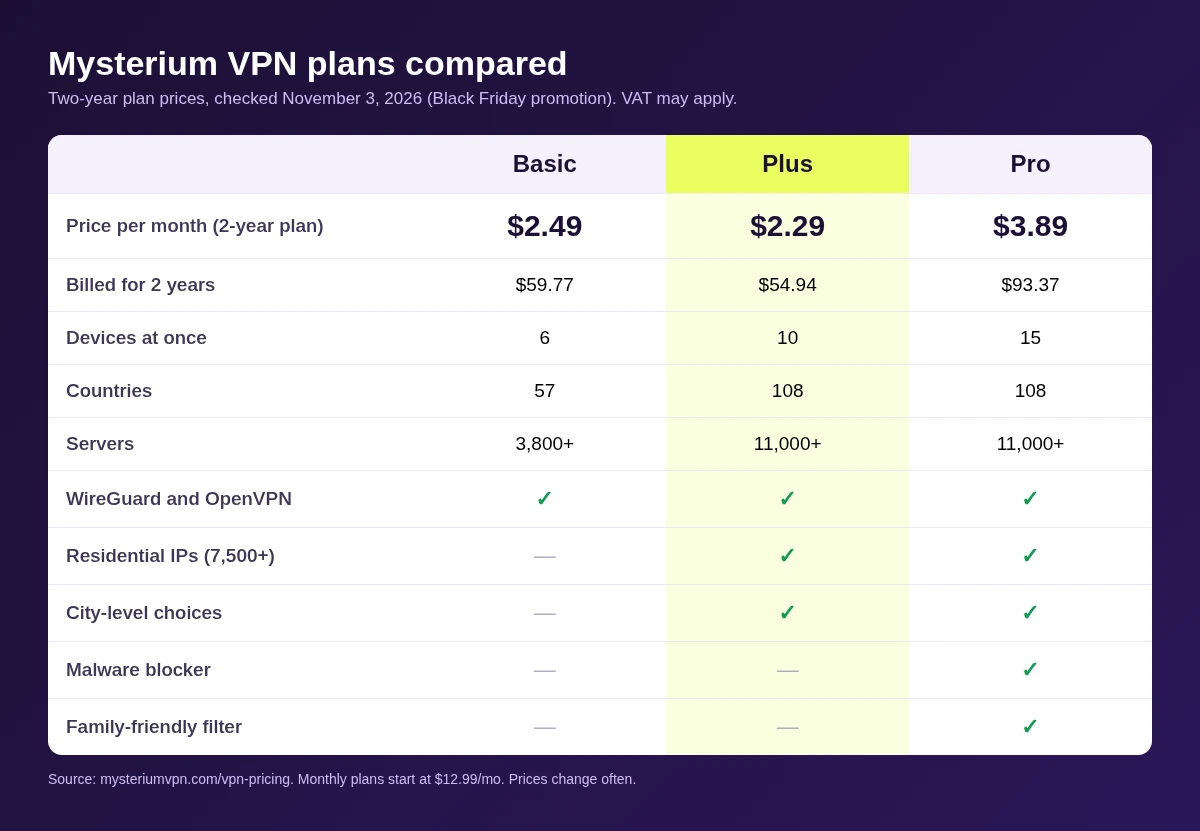
Mysterium offers various subscription tiers, with specific security features gated behind Pro plans. The malware blocker is a notable example.
| Feature | Basic/Plus | Pro |
|---|---|---|
| Malware Filtering | Not Included | Included |
| Family-Friendly Filter | Not Included | Included |
| Payment Options | Cards, Crypto, Apple/Google Pay | Cards, Crypto, Apple/Google Pay |
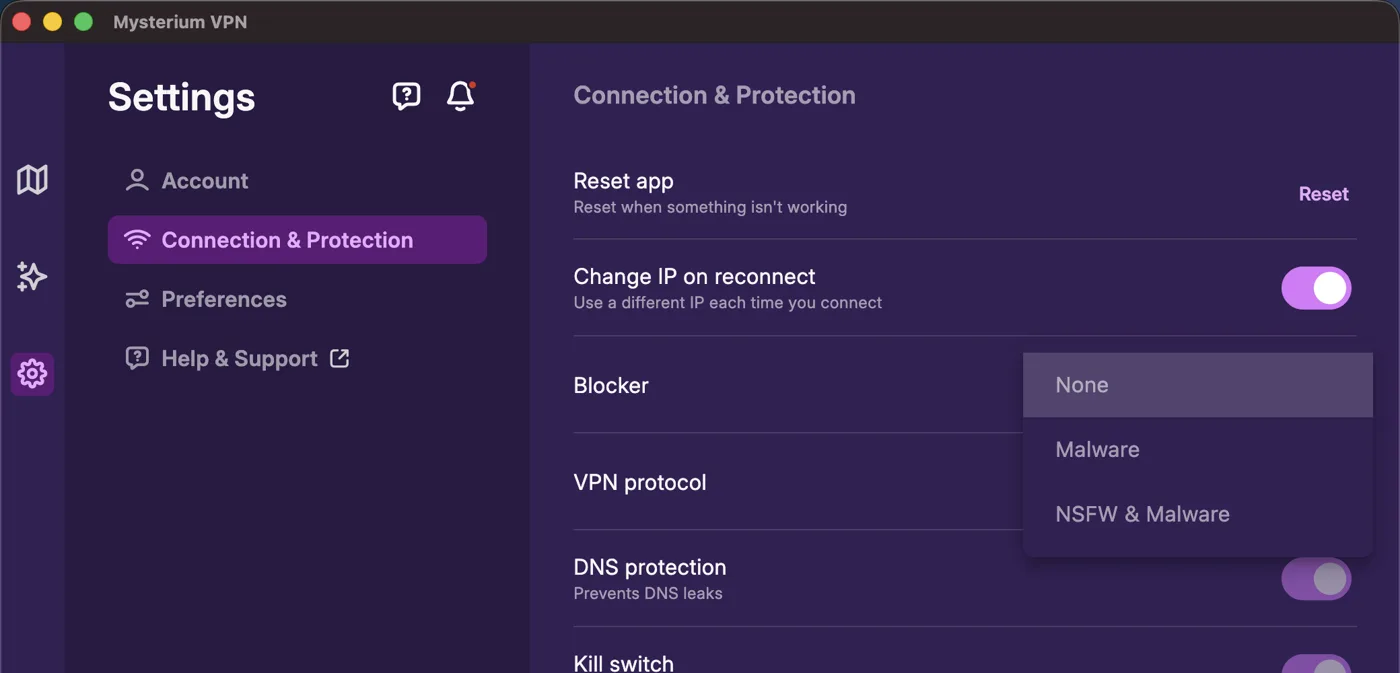
Our tests confirmed the malware blocker functions as a DNS-level filter. It successfully blocked test domains, but with a caveat: the filter only takes effect after the user disconnects and reconnects to the VPN. The app does not communicate this requirement, which could lead users to believe the protection is active when it is not.
Final Verdict: Who is Mysterium VPN For?
Mysterium VPN is an intriguing alternative for those interested in decentralized technology. Its kill switch is robust against unexpected drops, and it provides effective leak protection for DNS and WebRTC. However, the lack of an independent no-logs audit, the reliance on unvetted third-party exit nodes, and the manual requirements for IPv6 configuration make it a tool best suited for users who understand these trade-offs.
FAQ
- Is my traffic safe from the node operator? Your traffic is encrypted, but always use HTTPS to ensure that the exit node operator cannot see the content of your requests.
- Does the kill switch work? Yes, it effectively prevents leaks during unexpected network drops, but it does not trigger when you manually disconnect.
- Do I need to do anything after installing? Yes, you must manually disable IPv6 on your device to prevent potential leaks, as the app does not currently support it.
Mysterium VPN review confirms that while the decentralized model offers a unique architecture, it requires a higher degree of user awareness regarding network configurations and node trust.