Old electronic gear often sits in storage because discarding it adds to e-waste or feels unnecessary. If you have a pair of old speakers in your garage or a drawer, you can use them to upgrade your TV viewing experience for minimal cost and effort. Hooking external speakers to a modern television requires understanding both your audio output options and the hardware category of your speakers.
Understanding Your Speaker Type
Speakers generally fall into two distinct groups that dictate how they receive power. Active speakers include anything with a power cord or USB connection because they have an amplifier built directly inside the unit. Old computer speakers serve as the classic example of this category, typically featuring a permanently attached cable with a 3.5mm plug or RCA connectors.
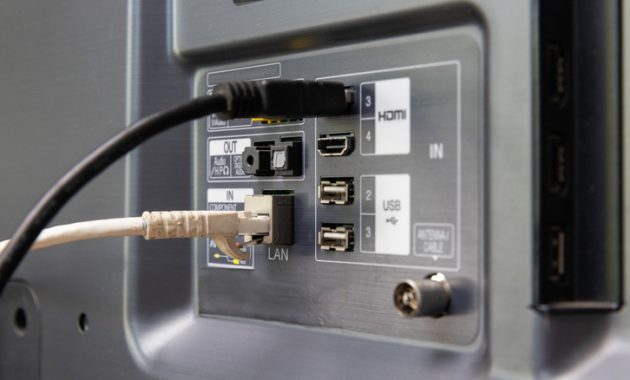
Passive speakers include older hi-fi bookshelf or floor-standing models lacking an internal power source. These units require an external amplifier matched to the power ratings printed directly on the speaker housing. Because televisions rarely feature dedicated speaker output terminals, identifying your TV ports determines the necessary connection hardware.
Evaluating TV Audio Outputs
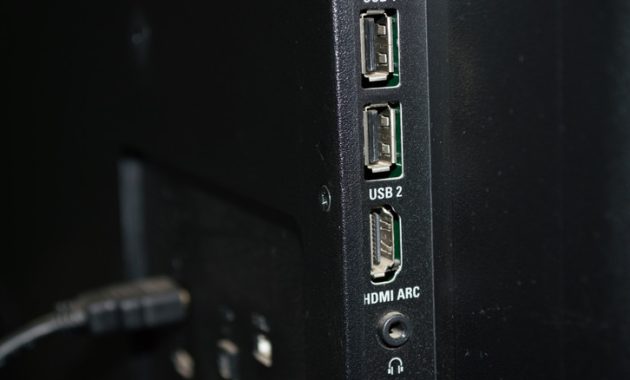
Finding the right connection requires checking the back or side panel of your television for available ports. Analog audio outputs provide the simplest configuration, allowing sound to travel straight through a 3.5mm jack or RCA connection as long as the speakers receive adequate power. Digital optical outputs require a basic digital-to-analog audio converter unless the speakers feature an optical input of their own. HDMI ARC ports offer another pathway, though utilizing them typically involves additional hardware.
Powering USB-Powered PC Speakers
USB-powered computer speakers present a specific power challenge when paired with a television. The attached USB cable on these speakers usually carries only power, while the audio signal travels separately through a 3.5mm or RCA line. Standard TV USB 2.0 ports supply limited power designed for flash drives and firmware updates rather than continuous audio gear. Attempting to draw too much current from a weak TV port can trip over-current protection and cause speakers to cut out at higher volumes.
Checking the port labels can help identify specialized connections, such as ports marked for external hard drives that supply higher amperage. Observing the TV behavior during standby mode reveals whether the USB power remains active when the screen turns off. Alternatively, powering the speakers through a dedicated USB phone charger delivers steady electrical current while leaving the audio cable connected to the television.
Connecting Speakers to Your Television
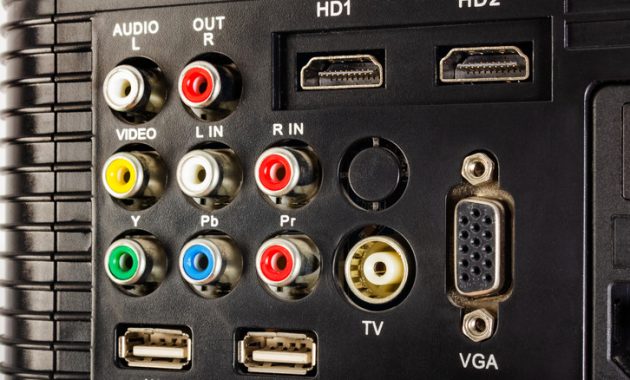
Locate the audio output port on your television, such as a headphone jack, line out, or optical port. Match the speaker plugs to the available ports using adapters or a digital-to-analog converter when crossing between analog and digital formats. Passive speakers require routing the television output through an impedance-matched amplifier before connecting speaker wire to the output terminals. Adjusting the TV sound settings to output through external options, line out, or PCM audio ensures proper signal transmission to the connected gear.
Handling HDMI ARC Outputs
Televisions equipped exclusively with HDMI ARC require an intermediate device to translate the digital signal into analog or amplified sound. A streaming amplifier featuring an HDMI ARC input simplifies this configuration by processing the audio stream and powering passive speakers directly from one unit. This setup maintains TV remote volume control capabilities while avoiding complicated stacks of separate converters and extractors. Configuring the TV output to PCM prevents silence or noise issues when connected to hardware that does not decode DTS signals.
Positioning one speaker on each side of the screen establishes a proper stereo soundstage for daily viewing. Alternatively, tucking the speakers slightly behind the display and angling them outward keeps them hidden while projecting clear audio into the room. Repurposing old speakers keeps electronic equipment out of landfills while significantly improving your TV audio quality.