When assembling or upgrading a computer system, hardware performance usually commands more attention than fan placement. However, optimizing PC airflow remains essential for sustained hardware longevity and preventing thermal throttling.
Thermal energy generated by active components accumulates inside the enclosure and degrades system performance if temperatures rise excessively. Case fans function by drawing ambient air across internal hardware and expelling the heated exhaust outward. Locating the computer in an open area with adequate ambient ventilation serves as the necessary foundation for any thermal management strategy.
Fan placement dictates internal thermal efficiency because heated air naturally ascends toward the top of the chassis. Positioning intake fans at the front and bottom draws cooler air inward, while exhaust fans at the rear and top expel the heated air. Systems facing persistent temperature issues can benefit immediately from adding top and bottom configurations.
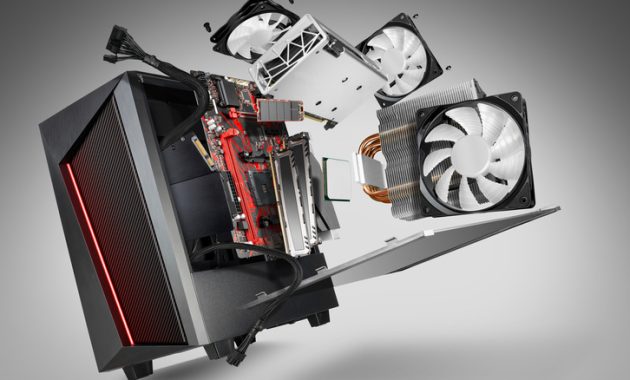
Air pressure dynamics inside the chassis shift depending on intake and exhaust configurations. Positive pressure occurs when internal air pressure exceeds external levels, forcing air outward through gaps, whereas negative pressure draws unfiltered air inward. Achieving completely neutral pressure remains difficult, so aiming for slightly positive pressure helps minimize dust accumulation.
Selecting replacement fans requires evaluating both physical dimensions and rotational speeds. The standard 120mm fan size balances airflow and pressure effectively, though larger variants move more air at lower static pressures. Intake fans positioned behind mesh filters encounter resistance, making higher operational speeds advantageous for maintaining adequate pressure.
Routine maintenance significantly enhances fan efficiency and thermal performance. Opening the enclosure regularly to clear accumulated debris using pressurized air prevents thermal bottlenecks. Installing and maintaining dust filters across open chassis gaps also restricts particulate buildup.
Upgrading to a chassis engineered for thermal efficiency provides another alternative, though proper configuration improves airflow in nearly any model. Enclosures featuring solid front panels restrict intake compared to mesh alternatives. Careful cable routing ensures unrestricted air movement from the front of the enclosure to the rear, directly supporting overall PC airflow.