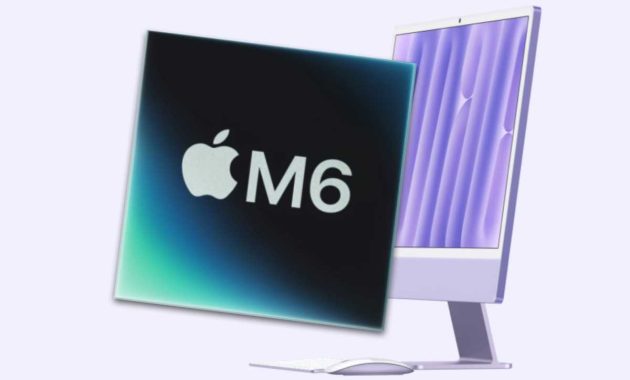
Apple has updated its colorful all-in-one desktop with the introduction of the M6 iMac, bringing faster processing, enhanced graphics, and improved artificial intelligence capabilities. Announced on October 27, 2026, this new release replaces the M4 iMac that debuted in 2024, as Apple chose to skip the M5 generation entirely.
The system introduces five primary upgrades: increased CPU performance, more powerful graphics, advanced AI processing, faster solid-state drive storage, and upgraded networking hardware. Both available configurations receive additional CPU and GPU cores, a Dual 16-core Neural Engine, and higher memory bandwidth.
Connectivity also advances with the inclusion of Wi-Fi 7, Bluetooth 6, and available 2.5Gb Ethernet. Despite these internal revisions, the physical chassis maintains the familiar 24-inch design, complete with seven color options, a 4.5K Retina display, and a 12MP Center Stage camera. Base configurations continue to start with 16GB of memory and 256GB of storage.
Pricing for the M6 iMac starts at $1,499 for the entry-level two-port model and $1,699 for the four-port version. Preorders begin on October 28, with official store availability and customer deliveries scheduled to start on November 6.
M6 vs. M4 iMac: The biggest changes
Hardware enhancements vary slightly depending on whether you select the two-port or the four-port configuration.
| Feature | M6 four-port | M6 two-port | M4 four-port | M4 two-port |
|---|---|---|---|---|
| CPU | 12 cores | 10 cores | 10 cores | 8 cores |
| CPU architecture | 2 super + 4 performance + 6 efficiency cores | 2 super + 3 performance + 5 efficiency cores | 4 performance + 6 efficiency cores | 4 performance + 4 efficiency cores |
| GPU | 12 cores | 10 cores | 10 cores | 8 cores |
| GPU Neural Accelerators | Added | Added | No dedicated accelerator in each GPU core | No dedicated accelerator in each GPU core |
| Neural Engine | Dual 16-core | Dual 16-core | 16-core | 16-core |
| Memory bandwidth | Up to 170GB/s | Up to 170GB/s | 120GB/s | 120GB/s |
| SSD performance | Up to 2× faster, Apple claims* | Up to 2× faster, Apple claims* | Previous-generation storage | Previous-generation storage |
| Wi-Fi | Wi-Fi 7 | Wi-Fi 7 | Wi-Fi 6E | Wi-Fi 6E |
| Bluetooth | Bluetooth 6 | Bluetooth 6 | Bluetooth 5.3 | Bluetooth 5.3 |
| Ethernet | 2.5Gb included | Optional 2.5Gb | Gigabit included | Optional Gigabit |
*Apple’s SSD performance claim relies on specifically designated test configurations.
M6 iMac release date: When will it launch?
Apple formally announced the M6 iMac on October 27, 2026. Preorders open on Wednesday, October 28, at specific regional times including 10:10 a.m. Pacific, 1:10 p.m. Eastern, and 5:10 p.m. GMT.
Deliveries to customers begin on Friday, November 6, which coincides with the physical launch in retail Apple Stores and through Apple Authorized Resellers. Buyers can place orders online via Apple’s official website or through the dedicated Apple Store application.
M6 iMac design: What has changed?
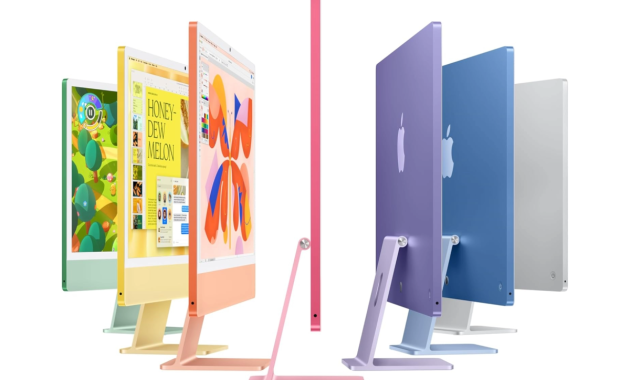
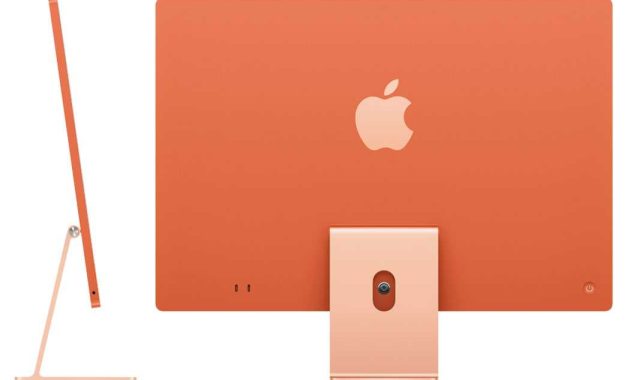
The updated desktop preserves the slim and vibrant aesthetic introduced alongside the M1 architecture in 2021. It retains white display bezels, a colored chin positioned beneath the screen, and a color-matched support stand without any display notch.
Apple continues to distribute the hardware in seven distinct finishes consisting of blue, green, pink, orange, yellow, purple, and silver. Although industry speculation prior to the launch hinted at newly introduced hues, the lineup remains unchanged.

| Measurement | Two-port M6 iMac | Four-port M6 iMac |
|---|---|---|
| Height | 46.1cm / 18.1 inches | 46.1cm / 18.1 inches |
| Width | 54.7cm / 21.5 inches | 54.7cm / 21.5 inches |
| Depth, including stand | 14.7cm / 5.8 inches | 14.7cm / 5.8 inches |
| Weight | 4.42kg | 4.44kg |
Keyboard and mouse
Both hardware variations ship alongside color-coordinated Magic accessories. The two-port variant includes a standard Magic Keyboard equipped with a dedicated Lock key, while buyers retain the option to upgrade to a version featuring Touch ID and a numeric keypad. The four-port version includes the Touch ID keyboard by default, with a numeric keypad configuration offered as an alternative.
Input peripherals include either a Magic Mouse or an optional Magic Trackpad. All included accessories continue to utilize USB-C charging introduced during the previous M4 hardware cycle.
M6 iMac display: Is the screen better?
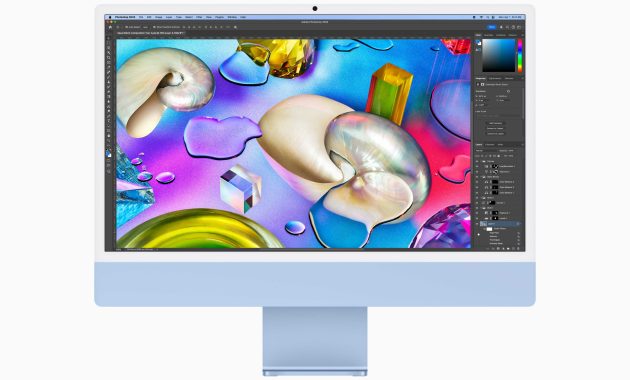
Physical screen specifications remain unaltered from prior iterations. Both configurations incorporate a 24-inch LED-backlit 4.5K Retina display that measures 23.5 inches diagonally.
| Display specification | M6 iMac & M4 iMac |
|---|---|
| Resolution | 4480 × 2520 pixels |
| Pixel density | 218ppi |
| Brightness | 500 nits |
| Color | P3 wide color; support for 1 billion colors |
| True Tone | Yes |
| Nano-texture glass | Optional on the four-port model |
Nano-texture glass remains available as a build-to-order option to minimize surface glare in brightly illuminated environments. Built-in camera and audio components also carry over directly, featuring a 12MP Center Stage camera supporting Desk View and 1080p video capture, a six-speaker array with force-cancelling woofers, Dolby Atmos Spatial Audio, and a three-microphone system.
M6 iMac processor: How much faster is it?
Silicon fabrication shifts to a 2-nanometer manufacturing node, succeeding the second-generation 3nm technology utilized by the M4. This smaller lithography increases transistor density to enhance overall computational output and power efficiency.
The entry-level two-port model transitions from an eight-core CPU and GPU configuration to a ten-core layout for both components, marking a 25 percent increase in raw core counts. Meanwhile, the four-port model moves from ten cores to twelve cores for both the CPU and GPU, representing a 20 percent expansion.
Both M6 configurations integrate two newly designed super cores. The entry-level option pairs these elements with three performance cores and five efficiency cores, whereas the larger four-port system utilizes four performance cores and six efficiency cores.
AI workloads benefit from a Dual 16-core Neural Engine that supersedes the single engine found on the M4. Furthermore, dedicated Neural Accelerators built directly into every GPU core deliver additional throughput for supported artificial intelligence applications.
Memory bandwidth across the M6 architecture climbs from 120GB/s up to 170GB/s, achieving an approximate 42 percent performance improvement.
Apple cites specific performance gains measured across internal testing benchmarks:
| Workload | Claimed improvement |
|---|---|
| Productivity tasks, including Excel | Up to 1.5× |
| Graphics tasks, including Affinity photo editing | Up to 2× |
| Ray-traced gaming | Up to 2× |
| Local AI prompt processing in LM Studio | Up to 5× |
| Neural Engine AI compute | Up to 2× |
The comparative baseline uses a 10-core M4 system equipped with 32GB of memory and a 2TB SSD. Media processing engines remain identical across generations, offering native hardware acceleration for H.264, HEVC, ProRes, and ProRes RAW alongside AV1 decoding support.
M6 iMac RAM: How much memory does it have?
Available memory capacities remain consistent with previous releases.
| Model | Standard memory | Available upgrades |
|---|---|---|
| Two-port M6 iMac | 16GB | 24GB |
| Four-port M6 iMac | 16GB | 24GB or 32GB |
Performance adjustments stem from faster memory access speeds rather than higher baseline capacities. Standard 16GB allocations adequately support routine web browsing, general office tasks, and multi-user household computing. Users managing heavy creative workloads or intensive multitasking should evaluate the 24GB tier, while the 32GB configuration available on the four-port model provides necessary headroom for expansive local AI models.
Unified memory architecture allows the CPU, GPU, and auxiliary subsystems to share a common pool of high-speed data. Increased capacity permits applications and local models to retain larger datasets locally, which minimizes reliance on SSD swap memory.
M6 iMac connectivity: What’s new?
Wireless capabilities advance through upgrades to Wi-Fi 7 and Bluetooth 6. Hardwired networking also improves, as the two-port M6 model gains optional 2.5Gb Ethernet support while the four-port variation includes it as standard equipment.
Higher connection speeds optimize data transfers to compatible network-attached storage environments, provided the surrounding local infrastructure supports the standard. Apple hardware documentation additionally highlights the integration of an N1 wireless networking chip and native Thread home automation support.
Physical peripheral connections remain unchanged, offering two Thunderbolt/USB 4 ports on the base system and four Thunderbolt 4 ports on the advanced configuration. The 3.5mm audio jack continues to support high-impedance headphones, accompanied by the magnetic 143W color-matched power adapter.
M6 iMac price: How much will it cost?
Base pricing starts at $1,499 for the two-port edition and $1,699 for the four-port configuration, both featuring 16GB of memory and a 256GB solid-state drive.
| Configuration | M6 starting price | M4 price after June 2026 increase | M4 original launch price |
|---|---|---|---|
| Two-port, 16GB/256GB | $1,499/£1,499 | $1,499/£1,499 | $1,299/£1,299 |
| Four-port, 16GB/256GB | $1,699/£1,699 | $1,699/£1,699 | $1,499/£1,499 |
Entry-level storage configurations remain anchored at 256GB. The two-port model supports upgrades to 512GB or 1TB, whereas the four-port variant adds a 256GB iMac style option reaching 2TB.
Should you buy the M6 iMac?
The M6 iMac serves as an ideal replacement for aging Intel-based desktops or for users requiring an all-in-one system integrating a display, camera, audio system, and input devices. Owners of existing M4 hardware have minimal incentive to upgrade unless current application demands exceed existing resource limits.
Selection between models depends primarily on intended usage. The two-port version handles general productivity and home tasks effectively while benefiting from the core neural and bandwidth enhancements. Conversely, the four-port system suits users requiring higher multi-core output, expanded physical ports, built-in 2.5Gb Ethernet, and Touch ID hardware. Prospective buyers seeking an optimized home office configuration should weigh the performance advantages of the 24GB memory tier and 512GB storage capacity when purchasing the M6 iMac.