• About
  • Contact
  • Disclaimer
  • Sitemap
  • Privacy Policy
  • Terms Of Service
Information Technology for You
  • Home
  • Guides
  • ChromeOS
  • MacOS
  • Windows
  • Utilities
  • Reviews
  • Tech Basics
    • Hardware
    • Software
    • Operating System
    • Networking
No Result
View All Result
  • Home
  • Guides
  • ChromeOS
  • MacOS
  • Windows
  • Utilities
  • Reviews
  • Tech Basics
    • Hardware
    • Software
    • Operating System
    • Networking
No Result
View All Result
Intechfy
No Result
View All Result

How an Ethernet Backhaul Improves Your Mesh Wi-Fi System

Ethan Carter by Ethan Carter
October 26, 2026
Home Guides
Share on FacebookShare on Twitter

If you want your mesh system to deliver even faster speeds, try this router upgrade. Once you’ve switched to mesh Wi-Fi, it’s tough to go back. Standalone routers can get the job done and may actually be superior in some circumstances, namely if you want to shove all your smart home accessories over to the slower but far-reaching 2.4GHz band. A mesh system eliminates dead zones, however, and keeps speeds more consistent, which is often more important on a daily basis. A state-of-the-art smart home doesn’t count for much if your phone or laptop can’t get a decent signal in the basement.

Table of Contents

Toggle
  • Understanding Mesh Wi-Fi Placement and Performance
  • The Role of the Backhaul Connection
  • Switching to an Ethernet Backhaul
  • Challenges of Wired Network Integration

Understanding Mesh Wi-Fi Placement and Performance

To get the most out of mesh technology, you do have to learn certain principles. Chief among these is router placement — you want to maximize coverage without accidentally slowing things down or breaking the mesh entirely. If you stash a router in a closet or behind some other barrier hampering signals, you’re sabotaging performance. The best possible mesh experience requires integrating Ethernet. It’s easy to understand why, although whether or not that’s practical in your home may be another issue. Most people will, understandably, have to sacrifice maximum performance.
How an Ethernet Backhaul Improves Your Mesh Wi-Fi System

The Role of the Backhaul Connection

All mesh systems require what’s called a backhaul connection. This is the pipeline that shuffles data between routers, rather than directly to your devices. You don’t have to do anything to set one up — by default, mesh products automatically establish a wireless backhaul. There are a couple of potential problems with this, the first being an echo of what you’d deal with in a standalone router: diminished speed over distance. As signal falls, so do bitrates. The gap between routers can reduce performance by hundreds of megabits, and devices connecting to a mesh are automatically limited by the bandwidth of the closest node. The results should still be better than those of a standalone router, yet they remain less than optimal.

Worse, some cheaper mesh systems merge their wireless backhauls with the same bands your devices rely on, forcing both halves of the equation to suffer. This is why you should never buy a dual-band mesh product. For reference, anything with a dedicated backhaul link will at least be tri-band, and some more advanced options are quad-band.
How an Ethernet Backhaul Improves Your Mesh Wi-Fi System

Switching to an Ethernet Backhaul

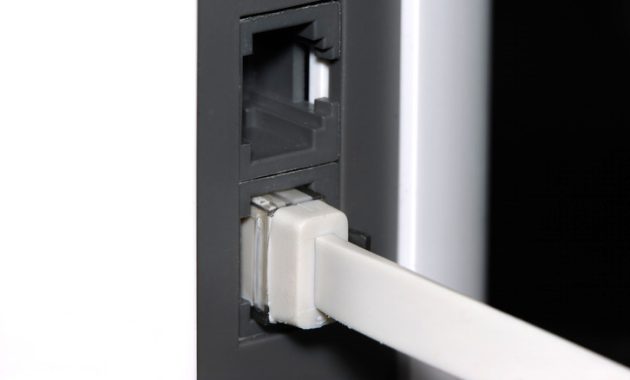
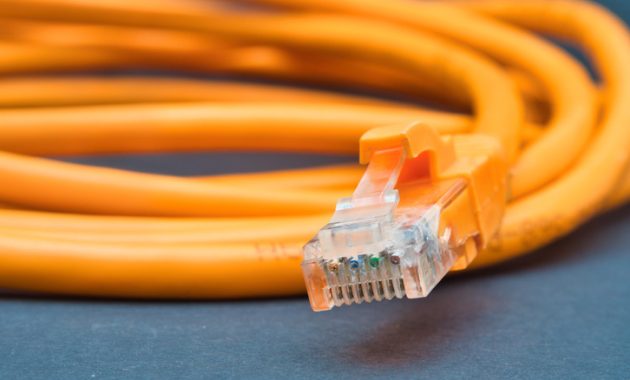
Switching to an Ethernet backhaul is an instant fix for both of these concerns. Suddenly, it doesn’t matter whether a product is dual-band. And in the distances of the average home, Ethernet won’t lose you a meaningful amount of speed. It will probably deliver at least 1 Gbps, if not more, when you use a Cat 6 cable. Wi-Fi devices will likely only see a portion of this bandwidth, but at least they’re not being kneecapped before they even connect.

Challenges of Wired Network Integration

The massive hurdle here is stretching enough Ethernet cable across your home. Even apartment dwellers might need a few dozen feet, and the burden is only going to multiply in a two- or three-story house. The basic cost is trivial — you can buy a pair of 50-foot Cat 6 cables for around $30 — but most people don’t like wires snaking across their floor. Trying to conceal everything can quickly become a serious project, so if Wi-Fi speeds are already snappy enough, a wired backhaul may not be worth the time, money or effort.

Then there’s the question of compatibility. Every router has to have at least one free Ethernet port. While that’s relatively common, you might want to dedicate some of those ports to other hardware, such as a laptop or a smart home hub. An Ethernet switch is an obvious workaround, though, once again, that raises the cost of the venture. You also need to verify that each port is fast enough. A 100 Mbps port is simply too slow, and even 1 Gbps can feel subpar if you’ve got a Wi-Fi 7 system with a dedicated wireless backhaul, as connecting Wi-Fi devices might be able to achieve multi-gig speeds. It’s always preferable to use 2.5 or 10 Gbps Ethernet when it’s available — but it might not be.


Views: 37

Share this:

Related posts:

  • NASA Reveals Artemis 3 Crewed Lunar Test Mission Details

  • What to Do With Your Unsupported Kindle Instead of Throwing It Away

  • FCC Chair Proposes New Rules Allowing State Prisons to Use Cellphone Jammers

Ethan Carter

Ethan Carter

Ethan Carter is a tech writer focused on Windows optimization, lightweight software, and practical PC troubleshooting. He enjoys testing utilities, improving low-end PC performance, and sharing simple tech solutions that help everyday users get more from their devices.

Next Post
Why Your Home Network Needs IPv6 and How It Works

Why Your Home Network Needs IPv6 and How It Works

Leave a Reply Cancel reply

Your email address will not be published. Required fields are marked *

Recommended.

Is CCleaner Worth It in 2026? Honest Review After Testing It on Modern Windows PCs

Is CCleaner Worth It in 2026? Honest Review After Testing It on Modern Windows PCs

June 17, 2026
How to Fix a USB Device That Keeps Disconnecting

How to Fix a USB Device That Keeps Disconnecting

October 26, 2026

Trending.

Microsoft PC Manager Review: Surprisingly Useful, But Not the PC Booster You Expect

Microsoft PC Manager Review: Surprisingly Useful, But Not the PC Booster You Expect

June 16, 2026
What to Expect at Apple’s October 28 Pro and Tell Event

What to Expect at Apple’s October 28 Pro and Tell Event

October 25, 2026
How to Update Your BIOS (UEFI)

How to Update Your BIOS (UEFI): When You Should, When You Shouldn’t, and How to Do It Safely

October 25, 2026
iPad mini (A20 Pro): Release Date, OLED, Price, and Specifications

iPad mini (A20 Pro): Release Date, OLED, Price, and Specifications

October 29, 2026
12 Best PC Boosters for Gaming, Low-End PCs, and Everyday Performance

12 Best PC Boosters for Gaming, Low-End PCs, and Everyday Performance

June 17, 2026
7 Best Free Antivirus for Windows 11 Ranked by Performance and Security

7 Best Free Antivirus for Windows 11 Ranked by Performance and Security

June 19, 2026
What Is Programming Software? Types, Functions, and Best Tools for Beginners

What Is Programming Software? Types, Functions, and Best Tools for Beginners

June 14, 2026
Windows 11 version 26H2 Now Broadly Available for Eligible Devices

Windows 11 version 26H2 Now Broadly Available for Eligible Devices

October 26, 2026
20 Operating System Examples Categorized by Device and Purpose

20 Operating System Examples Categorized by Device and Purpose

June 27, 2026
iPhone Duo Guide: Price, Specifications, Availability, and Reviews

iPhone Duo Guide: Price, Specifications, Availability, and Reviews

October 26, 2026
How to Resize the Windows 11 Start Menu With New Built-In Controls

How to Resize the Windows 11 Start Menu With New Built-In Controls

October 26, 2026
Best Free Screen Recorders for Windows We Tested No Watermarks, No Time Limits

9 Best Free Screen Recorders for Windows We Tested in 2026 (No Watermarks, No Time Limits)

June 23, 2026
PowerToys 0.102 Adds Mouse Utilities, Quick Commands, and Dictation

PowerToys 0.102 Adds Mouse Utilities, Quick Commands, and Dictation

October 27, 2026
What Is a Distributed Operating System? Architecture, How It Works, Functions, Benefits, and Examples

What Is a Distributed Operating System? Architecture, How It Works, Functions, Benefits, and Examples

June 27, 2026
8 Best Driver Updater Software for Windows: Free and Paid Options Compared

8 Best Driver Updater Software for Windows: Free and Paid Options Compared

July 2, 2026
macOS 27 Golden Gate: What’s New, Compatible Macs, and Features

macOS 27 Golden Gate: What’s New, Compatible Macs, and Features

October 29, 2026
Microsoft Tests Cleaner, Faster File Explorer Context Menu for Windows 11

Microsoft Tests Cleaner, Faster File Explorer Context Menu for Windows 11

October 26, 2026
Microsoft Project Zenith: A Developer-Ready Windows 11 Experience

Microsoft Project Zenith: A Developer-Ready Windows 11 Experience

October 26, 2026
Microsoft Tests Controller-Friendly Gaming Task View for Windows 11

Microsoft Tests Controller-Friendly Gaming Task View for Windows 11

October 26, 2026
Internal Hardware of a Computer: Definition, Components, and How Internal Computer Hardware Works

Internal Hardware of a Computer: Definition, Components, and How Internal Computer Hardware Works

March 9, 2026
iOS 27 Features, Compatibility, and Siri AI Overview

iOS 27 Features, Compatibility, and Siri AI Overview

October 29, 2026
Why Wrong Wi-Fi Bands Slow Your Devices and How to Fix It

Why Wrong Wi-Fi Bands Slow Your Devices and How to Fix It

October 26, 2026
Touchscreen MacBook Pro Rumors: OLED, Design and Release Date

Touchscreen MacBook Pro Rumors: OLED, Design and Release Date

October 29, 2026
Can You Run Regular Ethernet Cables Outside?

Can You Run Regular Ethernet Cables Outside?

October 26, 2026
Global PC Shipments Plunge Over 20 Percent Amid Rising Component Costs

Global PC Shipments Plunge Over 20 Percent Amid Rising Component Costs

October 25, 2026
Apple Unveils Thinner, Lighter iPad mini (A20 Pro) with OLED Screen and Major Power Boosts

Apple Unveils Thinner, Lighter iPad mini (A20 Pro) with OLED Screen and Major Power Boosts

October 29, 2026
How to Use RetroBar Windows 11 Classic Taskbar to Restore a Vintage Look

How to Use RetroBar Windows 11 Classic Taskbar to Restore a Vintage Look

October 26, 2026
How to Troubleshoot and Fix Word Mail Merge Errors

How to Troubleshoot and Fix Word Mail Merge Errors

October 28, 2026
Chromebook Won’t Turn On or Charge? 13 Fixes to Try

Chromebook Won’t Turn On or Charge? 13 Fixes to Try

October 26, 2026
How to Clean Junk Files in Windows 11 Without Installing Extra Software

How to Clean Junk Files in Windows 11 Without Installing Extra Software

October 26, 2026
Intechfy

Intechfy.com is a technology-focused information platform created to make everyday tech concepts easier to understand, more practical, and more accessible.

  • About
  • Contact
  • Disclaimer
  • Sitemap
  • Privacy Policy
  • Terms Of Service

© 2026 Intechfy.com - Information Technology for You

No Result
View All Result
  • Home
  • Guides
  • Utilities
  • Reviews
  • Tech Basics
    • Computer
    • Hardware
    • Software
    • Operating System
    • Networking

© 2026 Intechfy.com - Information Technology for You