Should you buy a MacBook Pro now?
Apple has launched an M6 MacBook Pro alongside a new touchscreen MacBook Pro with M5 Pro and M5 Max chips. If you are buying your first MacBook Pro or replacing an older model, now is a good time to consider your options, although independent reviews should be read before committing.
Owners of an M4 or M5 MacBook Pro that meets current needs have little reason to upgrade unless the touchscreen model’s combination of OLED, touch capabilities, and lower weight appeals to them. Apple increased MacBook Pro prices by $300 to $500 in June 2026, meaning discounts and refurbished models remain worth considering. For the best value, compare the non-touch M5 Pro and M5 Max models and any remaining discounted M5 stock with the new releases. Waiting for Black Friday deals at the end of November is another viable strategy if a purchase is not urgent.
The MacBook Pro is best suited to creative professionals, software developers, engineers, and other power users who need sustained performance, a premium display, plenty of ports, and high memory configurations. Workloads consisting mainly of web browsing, office work, studying, or light creative tasks are better served by the MacBook Air at a much lower price. This guide helps buyers decide which MacBook Pro is right for them, explains the best times of year to buy, highlights today’s best deals, and considers whether a refurbished model or MacBook Air would be a better choice.
Should you buy a MacBook Pro now?
With Apple announcing its latest MacBook Pros, waiting for a launch event to see available options is unnecessary. The M6 and touchscreen models arrive on November 6, and buyers considering either should wait for independent reviews. An existing non-touch M5 Pro or M5 Max model remains a sensible purchase for anyone needing a laptop immediately.
Buy a MacBook Pro now if:
- You are upgrading from an Intel Mac: Apple is ending support for Intel Macs, leaving them vulnerable to newly discovered security flaws as security updates stop.
- You need a new laptop: A broken, unreliable, or slowing current Mac provides little reason to wait.
- You edit video or create content: Editing 4K video, working in Photoshop or Lightroom, producing music, or creating 3D graphics benefits from the sustained performance delivered by the MacBook Pro.
- You are a software developer, engineer, or AI professional: Compiling code, running virtual machines, working with AI models, or processing large datasets happens much faster on the MacBook Pro, particularly M5 Pro and M5 Max configurations.
- You need sustained performance: Active cooling allows the MacBook Pro to maintain peak performance during long exports, renders, and demanding workloads, unlike the fanless MacBook Air.
- You need professional features: The MacBook Pro offers a Liquid Retina XDR or PROLED XDR display with ProMotion, HDMI, an SDXC card slot, MagSafe charging, and higher memory and storage options than the MacBook Air.
- You find an excellent deal: A discounted MacBook Pro is a good buy if it matches your requirements after comparing memory, storage, display, and processor with new models.
When shouldn’t you buy a MacBook Pro?
While the MacBook Pro is an excellent laptop, it does not suit everyone, and users without a need for extra performance or professional features will save money with a MacBook Air. Specific situations also warrant waiting rather than buying today.
Don’t buy a MacBook Pro now if:
- You want a processor upgrade over M5 Pro or M5 Max: Touchscreen models retain the same chip options as non-touch equivalents, with M6 Pro or M6 Max chips not expected until 2027.
- You are looking for the best price: New MacBook Pro M6 models mean discounts on the discontinued MacBook Pro M5 could become more attractive, alongside potential Black Friday savings.
- You mainly use your laptop for everyday tasks: Web browsing, Microsoft Office, streaming, email, video calls, or light photo editing run exceptionally well on a MacBook Air for much less money.
- You’re a student with basic computing needs: Writing essays, researching online, or creating presentations makes a MacBook Air the better value option.
- Portability is your priority: The MacBook Air is thinner, lighter, and completely silent due to its fanless design, though the touchscreen MacBook Pro is lighter than its non-touchscreen counterpart.
- You’re on a budget: The MacBook Air delivers outstanding performance for most users while costing significantly less than the MacBook Pro.
For most people, the MacBook Air is the better buy. The MacBook Pro only comes into its own for users who regularly run demanding professional workloads benefiting from active cooling, more powerful chips, superior displays, additional ports, and higher memory options.
Should I buy a MacBook Pro: At a glance
| Your situation | Our recommendation |
|---|---|
| Intel Mac or an older Mac that struggles with work | Consider upgrading; choose the configuration around the workload |
| M1, M2 or M3 MacBook Pro | Upgrade if performance, memory, battery or display is limiting you |
| M4/M5 model working well | Keep it unless the new screen and design solve a specific need |
| Want OLED and touch | Compare PROLED XDR models; read reviews before committing |
| Need Pro/Max performance without touch | Compare the non-touch range |
| Want the lowest price | Compare clearance, refurbished and Black Friday offers |
| Mainly everyday computing | Consider Air or Neo before paying for a Pro |
MacBook Pro: Current line up
Apple’s MacBook Pro range offers three main choices: the entry-level 14-inch M6, the non-touchscreen M5 Pro and M5 Max models, and the new M5 Pro and M5 Max models with PROLED XDR touchscreen displays. Retailers may also retain stock of the previous entry-level M5 MacBook Pro.
The 14-inch M6 was introduced in October 2026 as the entry-level MacBook Pro, starting with a 12-core CPU, 12-core GPU, 16GB of unified memory, and 1TB of storage. It retains the previous model’s design and non-touch Liquid Retina XDR display while adding the M6 processor, Wi-Fi 7, and Bluetooth 6, starting from $1,999/£1,999.
Launched in March 2026, the M5 Pro and M5 Max models introduced Apple’s Fusion Architecture, combining two 3nm dies into a single system-on-chip. The M5 Pro features up to an 18-core CPU, while the M5 Max offers up to a 40-core GPU, up to 128GB RAM, and up to 8TB storage, supported by Thunderbolt 5, Wi-Fi 7, Bluetooth 6, and battery life reaching 22 to 24 hours.
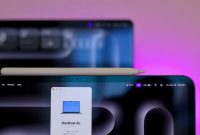
The touchscreen MacBook Pro costs $400/£400 more than an equivalent non-touch M5 Pro or M5 Max model to buy a tandem OLED display, touchscreen input, Dynamic Island, and a thinner, lighter enclosure. It retains the same M5 Pro or M5 Max chip options and battery-life ratings, functioning primarily as a display and portability upgrade.
Previous generation models include the 14-inch M5 MacBook Pro from October 2025, featuring a 10-core CPU, 10-core GPU, 16GB unified memory, 1TB storage, Thunderbolt 4 ports, and up to 24 hours of battery life. This older model is worth considering with substantial discounts compared to an equivalent M6 configuration.
Is the touchscreen MacBook Pro worth $400/£400 more?
The premium price tag buys OLED technology, touch input, reduced weight, and design improvements. Chip options and advertised battery endurance remain identical to non-touch variants.
Users working mainly on external monitors have less reason to pay extra for the touchscreen model. Buyers working directly on photographs, video, or other visual content may value the package more significantly. Reviews including testing of touch ergonomics, reflections, fingerprints, and app support should be consulted before purchasing.
What’s the best MacBook Pro price right now?
Apple rarely discounts Macs directly, and June 2026 price increases of $300 to $500 make shopping around essential. Amazon’s Prime Day sale previously brought the entry-level M5 MacBook Pro down to a record-low $1,499/£1,529, though prices that low typically require major sales events.
Best U.S MacBook Pro deals
| MacBook Pro | Deal | New MSRP | Old MSRP | Lowest |
|---|---|---|---|---|
| 14-inch, M5, 1TB, 16GB | $160 off | $1,999 | $1,699 | $1,499 |
| 14-inch, M5, 1TB, 24GB | $160 off | $2,199 | $1,899 | $1,699 |
| 14-inch, M5 Pro, 1TB | $155 off | $2,499 | $2,199 | $1,983.94 |
| 14-inch, M5 Max, 2TB | $600 off | $4,099 | $3,599 | $3,299.99 |
| 16-inch, M5 Pro, 1TB | $250 off | $2,999 | $2,699 | $2,449 |
| 16-inch, M5 Max, 2TB | $500 off | $4,399 | $3,899 | $3,649 |
Best U.K. MacBook Pro deals
| MacBook Pro | Deal | New RRP | Old RRP | Lowest |
|---|---|---|---|---|
| 14-inch, M5, 1TB | Out of stock | £1,999 | £1,699 | £1,528.97 |
| 14-inch, M5 Pro, 1TB, 24GB | £249 off | £2,499 | £2,199 | £1,978.97 |
| 14-inch, M5 Max, 2TB | £300 off | £4,099 | £3,599 | £3,238.97 |
| 16-inch, M5 Pro, 1TB | £299 off | £2,999 | £2,699 | £2,428.97 |
| 16-inch, M5 Max, 2TB | At Amazon | £4,399 | £3,899 | £3,508.97 |
When is the best time to buy a MacBook Pro?
Major sales events like Amazon Prime Day or Black Friday provide the lowest prices on MacBook Pros. Black Friday typically offers the strongest electronics savings starting in early November, while new model launches cause retailers to discount previous generations.
Students and educators can save $100 to $200 year-round via Apple’s Education Store, with summer Back to School promotions adding bonus gifts like AirPods.
| Timing | Why it’s a good time | Typical saving |
|---|---|---|
| Amazon Prime Day (June/July/October) | Deep discounts from Amazon. | $150 – $800+ off MSRP |
| Black Friday / Cyber Monday (November/December) | The biggest sales event of the year for electronics. | $200 – $500+ off MSRP |
| After a New Model Launch (March/October) | Retailers discount the previous generation to clear inventory. | Varies; often $200–$400 off |
| Apple Refurbished Store (Year-Round) | “Like-new” condition with full warranty; pre-hike prices. | 15%–30% off original MSRP |
| Apple Education Store (Year-Round) | Direct discount for students and educators. | $100 – $200 off MSRP |
Is buying a refurbished MacBook Pro a good idea?
Apple’s Certified Refurbished Store offers Macs around 15% cheaper than brand-new models with a one-year warranty, 90 days of technical support, and AppleCare+ options. Daily stock changes mean specific configurations require patience, and newer models take months to appear.
Third-party retailers also sell refurbished units, but quality varies, and models older than five years should be avoided due to shortening macOS support windows.
Best refurbished MacBook Pro deal right now
Apple’s Certified Refurbished store lists U.S. M5 MacBook Pros at around $300 off full price, while U.K. buyers can find up to £450 off M5 Pro models and £750 off 16-inch M5 Max systems.
Which MacBook Pro to choose
The M6 MacBook Pro suits buyers wanting professional display features, ports, and active cooling without M5 Pro or M5 Max power. The M5 Pro fits professionals editing 4K video, compiling software, or running multiple applications. The M5 Max serves heavy workloads like 8K video and AI tasks, while PROLED XDR touchscreen models add OLED panels and lighter builds for visual workers.
What about the MacBook Air?
Updated in March 2026 with a starting price of $1,299/£1,299, the MacBook Air offers a cheaper, fanless, and highly portable alternative for everyday tasks, web browsing, and studying. However, it lacks the sustained performance, advanced displays, and connectivity of the MacBook Pro.
Do you need to upgrade your current Mac?
Upgrading depends on your Mac’s age, macOS support status, and performance capabilities. With macOS 27 Golden Gate ending support for Intel Macs, owners of older machines face security vulnerabilities and should transition to Apple Silicon for massive performance and battery life gains.
Which are the best retailers to buy a MacBook from?
Third-party resellers like Amazon, B&H Photo, Walmart, and Best Buy in the U.S., alongside Amazon, KRCS, John Lewis, Currys, and Laptops Direct in the U.K., frequently discount configurations when verified against current processor, RAM, storage, and display specifications.
Choosing the right MacBook Pro depends on matching your specific workload, budget, and performance needs against current M6 and M5 configurations.