• About
  • Contact
  • Disclaimer
  • Sitemap
  • Privacy Policy
  • Terms Of Service
Information Technology for You
  • Home
  • Guides
  • ChromeOS
  • MacOS
  • Windows
  • Utilities
  • Reviews
  • Tech Basics
    • Hardware
    • Software
    • Operating System
    • Networking
No Result
View All Result
  • Home
  • Guides
  • ChromeOS
  • MacOS
  • Windows
  • Utilities
  • Reviews
  • Tech Basics
    • Hardware
    • Software
    • Operating System
    • Networking
No Result
View All Result
Intechfy
No Result
View All Result

Why Wrong Wi-Fi Bands Slow Your Devices and How to Fix It

Ethan Carter by Ethan Carter
October 26, 2026
Home Guides
Share on FacebookShare on Twitter

A high-speed internet subscription does not always guarantee fast performance across every connected device in a home. Routers often broadcast multiple frequency bands, yet automatic network configurations can cause devices to use the wrong frequency. This mismatch results in unexpected download bottlenecks and video buffering, even when the Wi-Fi signal appears strong.

Understanding the differences between wireless frequency bands helps clarify why network selection matters for connection quality. Most modern routers support both the 2.4GHz and 5GHz bands, while newer hardware introduces a third 6GHz frequency.

Table of Contents

Toggle
  • Understanding Wi-Fi Frequency Bands
  • The Problem with Band Steering
  • How to Separate Your Networks
  • Exploring Multi-Link Operation in Wi-Fi 7
  • Identifying and Resolving Network Congestion

Understanding Wi-Fi Frequency Bands

The 2.4GHz band dates back to the initial Wi-Fi standard released in 1997. It excels at penetrating walls and physical obstacles, making it ideal for maximum range and legacy smart home devices. However, this band offers lower speeds and suffers from significant interference from other household electronics.

The 5GHz band carries substantially more data, supporting gigabit speeds and above. Its limitation lies in physical range because higher frequencies struggle to penetrate solid objects effectively. Newer Wi-Fi 6E and 7 standards expanded this progression by introducing the 6GHz band, which further increases data capacity while reducing effective range.
Why Wrong Wi-Fi Bands Slow Your Devices and How to Fix It

The Problem with Band Steering

Many home networks suffer from slow performance due to a feature called band steering. This function combines separate frequency bands under a single network name or SSID. While routers and devices theoretically select the best frequency automatically, real-world conditions often cause devices to cling to the slower 2.4GHz band instead of shifting to an available 5GHz signal.

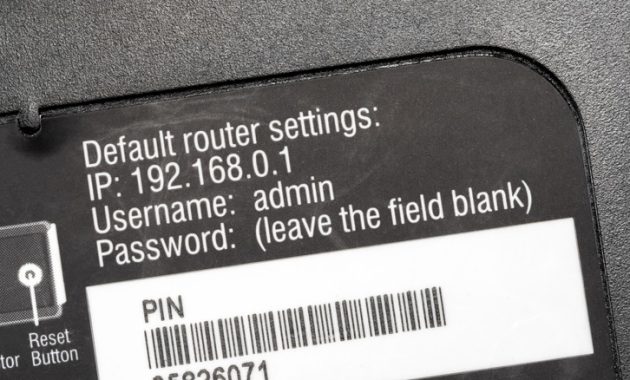
Disabling band steering gives users direct control over which frequencies their devices utilize. Network administrators can access this setting by logging into the router administration panel using a web browser or a companion smartphone app. Navigating to the wireless settings section reveals options typically labeled as Band Steering, Auto-Band Selection, or Smart Connect, which can then be turned off.

How to Separate Your Networks

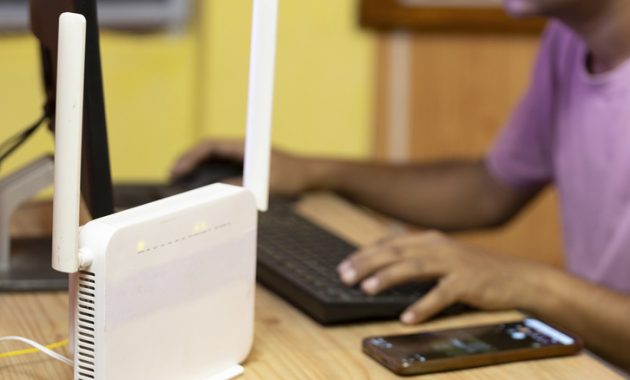
Turning off band steering usually prompts the router to create distinct network names for each frequency, often adding suffixes like ‘_5G’ to identify the faster band. Users can then reconnect individual devices to the most appropriate frequency. Smartphones and laptops benefit greatly from a 5GHz connection even at a distance, while stationary smart home accessories function reliably on the wider-reaching 2.4GHz band.

Some internet service provider routers restrict access to these advanced wireless settings. Users facing this limitation can bypass carrier restrictions by connecting their own independent Wi-Fi router or access point.
Why Wrong Wi-Fi Bands Slow Your Devices and How to Fix It

Exploring Multi-Link Operation in Wi-Fi 7

Although simultaneous multi-band communication was historically impossible for most hardware, Wi-Fi 7 introduces a technology called Multi-Link Operation. MLO combines multiple frequency bands concurrently to enhance bandwidth and reduce latency depending on network demands. Real-world results vary, and utilizing this feature requires both an MLO-capable client device and a compatible Wi-Fi 7 router.

Identifying and Resolving Network Congestion

Network performance can degrade due to local congestion even after configuring proper band settings. Wi-Fi bands divide into smaller frequency ranges called channels, comparable to separate lanes on a highway. Dense urban environments frequently experience interference when multiple nearby networks occupy identical channels.

Scanning tools like Wi-Fi Analyzer on Android or NetSpot on desktop computers help identify overcrowded channels. Administrators can then log back into the router interface to switch the network to a clearer, less crowded channel. On the 2.4GHz band, channels 1, 6, and 11 are generally recommended because they operate without overlapping.

Frequent dropouts on the 5GHz band can sometimes be resolved by disabling Dynamic Frequency Selection. While DFS allows access to specialized spectrum, it forces routers to vacate channels immediately when detecting weather or military radar signals, occasionally causing erratic behavior on certain client devices.


Views: 49

Share this:

Related posts:

  • NASA Reveals Artemis 3 Crewed Lunar Test Mission Details

  • What to Do With Your Unsupported Kindle Instead of Throwing It Away

  • FCC Chair Proposes New Rules Allowing State Prisons to Use Cellphone Jammers

Ethan Carter

Ethan Carter

Ethan Carter is a tech writer focused on Windows optimization, lightweight software, and practical PC troubleshooting. He enjoys testing utilities, improving low-end PC performance, and sharing simple tech solutions that help everyday users get more from their devices.

Next Post
Chromebook Won’t Turn On or Charge? 13 Fixes to Try

Chromebook Won’t Turn On or Charge? 13 Fixes to Try

Leave a Reply Cancel reply

Your email address will not be published. Required fields are marked *

Recommended.

MacBook Privacy Settings to Secure Your Personal Data

MacBook Privacy Settings to Secure Your Personal Data

October 26, 2026
PowerToys 0.102 Adds Mouse Utilities, Quick Commands, and Dictation

PowerToys 0.102 Adds Mouse Utilities, Quick Commands, and Dictation

October 27, 2026

Trending.

Microsoft PC Manager Review: Surprisingly Useful, But Not the PC Booster You Expect

Microsoft PC Manager Review: Surprisingly Useful, But Not the PC Booster You Expect

June 16, 2026
Is CCleaner Worth It in 2026? Honest Review After Testing It on Modern Windows PCs

Is CCleaner Worth It in 2026? Honest Review After Testing It on Modern Windows PCs

June 17, 2026
What to Expect at Apple’s October 28 Pro and Tell Event

What to Expect at Apple’s October 28 Pro and Tell Event

October 25, 2026
How to Update Your BIOS (UEFI)

How to Update Your BIOS (UEFI): When You Should, When You Shouldn’t, and How to Do It Safely

October 25, 2026
iPad mini (A20 Pro): Release Date, OLED, Price, and Specifications

iPad mini (A20 Pro): Release Date, OLED, Price, and Specifications

October 29, 2026
12 Best PC Boosters for Gaming, Low-End PCs, and Everyday Performance

12 Best PC Boosters for Gaming, Low-End PCs, and Everyday Performance

June 17, 2026
7 Best Free Antivirus for Windows 11 Ranked by Performance and Security

7 Best Free Antivirus for Windows 11 Ranked by Performance and Security

June 19, 2026
What Is Programming Software? Types, Functions, and Best Tools for Beginners

What Is Programming Software? Types, Functions, and Best Tools for Beginners

June 14, 2026
Windows 11 version 26H2 Now Broadly Available for Eligible Devices

Windows 11 version 26H2 Now Broadly Available for Eligible Devices

October 26, 2026
20 Operating System Examples Categorized by Device and Purpose

20 Operating System Examples Categorized by Device and Purpose

June 27, 2026
iPhone Duo Guide: Price, Specifications, Availability, and Reviews

iPhone Duo Guide: Price, Specifications, Availability, and Reviews

October 26, 2026
How to Resize the Windows 11 Start Menu With New Built-In Controls

How to Resize the Windows 11 Start Menu With New Built-In Controls

October 26, 2026
How to Fix a USB Device That Keeps Disconnecting

How to Fix a USB Device That Keeps Disconnecting

October 26, 2026
Best Free Screen Recorders for Windows We Tested No Watermarks, No Time Limits

9 Best Free Screen Recorders for Windows We Tested in 2026 (No Watermarks, No Time Limits)

June 23, 2026
What Is a Distributed Operating System? Architecture, How It Works, Functions, Benefits, and Examples

What Is a Distributed Operating System? Architecture, How It Works, Functions, Benefits, and Examples

June 27, 2026
8 Best Driver Updater Software for Windows: Free and Paid Options Compared

8 Best Driver Updater Software for Windows: Free and Paid Options Compared

July 2, 2026
macOS 27 Golden Gate: What’s New, Compatible Macs, and Features

macOS 27 Golden Gate: What’s New, Compatible Macs, and Features

October 29, 2026
Microsoft Tests Cleaner, Faster File Explorer Context Menu for Windows 11

Microsoft Tests Cleaner, Faster File Explorer Context Menu for Windows 11

October 26, 2026
Microsoft Project Zenith: A Developer-Ready Windows 11 Experience

Microsoft Project Zenith: A Developer-Ready Windows 11 Experience

October 26, 2026
Microsoft Tests Controller-Friendly Gaming Task View for Windows 11

Microsoft Tests Controller-Friendly Gaming Task View for Windows 11

October 26, 2026
Internal Hardware of a Computer: Definition, Components, and How Internal Computer Hardware Works

Internal Hardware of a Computer: Definition, Components, and How Internal Computer Hardware Works

March 9, 2026
iOS 27 Features, Compatibility, and Siri AI Overview

iOS 27 Features, Compatibility, and Siri AI Overview

October 29, 2026
Why Wrong Wi-Fi Bands Slow Your Devices and How to Fix It

Why Wrong Wi-Fi Bands Slow Your Devices and How to Fix It

October 26, 2026
Touchscreen MacBook Pro Rumors: OLED, Design and Release Date

Touchscreen MacBook Pro Rumors: OLED, Design and Release Date

October 29, 2026
Can You Run Regular Ethernet Cables Outside?

Can You Run Regular Ethernet Cables Outside?

October 26, 2026
Global PC Shipments Plunge Over 20 Percent Amid Rising Component Costs

Global PC Shipments Plunge Over 20 Percent Amid Rising Component Costs

October 25, 2026
Apple Unveils Thinner, Lighter iPad mini (A20 Pro) with OLED Screen and Major Power Boosts

Apple Unveils Thinner, Lighter iPad mini (A20 Pro) with OLED Screen and Major Power Boosts

October 29, 2026
How to Use RetroBar Windows 11 Classic Taskbar to Restore a Vintage Look

How to Use RetroBar Windows 11 Classic Taskbar to Restore a Vintage Look

October 26, 2026
How to Troubleshoot and Fix Word Mail Merge Errors

How to Troubleshoot and Fix Word Mail Merge Errors

October 28, 2026
Chromebook Won’t Turn On or Charge? 13 Fixes to Try

Chromebook Won’t Turn On or Charge? 13 Fixes to Try

October 26, 2026
Intechfy

Intechfy.com is a technology-focused information platform created to make everyday tech concepts easier to understand, more practical, and more accessible.

  • About
  • Contact
  • Disclaimer
  • Sitemap
  • Privacy Policy
  • Terms Of Service

© 2026 Intechfy.com - Information Technology for You

No Result
View All Result
  • Home
  • Guides
  • Utilities
  • Reviews
  • Tech Basics
    • Computer
    • Hardware
    • Software
    • Operating System
    • Networking

© 2026 Intechfy.com - Information Technology for You