You won’t need expensive equipment or invest much time to figure out if your coin cell is still functional. When a car key fob requires multiple presses to unlock a door or an AirTag stops responding, checking the power source should be your first troubleshooting step. The CR2032 is a 3V lithium coin cell commonly found in Samsung’s SmartTag2, car key fobs, and various smart home sensors. Depending on device usage patterns, these batteries often last well over a year before requiring a replacement.
Visual Inspection Before Testing
Begin by inspecting the battery housing for physical anomalies before you test a CR2032 battery. Look closely for crusty residue, rust-colored patches, swelling, or active leakage on the metal casing. If any of these physical signs are present, bypass testing entirely and dispose of the cell. You should inspect the device’s internal contacts as well, because corrosion in the battery compartment can disrupt power delivery even when the power cell itself remains healthy.
Using a Multimeter to Measure Voltage
A digital multimeter helps measure the electrical potential of the cell, making it a valuable addition to your diagnostic toolbox. Remove the lithium cell from the housing and configure your digital multimeter to direct current voltage, denoted by a solid line over a dashed line. Insert the black lead into the COM port and the red lead into the port marked with a V or VΩ. If the meter lacks auto-ranging capabilities, select a threshold above 3V, such as the 20V setting.
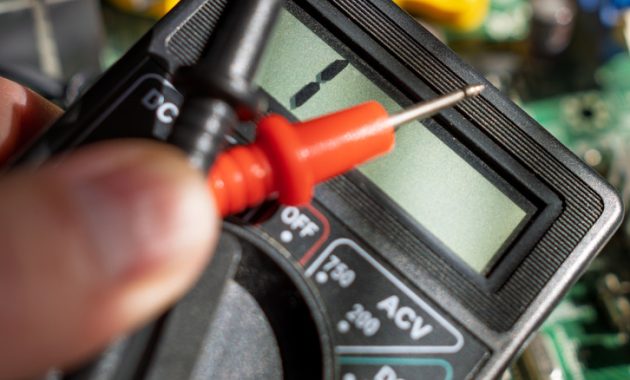
Hold the coin cell by its outer edges and place it on a nonconductive surface. Touch the red probe to the broad top face marked with the positive sign and place the black probe against the center of the smaller negative face underneath. Ensure the metal probe tips do not touch each other or bridge the opposing terminals simultaneously. If the multimeter display shows a negative value, it simply means you have reversed the probe placement.
A brand-new cell typically registers around 3V on the meter display, whereas a reading hovering near 2.5V indicates that a replacement is necessary. However, a high voltage reading can be misleading because a multimeter draws almost no electrical current during testing. A cell might display a strong voltage yet fail to deliver adequate power when a key fob or tracker demands operational current. If the host device continues malfunctioning despite a normal meter reading, swap in a fresh unit before assuming the hardware is broken.
Alternative Diagnostic Methods
A dedicated coin-cell tester provides another diagnostic pathway, though some affordable models only measure resting voltage rather than performance under load. Basic multimeters remain inexpensive and versatile for troubleshooting other low-voltage electronics around the home. Purchasing either tool solely to diagnose a single inexpensive coin cell requires careful consideration of the cost.
You can also use a spare light-emitting diode for a basic diagnostic check if one is available. A small red or yellow LED works best because these colors typically require lower forward voltage to illuminate than blue or white variants. Touch the longer anode leg of the LED to the positive side of the cell and the shorter cathode leg to the negative side. While illumination confirms that the cell can supply some current, it provides no insight into remaining capacity, and a dark LED does not automatically prove the battery is completely dead.
App-Based Checks and Safety Precautions
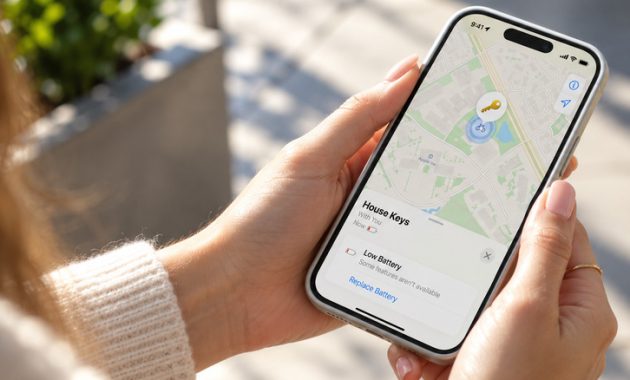
Apple AirTag owners can check device status directly through software before opening any hardware enclosures. Open the Find My application, select the Items tab, and tap your specific AirTag. A low battery warning message or a depleted icon eliminates the need for manual testing and signals that you should replace the CR2032 immediately. Note that certain coin cells feature bitterant coatings designed to prevent accidental ingestion, which can occasionally interfere with electrical contact in tight battery compartments. Apple recommends packaging labeled as compatible with AirTags, noting that operational lifespan exceeds one year, while Samsung rates the SmartTag2 for up to 500 days under normal operating modes.
After extracting a depleted CR2032 battery, store it securely out of the reach of children. Tape both terminals with non-conductive tape before transporting the units to a designated battery recycling facility. Swallowing a coin cell can cause severe internal chemical burns and tissue damage in as little as two hours, requiring immediate emergency medical intervention.