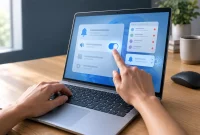
Surface Laptop Ultra Firmware Update Overview
On October 22, 2026, Microsoft rolled out a firmware update designated as Microsoft Corporation System Hardware Update (200.0.7.0) for the Surface Laptop Ultra through Windows Update. This release targets three primary hardware and software issues: screen flickering, excessively long reboot times, and unexpected, spontaneous reboots. While some device owners have reported display ghosting, Microsoft’s changelog omits this issue, indicating that the new firmware may not resolve it.
Installing the update is recommended if your device experiences any of the three documented symptoms. If your laptop operates without issues, waiting a week or two is a practical approach since this firmware cannot be uninstalled or rolled back once applied.
What the 200.0.7.0 Firmware Fixes
Microsoft classifies this release as a reliability and performance update on its official Surface Laptop Ultra update history page. The official changelog specifies resolutions for issues that cause screen flickering, extended reboot durations, and unexpected reboots. Additionally, the package includes unspecified general performance improvements and minor bug fixes.
Coverage from Windows Central notes that this package represents the first major firmware update for the hardware line. Reports from users previously described severe system crashes resembling blue screen errors, though Microsoft’s official documentation labels these strictly as unexpected restarts.
| Symptom | Listed as resolved in 200.0.7.0? | Source |
|---|---|---|
| Screen flickering | Yes | Microsoft update history |
| Extended reboot times | Yes | Microsoft update history |
| Unexpected restarts | Yes | Microsoft update history |
| Crashes some users called BSOD-style | Not named in Microsoft’s changelog, which lists “unexpected restarts” | Microsoft Support; Windows Central |
| Display ghosting | Not mentioned in Microsoft’s changelog | Microsoft Support |
| Can it be rolled back? | No | Microsoft Surface update documentation |
What Remains Unknown
As of October 26, 2026, several details regarding the rollout and hardware interaction remain unconfirmed. Microsoft lists the individual firmware and driver components inside the package on its update history page, which IT administrators can consult for precise version numbers. The update history page specifies this release exclusively for the Surface Laptop Ultra, though the documentation does not clarify whether similar patches apply to other Surface models or non-Surface Windows laptops.
Third-party reports highlighted display ghosting, which involves faint afterimages trailing moving on-screen content. Because Microsoft’s documentation contains no reference to ghosting or a corresponding fix, users should not anticipate a resolution for this visual artifact. Similarly, the documentation does not address operating system lag or general display stuttering.
Rollout Mechanism and Deployment Routes
Microsoft distributes the Surface Laptop Ultra firmware update through two primary channels that lead to the same system destination. Devices receive the package automatically via Windows Update or manually through the dedicated Surface app. Because Microsoft utilizes a staged rollout strategy, individual devices receive the update at different times.
This staggered delivery means that two identical devices side by side may not display the update simultaneously. For enterprise IT environments, this deployment schedule requires careful planning since workstations will update asynchronously. Furthermore, the absence of a rollback mechanism prevents administrators from testing the firmware on a single pilot machine and reverting the installation if unexpected behavior occurs.
Comparison: Fixed Issues Versus Unresolved Problems
A clear distinction exists between the symptoms officially resolved by Microsoft and the ongoing hardware complaints reported by device owners. Screen flickering involves visible pulsing or blinking of the display panel, whereas ghosting produces trailing afterimages behind active graphics. The firmware update successfully addresses flickering but leaves ghosting entirely unmitigated.
Users facing unlisted problems such as performance stuttering must rely on future software releases. Because the firmware update is permanent once installed, evaluating existing symptoms against the official changelog helps determine whether to apply the update immediately or delay installation.
Alternative Installation Methods
Users who wish to bypass the staged rollout queue can initiate the installation process manually. The fastest method involves opening the Surface app, expanding the Help and support menu, and selecting the option to check for updates. This action triggers Windows Update to scan for available Surface packages.
Alternatively, administrators and advanced users can download the standalone package directly from Microsoft’s official driver and firmware download portal. Staying on an older firmware version deprives the system of the official fixes and should only be maintained as a temporary measure.
Step-by-Step Update Guide
Installing firmware safely requires adhering to standard device maintenance procedures to prevent interruptions. Connect the laptop to a stable power source using a reliable charger to avoid unexpected power loss during the flash process. Backing up critical data to an external drive or cloud storage provides a necessary safety net since the firmware cannot be uninstalled.
To check for and install the update manually:
- Open the Surface app and navigate to Help and support.
- Select the check for updates command to launch Windows Update.
- Allow Windows Update to download and install the system hardware package.
- Restart the computer through the Start menu power options to finalize the installation.
Handling Post-Update Issues and Rollout Delays
If hardware restarts persist after applying the firmware package, users should contact Microsoft Surface support to investigate potential underlying hardware failures. Devices that have not yet received the notification are simply awaiting their turn in the staged deployment queue. IT personnel managing multiple devices should prioritize updating workstations experiencing active symptoms while allowing unaffected machines to update on the standard schedule.
| Your situation | Action | Applies to |
|---|---|---|
| Screen flickers | Install 200.0.7.0 now | Surface Laptop Ultra |
| Reboots take forever or happen on their own | Install 200.0.7.0 now | Surface Laptop Ultra |
| Restarts continue after the update | Contact Surface support | Surface Laptop Ultra |
| Only seeing ghosting | No documented fix yet; Microsoft’s changelog doesn’t mention it, so watch for a future release | Surface Laptop Ultra |
| No problems at all | Wait for the staged rollout | Surface Laptop Ultra |
| Update not offered yet | Wait, or use Microsoft’s manual download page | Surface Laptop Ultra |
Final Verdict on the Surface Laptop Ultra Firmware Update
The Surface Laptop Ultra firmware update provides targeted relief for users experiencing screen flickering, prolonged reboots, and sudden shutdowns. Owners whose devices run without these specific symptoms benefit from pausing and allowing the staged rollout to progress naturally. Because the software installation is permanent and leaves display ghosting unaddressed, setting realistic expectations ensures a smooth maintenance experience for individual users and enterprise administrators alike.