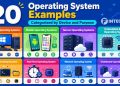

Modern digital devices rely on a software layer that quietly manages how hardware and applications interact. This layer is the operating system. To understand how different computing environments work—from desktops to smartphones—it helps to examine the types of operating systems used across modern technology.
Behind every action on a device—opening an application, saving a file, or connecting to a network—there is constant coordination happening in the background. The system allocates processor time, organizes memory usage, and manages communication between hardware and software components.
These activities fall under system resource management, a core responsibility of the operating system. When managed properly, devices remain stable even while running multiple applications within a multitasking environment.
Computing environments have also become more diverse. Personal laptops, enterprise servers, industrial machines, and smartphones all rely on different types of operating systems designed for their specific workloads.
Some systems are built for large-scale processing tasks, while others prioritize fast response times for interactive applications. This variety explains why several types of operating system exist across modern computing platforms.
Engineers often group these systems into broader categories of operating system based on how they manage resources and execute programs. These classifications help developers and system administrators select the right architecture for different workloads.
For example, a cloud server infrastructure requires a different system design than a smartphone platform. Industrial automation systems follow yet another model that emphasizes reliability and precise timing.
Exploring the types of os used across these environments provides a clearer picture of how computing systems are designed. Each architecture reflects a particular approach to workload management, performance optimization, and hardware coordination.
What Is an Operating System?
Before examining the various types of operating systems, it is useful to clarify what an operating system actually does inside a computer.
Hardware components such as processors, memory modules, and storage devices cannot coordinate tasks on their own. They require a control layer that organizes instructions and ensures resources are used efficiently.
The operating system provides that control layer. It manages hardware communication, schedules application execution, and maintains system stability while programs run.
Operating System Definition (Quick Answer)
An operating system is system software that manages hardware resources, coordinates the execution of applications, and provides the environment that allows users and programs to interact with a computing device.
Role of the Operating System in Modern Computing
Modern computers perform many operations simultaneously. Applications launch and close, files move between storage locations, and network services exchange data with remote systems.
These activities depend on the operating system to maintain order within the system. Without this coordination, applications would compete for processor time and memory resources.
Different computing environments rely on a specific operating system type tailored to their requirements. Desktop computers emphasize usability and application compatibility, while enterprise servers prioritize stability and scalability.
Mobile devices follow a different design philosophy. They focus on efficient power consumption, fast application response, and seamless interaction with wireless networks.
Across these environments, the types of os used may differ, yet the core responsibilities remain consistent: managing hardware access, coordinating application execution, and maintaining system stability.
According to Microsoft Learn, an operating system manages computer hardware resources and provides common services that allow applications to run efficiently.
Each category of operating system reflects a particular design approach. Some systems focus on large-scale data processing, while others support real-time responsiveness or distributed computing environments.
Through careful coordination of hardware resources and program execution, operating systems create a stable platform where software can run reliably and efficiently.
8 Main Types of Operating Systems

Computing environments rely on several types of operating systems, each designed to manage hardware resources and support different workloads. From early mainframe systems to modern cloud infrastructure, operating systems have evolved to meet changing computing demands.
As computer technology expanded, engineers developed various types of operating system architectures to solve specific challenges. Some systems focus on processing large workloads efficiently, while others are built for interactive computing where multiple users access the same machine.
The concept of OS classification helps organize these designs into recognizable models. Each architecture reflects a particular approach to system resource management, program execution, and performance optimization.
The types of operating systems used in computing help explain how modern systems manage multitasking, process scheduling, and large workloads. Some environments require fast response times, whereas others focus on long-running tasks and system stability.
Different OS categories therefore exist to support enterprise workloads, scientific computing, mobile devices, and distributed infrastructure. These categories are not always rigid, as modern hybrid systems often combine multiple architectural ideas.
Why OS Classification Still Matters Today
The classification of operating systems remains important even as technology continues to evolve. Organizations deploy computing systems across many environments, including desktop machines, enterprise servers, and cloud infrastructure.
Each environment demands a specific system design capable of managing workloads efficiently. Some platforms focus on high availability for business services, while others emphasize responsiveness for interactive applications.
OS categories help engineers determine which architecture best fits a particular scenario. For example, enterprise workloads often require systems capable of handling large numbers of simultaneous processes.
Modern hybrid systems also combine multiple capabilities. A cloud platform might include distributed processing features alongside multitasking and networking support.
These architectural differences explain why multiple types of operating systems continue to exist. Rather than replacing one another, they serve different purposes within modern computing ecosystems.
Quick List of the Main Types of Operating Systems
Computer science traditionally recognizes several major system categories. Each category reflects a particular strategy for managing resources and executing programs.
The most common types of operating systems include:
- Batch Operating System
- Time-Sharing Operating System
- Multiprogramming Operating System
- Multiprocessing Operating System
- Real-Time Operating System
- Distributed Operating System
- Network Operating System
- Mobile Operating System
Each design represents a different solution to the challenges of system resource management and workload coordination.
The following sections explore how these architectures operate and where they are commonly used in modern computing.
1. Batch Operating System
Batch operating systems represent one of the earliest types of operating systems developed during the early era of computing. These systems were designed to process large groups of tasks sequentially without requiring direct user interaction.
In early computer systems, users submitted jobs in batches. These jobs often included calculations, data processing tasks, or reports generated from large datasets. Once submitted, the system executed each job automatically in the order it was received.
Batch processing allowed early machines to operate more efficiently. Instead of waiting for user input between tasks, the system processed a queue of jobs continuously.
Although interactive computing later became more common, batch processing still appears in certain environments today. Financial institutions, scientific research systems, and large data processing platforms sometimes rely on batch-style processing for scheduled workloads.
Some legacy mainframe systems still use batch techniques for tasks such as payroll processing and large database updates.
Early computing relied heavily on one of the earliest types of operating systems: the batch operating system. This model shaped how early machines handled job scheduling, batch processing, and large-scale workload management.
2. Time-Sharing Operating System
Time-sharing systems emerged as computing technology evolved toward interactive use. Unlike batch systems, which process tasks sequentially, time-sharing systems allow multiple users to access the same computer simultaneously.
In this model, the processor divides its time into very small intervals called time slices. Each active program receives a short period of processor time before the system switches to another task.
This rapid switching creates the illusion that several programs run at the same time. Users interacting with the system experience responsive performance even when many people share the same machine.
Time-sharing systems became popular in universities and research laboratories where multiple users needed access to computing resources.
These systems also introduced the concept of a multitasking environment, where several processes run concurrently within a controlled system framework.
Within the broader types of operating systems, time-sharing systems introduced a major shift in how computers were used. These architectures allowed multiple users to access the same machine simultaneously, making computing far more accessible in universities and research environments.
3. Multiprogramming Operating System
Multiprogramming systems were designed to improve CPU utilization by keeping multiple programs in memory simultaneously. Instead of running one program at a time, the system stores several programs and switches between them as needed.
When one program pauses while waiting for input or output operations, another program can immediately begin executing. This approach keeps the processor active and reduces idle time.
Multiprogramming became a key advancement in operating system design because it significantly improved resource utilization.
In these systems, multiple programs remain loaded in memory while the system coordinates their execution. The processor alternates between programs based on scheduling policies and system demands.
Many modern computing platforms incorporate concepts derived from multiprogramming architectures.
Within the broader types of operating systems, multiprogramming systems marked a transition from sequential task execution toward more efficient workload management.
4. Multiprocessing Operating System
Multiprocessing systems represent a major advancement in modern computing architecture. These systems support multiple processors working together within the same machine.
Instead of relying on a single CPU, multiprocessing systems distribute tasks across several processors. This design allows parallel processing, significantly improving performance for complex workloads.
Modern enterprise servers often rely on multiprocessing environments where multiple CPUs coordinate to handle large volumes of data and user requests.
Several modern platforms implement multiprocessing capabilities, including widely used systems such as Windows and Linux.
These platforms support parallel execution of processes across multiple cores, improving performance for demanding applications such as database servers, virtualization platforms, and scientific simulations.
Multiprocessing platforms represent another important category within the types of operating systems. These systems distribute workloads across multiple processors, enabling high performance and scalable computing for modern applications.
5. Real-Time Operating System
A real-time operating system represents one of the specialized types of operating systems designed for environments where timing accuracy is critical. In these systems, tasks must be completed within strict deadlines, often measured in milliseconds or microseconds.
Real-time systems are commonly used in embedded systems that control physical devices. Examples include industrial automation equipment, medical monitoring systems, robotics, and aerospace control software. In these environments, delays in processing can lead to serious system failures or safety risks.
Engineers often classify real-time platforms into two categories: hard real-time and soft real-time systems.
Hard vs Soft Real-Time
Hard real-time systems guarantee that critical tasks always complete within a predefined time limit. Missing a deadline in this environment is considered a system failure. Applications such as aircraft navigation, automotive braking systems, and industrial robotics often depend on this strict timing model.
Soft real-time systems allow slightly more flexibility. While fast response times remain important, occasional delays do not necessarily cause system failure. Multimedia streaming, telecommunications systems, and certain monitoring tools often operate under soft real-time constraints.
Real-time operating systems, often referred to as RTOS, focus heavily on predictable scheduling and rapid response to system events.
Real-World Usage Today
Modern embedded platforms rely heavily on RTOS technology to maintain stable device control. Industrial controllers, medical instruments, and automotive systems all depend on predictable timing behavior.
These systems are optimized for real-time responsiveness, ensuring that hardware signals and software instructions are processed within defined time windows.
Within the broader types of operating systems, real-time systems stand out for their emphasis on reliability, precise scheduling, and hardware control.
6. Distributed Operating System
Distributed operating systems are designed to manage multiple computers that work together as a single system. Instead of relying on one central machine, these systems distribute tasks across several interconnected nodes.
This design allows workloads to be shared among multiple machines, improving performance and reliability. If one system becomes overloaded or unavailable, other machines within the network can continue processing tasks.
Distributed architectures are often used in large-scale computing environments such as research clusters, cloud platforms, and high-performance computing systems.
These systems coordinate communication between nodes, manage shared resources, and maintain consistency across the entire network.
Real-World Usage Today
Modern cloud infrastructure frequently relies on distributed computing principles. Data centers may contain thousands of interconnected servers working together to process large workloads.
Distributed operating systems manage communication between these machines and coordinate task distribution efficiently.
Technologies used in cluster systems and large-scale data processing platforms rely heavily on these distributed coordination mechanisms.
Distributed systems form a critical part of modern types of operating systems used in large computing environments. Cloud platforms, cluster systems, and data analytics infrastructure rely on this architecture to coordinate multiple machines working together.
7. Network Operating System
Network operating systems focus on managing communication and resource sharing across connected computers. These systems allow multiple machines to access shared files, printers, and applications through a network.
In enterprise environments, network systems provide centralized control over user accounts, security policies, and shared resources. Administrators can manage large groups of computers from a single server.
Network-based platforms support the client–server architecture widely used in business environments. In this model, servers provide services while client devices access those services through the network.
Real-World Usage Today
Many enterprise infrastructures rely on network operating systems to manage internal communication between machines.
Systems based on UNIX architecture have historically played an important role in network environments. UNIX introduced powerful networking tools and multi-user capabilities that influenced many modern operating systems.
Network platforms manage tasks such as user authentication, file sharing, and network resource coordination.
Network-based platforms are another important branch of the types of operating systems used in enterprise environments. These systems manage shared resources, user authentication, and communication between connected computers.
8. Mobile Operating System
Mobile operating systems power smartphones, tablets, and other portable devices. These systems are designed specifically for touch interfaces, wireless connectivity, and energy-efficient operation.
Mobile platforms must balance performance with battery life while supporting a wide range of applications and background services.
Modern smartphone operating systems include advanced features such as app management, mobile security frameworks, and seamless cloud synchronization.
Real-World Usage Today
Two of the most widely used mobile platforms are Android and iOS. Android powers a large portion of the global smartphone market, while iOS operates on Apple’s mobile devices.
Both systems provide a complete ecosystem for application development, mobile security, and device management.
Mobile platforms also integrate sensors, cameras, location services, and wireless communication tools that support modern mobile applications.
Mobile platforms have become one of the fastest-growing types of operating systems in modern technology. Smartphones and tablets depend on systems designed for touch interfaces, wireless connectivity, and efficient power usage.
These platforms continue evolving as mobile technology advances, supporting increasingly powerful applications and new forms of digital interaction.
Comparison of Types of Operating Systems
Different computing environments rely on different types of operating systems, each designed to support specific workloads and performance requirements. Some systems focus on processing large volumes of tasks efficiently, while others emphasize real-time responsiveness or large-scale distributed processing.
The diversity of these architectures reflects how computing has evolved over time. Early systems were designed to execute scheduled jobs on centralized machines, while modern systems often manage complex workloads across cloud infrastructure and mobile platforms.
Comparing these platforms side by side highlights the main differences in how resources are managed and where each architecture is typically used. Certain designs prioritize CPU efficiency, while others focus on responsiveness, multi-user interaction, or large network coordination.
Several architectural models appear frequently across different types of operating systems described in computer science. Each architecture addresses a different challenge in system resource management and workload coordination.
For instance, batch systems execute large sets of jobs sequentially, while distributed platforms coordinate multiple machines working together. Enterprise environments often depend on network-oriented platforms to manage shared resources across many devices.
Looking across the major types of os also reveals how computing technology has progressed from centralized mainframes to highly distributed infrastructure.
The table below summarizes the main system categories, their primary purpose, and the environments where they are commonly used.
Types of Operating Systems Comparison
| OS Type | Primary Purpose | Performance Demand | Typical Environment | Example Systems |
|---|---|---|---|---|
| Batch Operating System | Execute large batch jobs | Low | Legacy mainframes | IBM Mainframe OS |
| Time-Sharing Operating System | Support multiple users simultaneously | Medium | Multi-user terminals | UNIX |
| Multiprogramming Operating System | Maximize CPU utilization | Medium | Early computing systems | Early UNIX variants |
| Multiprocessing Operating System | Enable parallel processing | High | Modern servers & workstations | Linux, Windows |
| Real-Time Operating System (RTOS) | Handle time-critical tasks | Very High | Embedded & industrial systems | VxWorks |
| Distributed Operating System | Manage multiple connected machines | High | Cluster & cloud environments | Amoeba |
| Network Operating System | Control network resources | Medium | Enterprise networks | Windows Server |
| Mobile Operating System | Run smartphones & tablets | Medium | Mobile devices | Android, iOS |
Examples of Popular Operating Systems

While computer science describes many architectural models, everyday computing often revolves around a smaller group of widely used platforms. These platforms represent practical implementations of different types of operating systems used across personal computers, servers, and mobile devices.
Each system is designed with a particular focus, such as performance optimization, software compatibility, or flexibility for developers. Examining these platforms provides a clearer view of how theoretical OS designs appear in real-world environments.
Desktop Operating Systems
Desktop environments rely on several well-known platforms that manage personal computers and workstations. These systems provide graphical interfaces, application ecosystems, and strong hardware compatibility.
One of the most widely used desktop operating systems example is Windows. Developed by Microsoft, it powers millions of personal and business computers. Windows is widely recognized for its large software ecosystem and compatibility with a broad range of hardware devices.
Another major platform is macOS, developed by Apple. This system runs exclusively on Mac computers and is known for its stability and tight integration with Apple hardware. Many creative professionals use macOS due to its optimized performance and design tools.
A third major desktop platform is Linux, which differs from the others due to its open-source nature. Linux distributions power everything from personal computers to enterprise servers. Developers and system administrators often prefer Linux due to its flexibility and control.
These platforms demonstrate how several types of operating systems can coexist in the desktop computing environment, each offering distinct strengths.
Server Operating Systems
Server infrastructure requires systems capable of handling large workloads and supporting many simultaneous users. These platforms emphasize reliability, scalability, and network performance.
Linux is widely used in server environments due to its stability and adaptability. Many cloud providers rely on Linux-based systems to power large-scale infrastructure.
Windows Server is another major platform used in enterprise networks. It integrates well with corporate environments that rely on Microsoft technologies for authentication, file management, and network services.
Server systems illustrate how certain types of operating system are optimized specifically for enterprise workloads and data-center environments.
Mobile Operating Systems
Mobile computing has become one of the fastest-growing segments in the technology industry. Smartphones and tablets require operating systems designed for touch interfaces, wireless connectivity, and energy-efficient performance.
Two platforms dominate this environment: Android and iOS.
Android, developed by Google, powers the majority of smartphones worldwide. Its open ecosystem allows device manufacturers to customize the system for different hardware platforms.
iOS, developed by Apple, runs on iPhone devices and emphasizes performance optimization and security. Apple controls both the hardware and software environment, allowing tight integration between system components.
These mobile platforms represent another category within the broader types of operating systems used across modern devices.
Popular Operating Systems Comparison
| Operating System | OS Category | Best For | Key Strength | Typical Users |
|---|---|---|---|---|
| Windows | Desktop OS | Personal & business computing | Broad software compatibility | General users, offices |
| macOS | Desktop OS | Apple ecosystem workflows | Stability & optimization | Creatives, Apple users |
| Linux | Desktop/Server OS | Development & servers | Flexibility & control | Developers, sysadmins |
| Android | Mobile OS | Smartphones & tablets | Open ecosystem | Mobile users worldwide |
| iOS | Mobile OS | Apple mobile devices | Performance optimization | iPhone users |
How to Choose the Right Operating System
Selecting the right system depends on several factors related to workload requirements, user preferences, and the computing environment. With many types of operating systems available, choosing the right one requires evaluating both performance needs and compatibility considerations.
Different computing scenarios demand different system architectures. Personal computers used for everyday tasks prioritize usability and application support, while enterprise environments require stable platforms capable of managing large numbers of users.
Organizations often evaluate several categories of operating system before deploying infrastructure. Each category offers unique strengths depending on system goals.
Key Factors to Consider
Several factors influence which system is most appropriate for a given environment.
- Hardware compatibility: Some systems support a wider range of hardware devices and drivers than others.
- Software ecosystem: A large application ecosystem allows users to access productivity tools, development platforms, and enterprise software.
- Performance requirements: Certain workloads require systems optimized for high performance or real-time responsiveness.
- Security considerations: Enterprise environments often prioritize systems with strong access control and security frameworks.
- User experience: Desktop systems may emphasize graphical interfaces, while server environments prioritize reliability and command-line control.
Evaluating these factors helps organizations select among the available types of operating systems that best match their computing requirements.
Conclusion
Operating systems form the foundation of modern computing environments. From personal devices to enterprise servers, these systems coordinate hardware resources and ensure applications run efficiently.
Throughout this article, several types of operating systems were explored, each designed for specific workloads and environments. Some systems focus on large-scale batch processing, while others support interactive computing or distributed infrastructure.
The diversity of system architectures reflects the evolution of computing technology. As hardware capabilities expanded, new designs emerged to handle increasing performance demands and more complex workloads.
Examining the types of operating systems used across modern devices reveals how computers allocate resources, coordinate processes, and run applications efficiently.
As technology continues to advance, these systems will remain essential for enabling stable, secure, and efficient computing environments.
FAQs About Types of Operating Systems
How many types of operating systems are there?
Computer science commonly recognizes several major categories, including batch systems, time-sharing systems, multiprogramming systems, multiprocessing systems, distributed systems, network systems, real-time systems, and mobile platforms.
What is the most widely used operating system today?
Mobile platforms such as Android dominate global device usage, while Windows remains one of the most widely used desktop platforms.
Is multitasking considered a type of operating system?
Multitasking is not a separate system category. Instead, it is a capability supported by many modern types of operating systems that allows multiple programs to run simultaneously.
What is the difference between multiprogramming and multiprocessing?
Multiprogramming allows multiple programs to reside in memory while a single CPU executes them sequentially. Multiprocessing uses multiple processors to execute tasks in parallel.
Which operating system is best for beginners?
Many beginners start with user-friendly desktop platforms such as Windows or macOS due to their graphical interfaces and wide application support.