Why the Touchscreen Isn’t the Most Important Feature of the New MacBook Pro
Apple has introduced a touch interface to the Mac 43 years after the HP 150 debuted as the first commercial PC with a touchscreen. This release marks a momentous milestone for Apple history that long-time Mac users did not expect to see. Public discussion often focuses on labeling the hardware as the “touchscreen MacBook Pro,” but defining the device entirely by touch misses its primary engineering achievements. Apple officially designates the machine as the MacBook Pro with PROLED XDR Display, purposely omitting touch from the official product nomenclature.
OLED Takes the Lead
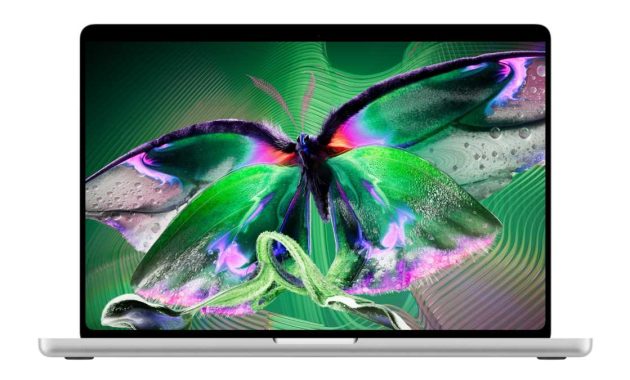
The display stands as the most critical upgrade on the new MacBook Pro, driven by its tandem OLED architecture rather than its touch capabilities. Apple states that this panel delivers the visual fidelity professionals have long desired. Technical specifications for the display include a contrast ratio of 10,000,000:1 and XDR brightness reaching 1,000 nits sustained full-screen alongside 2,000 nits peak for HDR content. SDR brightness matches this performance at 1,000 nits sustained and 2,000 nits peak for outdoor use. The screen also supports P3 and Adobe RGB wide color gamuts paired with ProMotion adaptive refresh rates. This display quality establishes a benchmark for portable computers and sets expectations for future hardware rollouts. Industry reports suggest OLED technology will expand to the MacBook Air lineup around 2028, delivering a substantial upgrade over current LED-backlit IPS panels even if it does not match the peak specifications of the PROLED display.
Lighter Design
Physical portability is substantially improved because the new MacBook Pro weighs nearly a pound less than previous generations. This reduction eases transit for users who travel frequently or rely on public transportation for daily commutes. The engineering advances required to achieve this lighter chassis may eventually influence other models in the MacBook lineup. Future updates could theoretically reduce the weight of ultra-portable options like the MacBook Neo and the 13-inch MacBook Air closer to the 2-pound threshold.
Dynamic Island
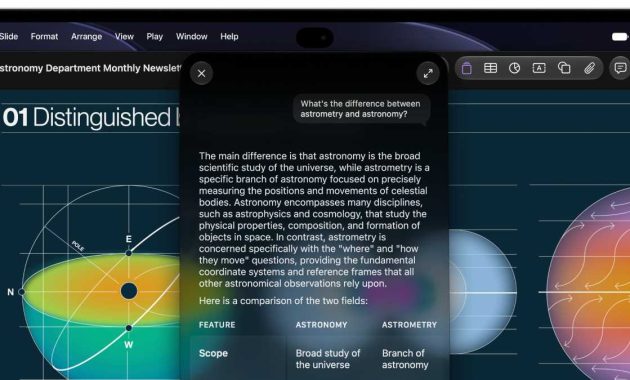
The physical notch on previous MacBooks accommodated the FaceTime camera within a thin bezel while remaining largely passive within the status bar. The new MacBook Pro replaces this notch with the Dynamic Island, transforming the space into a functional interface element. Operating similarly to its iPhone counterpart, the Dynamic Island integrates utility for Spotlight search and Lite Activities. While future adoption across the broader MacBook lineup remains unconfirmed, widespread implementation likely depends on future display technology upgrades across other models.
Glowing Apple Logo
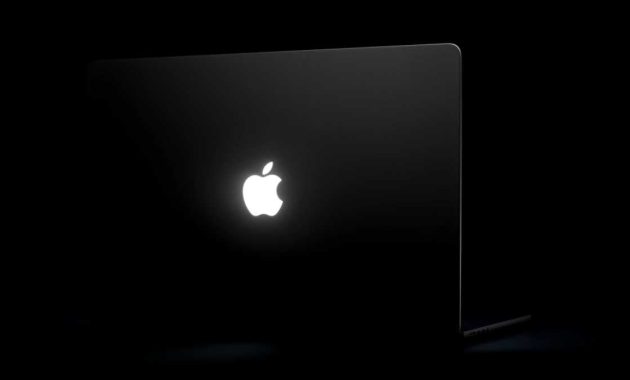
The iconic glowing Apple logo returns after its absence following the 2015 redesign, echoing the statement first established by the 1999 PowerBook G3. This new iteration functions as a visible design marker for those familiar with Apple hardware while serving as an aesthetic touch for general observers. Crucially, the logo orientation remains correct when the lid is open. Users also gain the functional option to turn off the glowing Apple icon if desired. As the ultimate touchscreen MacBook Pro, this release demonstrates how foundational display, design, and interface enhancements shape the future of personal computing.