• About
  • Contact
  • Disclaimer
  • Sitemap
  • Privacy Policy
  • Terms Of Service
Information Technology for You
  • Home
  • Guides
  • ChromeOS
  • MacOS
  • Windows
  • Utilities
  • Reviews
  • Tech Basics
    • Hardware
    • Software
    • Operating System
    • Networking
No Result
View All Result
  • Home
  • Guides
  • ChromeOS
  • MacOS
  • Windows
  • Utilities
  • Reviews
  • Tech Basics
    • Hardware
    • Software
    • Operating System
    • Networking
No Result
View All Result
Intechfy
No Result
View All Result

How to Fix Smart App Control Grayed Out in Windows 11

Ethan Carter by Ethan Carter
November 3, 2026
Home Windows
Share on FacebookShare on Twitter

If you or someone you support noticed that the security settings on a computer look broken, you are likely dealing with a known system glitch. On October 13, 2026, Microsoft released Windows 11 security update KB5127648, which inadvertently left the Smart App Control toggle grayed out on certain personal computers. This unexpected behavior locked out users who had the feature turned off and subsequently wanted to enable it.

Understanding who was impacted helps clarify the actual risk level associated with this bug. The issue only targeted specific usage scenarios:
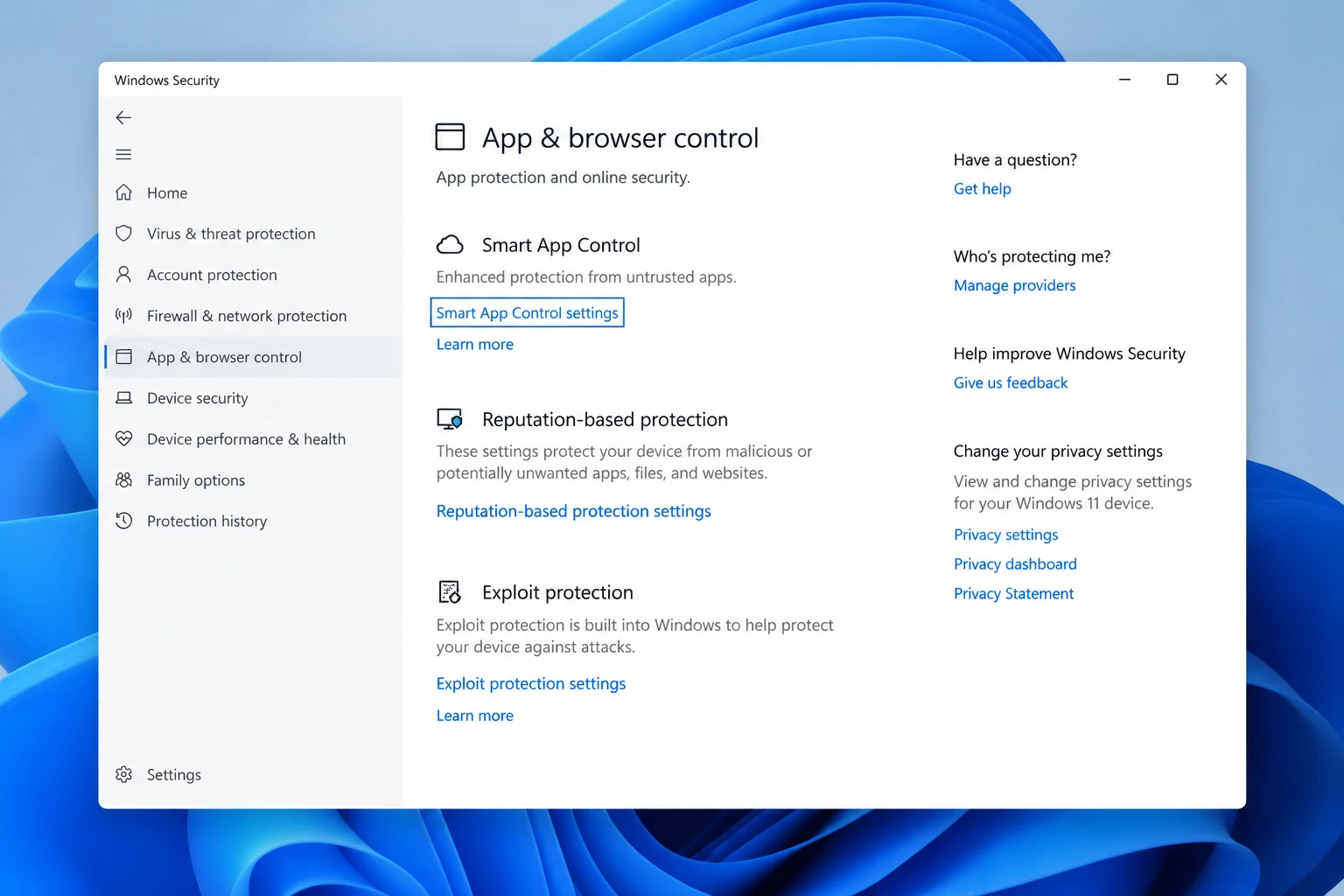
How to Fix Smart App Control Grayed Out in Windows 11
  • Smart App Control was already on: You were completely unaffected, and your device maintained continuous cloud-based protection the entire time.
  • Smart App Control was off and stayed off: You likely did not notice anything unusual, as the bug only blocked new activation attempts.
  • Smart App Control was off and you tried to enable it after October 13: This is the exact group hit by the bug, where the toggle refused to respond.

Malware was not involved in this incident, and no system files were damaged. Because Smart App Control relies on cloud intelligence to block untrusted apps and is normally configured only once during initial setup, everyday users rarely touch the setting unless resolving conflicts with third-party security tools.

Table of Contents

Toggle
  • How to Fix the Grayed-Out Toggle
  • Troubleshooting Persistent Issues and Older Versions

How to Fix the Grayed-Out Toggle

Microsoft has already resolved the issue with subsequent software releases. For Windows 11 versions 25H2 and 26H2, the permanent fix is included in KB5127936—an optional preview update released on October 28, 2026—as well as later cumulative packages.
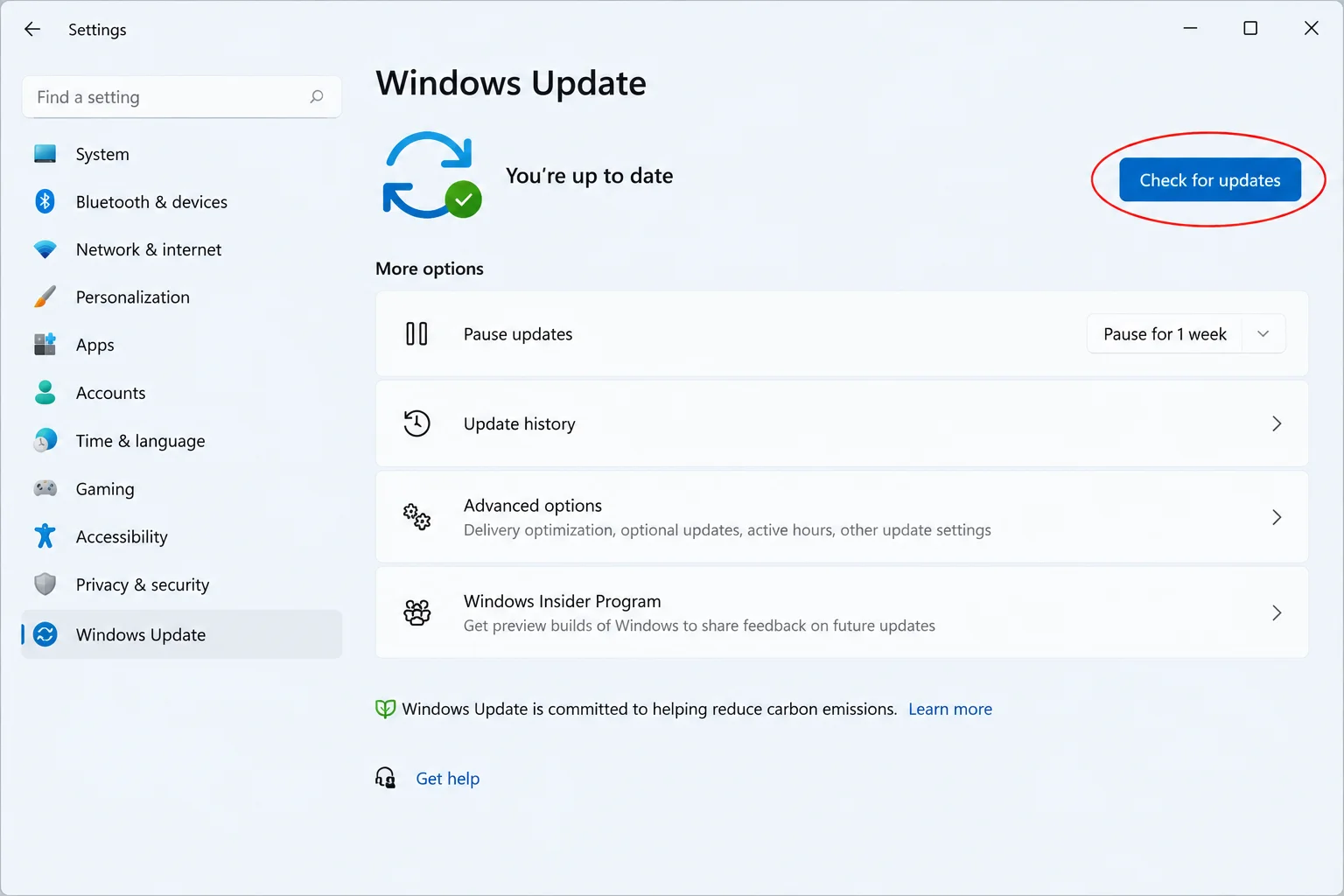
How to Fix Smart App Control Grayed Out in Windows 11

Because KB5127936 is classified as an optional update rather than a mandatory Patch Tuesday security release, Windows Update might list it without installing it automatically. To resolve the Smart App Control grayed out Windows 11 fix promptly, follow these steps:

  • Open the Windows Update settings page on your PC.
  • Look for optional preview update KB5127936 in the available list.
  • Manually select Download & install.
  • Restart your computer once the installation completes.

Some users might be tempted to uninstall update KB5127648 to force the toggle back. However, rolling back security patches is strongly discouraged. Doing so sacrifices an entire month of critical security updates just to regain access to a setting that subsequent cumulative updates restore automatically.

Troubleshooting Persistent Issues and Older Versions

If you have installed the latest updates and the toggle remains unresponsive, or if you are managing older hardware, additional factors may be at play:

  • Unsupported Windows versions: Windows 11 24H2 Home and Pro reached their end of updates as of the October 2026 release. If a machine remains on 24H2, it will not receive the relevant preview fixes, making an upgrade to 25H2 or 26H2 necessary. For older hardware struggling with upgrades, installing an affordable SSD can be a cost-effective alternative to replacing the entire PC.
  • Third-party software interference: If a fully updated 25H2 or 26H2 system still shows a grayed-out switch, a third-party security suite or organizational group policy might be controlling the configuration. Always check with your system administrator before modifying the registry.
  • Unrelated security warnings: If Windows Security displays other unexplainable warnings—such as disabled real-time protection or unrecognized applications—treat those symptoms as potential malware rather than a byproduct of this update bug.

Views: 14

Share this:

Related posts:

  • Microsoft Removes Windows 11 PC-to-PC Migration: What to Do Now

  • How to See Signed-In Devices on Your Google Account (and Sign Them Out)

  • Windows 11 Time Wrong or Auto-Sync Failing? How to Fix It

Ethan Carter

Ethan Carter

Ethan Carter is a tech writer focused on Windows optimization, lightweight software, and practical PC troubleshooting. He enjoys testing utilities, improving low-end PC performance, and sharing simple tech solutions that help everyday users get more from their devices.

Next Post
Best USB-C Hubs and Adapters for Mac in 2026

Best USB-C Hubs and Adapters for Mac in 2026

Leave a Reply Cancel reply

Your email address will not be published. Required fields are marked *

Recommended.

Learn what hybrid topology is, how it works, its advantages, disadvantages, and why modern networks rely on it today in enterprises today.

What Is Hybrid Topology? How It Works, Advantages, Disadvantages and Why Modern Networks Use It

May 11, 2026
Apple’s New iPad Mini and the Shadow of the iPhone Duo

Apple’s New iPad Mini and the Shadow of the iPhone Duo

October 29, 2026

Trending.

Microsoft PC Manager Review: Surprisingly Useful, But Not the PC Booster You Expect

Microsoft PC Manager Review: Surprisingly Useful, But Not the PC Booster You Expect

June 16, 2026
Is CCleaner Worth It in 2026? Honest Review After Testing It on Modern Windows PCs

Is CCleaner Worth It in 2026? Honest Review After Testing It on Modern Windows PCs

June 17, 2026
7 Best Free Antivirus for Windows 11 Ranked by Performance and Security

7 Best Free Antivirus for Windows 11 Ranked by Performance and Security

June 19, 2026
How to Update Your BIOS (UEFI)

How to Update Your BIOS (UEFI): When You Should, When You Shouldn’t, and How to Do It Safely

October 25, 2026
20 Operating System Examples Categorized by Device and Purpose

20 Operating System Examples Categorized by Device and Purpose

June 27, 2026
12 Best PC Boosters for Gaming, Low-End PCs, and Everyday Performance

12 Best PC Boosters for Gaming, Low-End PCs, and Everyday Performance

June 17, 2026
iPad mini (A20 Pro): Release Date, OLED, Price, and Specifications

iPad mini (A20 Pro): Release Date, OLED, Price, and Specifications

October 29, 2026
What to Expect at Apple’s October 28 Pro and Tell Event

What to Expect at Apple’s October 28 Pro and Tell Event

October 25, 2026
Best Free Screen Recorders for Windows We Tested No Watermarks, No Time Limits

9 Best Free Screen Recorders for Windows We Tested in 2026 (No Watermarks, No Time Limits)

June 23, 2026
What Is Programming Software? Types, Functions, and Best Tools for Beginners

What Is Programming Software? Types, Functions, and Best Tools for Beginners

June 14, 2026
Best PC Cleaner for Windows 11: 7 Safe Tools to Clean Junk Files and Free Up Storage

Best PC Cleaner for Windows 11: 7 Safe Tools to Clean Junk Files and Free Up Storage

June 17, 2026
What Is Utility Software? Functions, 5 Types, Benefits, and Real-World Examples

What Is Utility Software? Functions, 5 Types, Benefits, and Real-World Examples

June 16, 2026
Internal Hardware of a Computer: Definition, Components, and How Internal Computer Hardware Works

Internal Hardware of a Computer: Definition, Components, and How Internal Computer Hardware Works

March 9, 2026
Windows 11 version 26H2 Now Broadly Available for Eligible Devices

Windows 11 version 26H2 Now Broadly Available for Eligible Devices

October 26, 2026
macOS 27 Golden Gate: What’s New, Compatible Macs, and Features

macOS 27 Golden Gate: What’s New, Compatible Macs, and Features

October 29, 2026
New Apple Products Coming in 2026 and 2027: What’s Next for Mac, iPhone, and iPad

New Apple Products Coming in 2026 and 2027: What’s Next for Mac, iPhone, and iPad

October 29, 2026
How Good Is Microsoft Defender Antivirus? Is It Really Enough for Windows 11?

How Good Is Microsoft Defender Antivirus? Is It Really Enough for Windows 11?

May 14, 2026
PowerToys 0.102 Adds Mouse Utilities, Quick Commands, and Dictation

PowerToys 0.102 Adds Mouse Utilities, Quick Commands, and Dictation

October 27, 2026
What Is a Device Driver in a Computer? Functions, Types, How It Works, and Examples

What Is a Device Driver in a Computer? Functions, Types, How It Works, and Examples

July 2, 2026
How to Resize the Windows 11 Start Menu With New Built-In Controls

How to Resize the Windows 11 Start Menu With New Built-In Controls

October 26, 2026
iPhone Duo Guide: Price, Specifications, Availability, and Reviews

iPhone Duo Guide: Price, Specifications, Availability, and Reviews

October 26, 2026
iOS 27 Features, Compatibility, and Siri AI Overview

iOS 27 Features, Compatibility, and Siri AI Overview

October 29, 2026
Apple’s November 2026 Lineup: Hardware Shipping, OS 27.3, and New TV+ Shows

Apple’s November 2026 Lineup: Hardware Shipping, OS 27.3, and New TV+ Shows

November 3, 2026
Best CPU Temperature Monitor Tools for Gaming and Real-Time Tracking

7 Best CPU Temperature Monitor Tools for Gaming and Real-Time Tracking

May 31, 2026
What Are the Communication Devices? Definition, Key Characteristics, Types, and Real-World Examples

What Are the Communication Devices? Definition, Key Characteristics, Types, and Real-World Examples

June 19, 2026
How to Fix a USB Device That Keeps Disconnecting

How to Fix a USB Device That Keeps Disconnecting

October 26, 2026
Apple Unveils Thinner, Lighter iPad mini (A20 Pro) with OLED Screen and Major Power Boosts

Apple Unveils Thinner, Lighter iPad mini (A20 Pro) with OLED Screen and Major Power Boosts

October 29, 2026
Microsoft Tests Controller-Friendly Gaming Task View for Windows 11

Microsoft Tests Controller-Friendly Gaming Task View for Windows 11

October 26, 2026
What Is a Distributed Operating System? Architecture, How It Works, Functions, Benefits, and Examples

What Is a Distributed Operating System? Architecture, How It Works, Functions, Benefits, and Examples

June 27, 2026
What Does MLO Mean on Your Router and Should You Enable It?

What Does MLO Mean on Your Router and Should You Enable It?

October 26, 2026
Intechfy

Intechfy.com is a technology-focused information platform created to make everyday tech concepts easier to understand, more practical, and more accessible.

  • About
  • Contact
  • Disclaimer
  • Sitemap
  • Privacy Policy
  • Terms Of Service

© 2026 Intechfy.com - Information Technology for You

No Result
View All Result
  • Home
  • Guides
  • Utilities
  • Reviews
  • Tech Basics
    • Computer
    • Hardware
    • Software
    • Operating System
    • Networking

© 2026 Intechfy.com - Information Technology for You