Choosing an all-in-one desktop computer requires trading hardware flexibility for everyday simplicity. Unlike traditional towers or separate mini PCs, all-in-one (AIO) systems integrate the entire computer directly into the monitor housing. This streamlined architecture bridges the gap between laptops and traditional desktops, making AIOs a staple in corporate offices and school computer labs.
The Advantages of All-in-One PCs
The primary appeal of an AIO computer is its straightforward setup. Because the central processing unit and monitor are housed in a single chassis, users avoid the cable clutter associated with traditional desktops. Most online bundles, including Apple iMac models, arrive with a keyboard and mouse included in the box. Users simply unbox the hardware, plug in a single power cord, and begin working immediately.

Space efficiency is another major benefit. Combining every component into the display frees up valuable desk space, making these systems ideal for home offices, dorm rooms, and compact apartments. Furthermore, the minimalist aesthetic provides a clean, modern look. While an AIO lacks the mobility of a laptop, relocating the system is much simpler than moving a traditional desktop setup. Shifting rooms requires carrying only a single unit rather than disconnecting a tower, a separate monitor, and a complex web of cables.
The Drawbacks and Limitations
The compact design that makes AIO systems attractive also introduces significant structural limitations. Squeezing internal components into a slim chassis restricts upgrade flexibility and repairability. Upgrading core components such as the processor or graphics card is virtually impossible on most models. While certain systems permit RAM and storage upgrades, high component prices can make those modifications impractical.
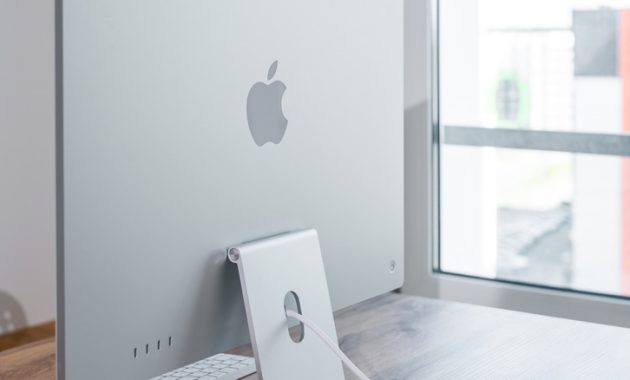
Hardware upgrade potential varies considerably by manufacturer and model. Newer iMac configurations often feature completely integrated components that offer zero user upgradability. Conversely, models like the Dell Pro 24 65W provide access to internal storage and RAM slots. Buyers must review specific manufacturer specifications rather than assuming modular flexibility exists. This densely packed assembly also complicates hardware repairs. Technicians frequently encounter glued enclosures and densely packed layouts that increase labor time and repair costs.
Making Your Decision
Selecting the right computer depends entirely on individual use cases. Everyday tasks such as web browsing, document processing, and video conferencing benefit immensely from the convenience of an all-in-one desktop computer. Conversely, users who require high-performance gaming, intensive video editing, or long-term hardware modularity will find better value in a traditional desktop system.