
When Google Chrome blocks a web page and displays the warning message “Your connection is not private,” it often displays the specific error code net::err_cert_authority_invalid underneath. This warning means that Chrome is not rejecting the web address you typed into your URL bar, but rather rejecting the security certificate that the target site handed over, along with the issuing authority that signed it.
Sometimes, this validation fault is caused by misconfigurations on your laptop, desktop, or mobile device. Other times, the fault resides directly on the remote web server. Understanding why this happens and how to resolve it requires a close look at both client-side settings and server-side configurations.
What is the net::err_cert_authority_invalid Error?
An SSL certificate functions essentially as a website’s digital passport. It securely ties an encryption key to a specific web domain. Chrome checks this digital certificate during the initial cryptographic handshake, executing this security verification long before any sensitive data like passwords or credit card numbers can move across the network.
A Certificate Authority (CA) issues this digital passport. Well-known authorities include Let’s Encrypt, DigiCert, GlobalSign, and Sectigo. Your local device maintains a specialized trust store containing the root certificates of these authorities.
Authorities rarely sign a customer certificate file directly with a root certificate. Instead, an intermediate certificate sits in between. Chrome walks through a validation chain: from the site’s specific file to the intermediate certificate, and finally to a stored root certificate on your device. If a single link in this validation chain breaks, the check fails entirely.
Error -202 Versus Other Certificate Codes
Chromium-based browsers track this specific authority failure internally as error -202. Other certificate issues trigger completely different diagnostic codes:
- NET::ERR_CERT_DATE_INVALID: Triggered by an expired or a not-yet-valid certificate file (internal code -201).
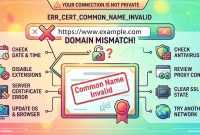
- NET::ERR_CERT_COMMON_NAME_INVALID: Triggered when a domain name mismatch occurs between the certificate and the visited site.
- Connection Handshake Faults: Errors like
err_ssl_version_interferencepoint directly at connection parameters rather than the certificate’s signing entity.
Diagnosing the Root Cause: Is It Your Device or the Server?
Before attempting any complex fixes, run a quick diagnostic test to isolate the origin of the error. Open Google, your online banking portal, and a major news website in separate tabs.
- If all three websites fail to load with the certificate warning, the problem is localized to your own device or local network.
- If only a single website fails while other pages load normally for every visitor, the issue originates on that specific website’s server.
How to Fix the Error as a Website Visitor
If the diagnostic test points to your device, you can work through several structured client-side troubleshooting methods to clear the error.
1. Reload the Page Fresh
A temporary glitch during the cryptographic handshake can trigger a false alarm. Press Ctrl+R on Windows or Cmd+R on a Mac to perform a standard refresh. If that fails, execute a hard refresh using Ctrl+Shift+R, which fetches every web file fresh from the origin server.
2. Set Your System Clock to Automatic
Certificates rely on rigid start and expiration dates. A device with an incorrect system clock stuck in the past will read a modern security file as invalid.
- Windows: Open Settings, navigate to Time & language, select Date & time, and switch on “Set time automatically.”
- Mac: Open System Settings, go to General, select Date & Time, and ensure automatic synchronization is enabled.
3. Clear Saved Browser and System Data
Corrupted cache files or outdated SSL states can cause recurring validation loops. Access chrome://settings/clearBrowserData in your address bar, select “All time,” check the boxes for cookies and cached files, and clear the data. This process works across desktop platforms as well as Android and iOS devices.
Additionally, Windows maintains its own independent certificate cache. You can clear this cache by opening Internet Options via the Windows Control Panel, navigating to the Content tab, and clicking “Clear SSL state.”
4. Test in Incognito Mode
Incognito mode disables most installed browser extensions by default. If a target page loads successfully in an Incognito window, a browser extension is interfering with your traffic. Open chrome://extensions and disable your add-ons one by one until you find the culprit, then remove or keep it disabled.
5. Pause Antivirus HTTPS Scanning
Many modern security suites—such as Avast Web Shield, Bitdefender, and Kaspersky—intercept web traffic to scan it for threats, re-signing HTTPS traffic with their own local certificate. Chrome detects this substitution and blocks the page.
Locate the HTTPS or SSL scanning setting inside your security software suite and turn it off temporarily, then restart Chrome and retry loading the page. If the site loads successfully, whitelist Chrome or keep the scanning feature disabled.
6. Update Chrome and Change Networks
Ensure your browser is fully updated by navigating to the help menu and selecting About Google Chrome. Next, test the connection using mobile data or a completely different Wi-Fi network. If the page loads successfully on mobile data, your previous Wi-Fi network—such as a captive portal login screen or a restrictive VPN—was causing the interference.
Resolving the Error on Chromebooks (ChromeOS)
ChromeOS manages updates to the core browser directly through the operating system settings rather than a standalone browser menu. If you encounter certificate errors on a Chromebook, use specialized system troubleshooting steps.
Adjusting System Time Zones
A Chromebook automatically synchronizes its clock once connected to the internet, but incorrect time zone selections can still disrupt certificate validation. Open Settings, go to System preferences, open Date and time, and verify that your correct local time zone is selected.
Managing Network Proxies and Security Add-Ons
Check your network settings for leftover or misconfigured proxy entries in the Chrome proxy configuration, which can route traffic through an external filter that re-signs web traffic. Security and VPN extensions designed for ChromeOS can also filter page traffic aggressively; disable them before testing.
Managed School and Work Devices
Enterprise and education Chromebooks operate under strict institutional policies. Web filters that inspect HTTPS traffic require an institutional root certificate pushed down by network administrators. If this administrative push fails, every external site throws error -202, and only IT personnel can resolve the issue.
Server-Side Fixes for Website Owners
If you manage the website throwing the net::err_cert_authority_invalid error, the issue usually stems from an incomplete certificate installation chain on the server.
Verify the Chain with SSL Labs
Navigate to ssllabs.com/ssltest, enter your domain name, and wait approximately one minute for the diagnostic scan to complete. Scroll past the overall letter grade down to the Certification Paths section. A status reading “Chain issues: Incomplete” confirms a missing intermediate certificate bundle.
Install the Full Certificate Bundle
To fix an incomplete chain, concatenate your primary domain certificate with your certificate authority’s intermediate bundle using a terminal command:
cat your_domain.crt ca_bundle.crt > full_chain.crt
Once concatenated, update your web server configuration blocks:
- Nginx: Point your server block configuration directly to the combined file:
ssl_certificate     /etc/ssl/full_chain.crt;
ssl_certificate_key /etc/ssl/private.key;
- Apache (2.4.8 or newer): Set
SSLCertificateFileto point tofull_chain.crtandSSLCertificateKeyFileto your private key. Restart your web server daemon and re-run your SSL Labs check.
Replace Self-Signed Files and Reissue Certificates
Self-signed certificates created via OpenSSL for local testing will always trigger trust errors in production environments. Replace them with publicly trusted certificates, such as free options provided by Let’s Encrypt. With shell access, you can run Certbot to automatically fetch and install valid files.
If an existing commercial installation is corrupt, force a renewal by executing certbot renew --force-renewal, or request a complete reissue from your paid authority using a fresh Certificate Signing Request (CSR).
Is it Safe to Proceed Past net::err_cert_authority_invalid?
You should never click the “Advanced” link and bypass this warning on any web page where you log in, enter personal details, or submit payment information. Chrome cannot cryptographically confirm who actually operates the server, leaving you vulnerable to credential theft via copycat sites.
Bypassing the warning is only acceptable in a single scenario: when accessing a self-configured local router, development server, or administrative management page hosted securely on your own private network.
Frequently Asked Questions
How do I get rid of net::err_cert_authority_invalid?
Reload the web page, verify that your device clock is set to automatic synchronization, clear your cached browser data, test the URL in an Incognito window, and pause any active antivirus HTTPS scanning routines. If a website fails for all visitors universally, the site owner must install the missing intermediate certificate chain.
Why do I get net::err_cert_authority_invalid on every website?
When every single website throws this error, the fault lies on your local device or network. Common culprits include an incorrect system clock, aggressive antivirus HTTPS scanning, an active VPN, or an enterprise network filter re-signing traffic. Correct your system clock first, then inspect your security software settings.
Why does Reddit show net::err_cert_authority_invalid?
Reddit utilizes a valid, publicly trusted security certificate issued by an established authority. If Reddit displays this error, the fault is entirely localized to your machine. Check your system clock, antivirus security suite, active VPN connections, or network filters before attempting to load Reddit again.
Is it safe to bypass net::err_cert_authority_invalid on Reddit?
No. Clicking through the warning and proceeding to reddit.com can expose your account login credentials to whatever entity is intercepting your connection. Always diagnose and fix the underlying device or network issue instead of bypassing browser security warnings.
Does net::err_cert_authority_invalid mean a site was hacked?
Not necessarily. The vast majority of these errors trace back to mundane server configuration mistakes, such as a missing intermediate certificate bundle or the use of an untrusted self-signed test file. However, because Chrome cannot verify the true identity of the site, you should strictly avoid entering logins or financial data until the warning clears.