• About
  • Contact
  • Disclaimer
  • Sitemap
  • Privacy Policy
  • Terms Of Service
Information Technology for You
  • Home
  • Guides
  • ChromeOS
  • MacOS
  • Windows
  • Utilities
  • Reviews
  • Tech Basics
    • Hardware
    • Software
    • Operating System
    • Networking
No Result
View All Result
  • Home
  • Guides
  • ChromeOS
  • MacOS
  • Windows
  • Utilities
  • Reviews
  • Tech Basics
    • Hardware
    • Software
    • Operating System
    • Networking
No Result
View All Result
Intechfy
No Result
View All Result

Traveling With Electronics That Could Raise TSA Red Flags

Ethan Carter by Ethan Carter
November 1, 2026
Home Guides
Share on FacebookShare on Twitter

Knowing the rules before you travel can prevent unexpected baggage checks. During a past trip, security pulled a backpack aside after discovering five forgotten power banks inside. Although the inspection went smoothly after officers identified the items, the experience highlighted how easily certain electronics trigger security warnings.

Portable power banks and personal electronics like smartphones, tablets, laptops, and handheld gaming systems must travel in carry-on luggage. Checked baggage is not the place for these devices. Laptops should always be removed for scanning, and taking out other electronics can also prevent delays. Lithium battery regulations apply to both installed and uninstalled components, making advance preparation essential for a smooth airport experience.
Traveling With Electronics That Could Raise TSA Red Flags

Table of Contents

Toggle
  • Power Bank Rules and Watt-Hour Limits
  • Lithium Batteries and Fire Hazards
  • Vapes, E-Cigarettes, and Laser Pointers
  • Smart Luggage and Tracking Devices
  • Hoverboards and Ride-On Bags
  • Electric Toothbrushes and Personal Care Gadgets
  • Smartphones and Computers at Security Checkpoints

Power Bank Rules and Watt-Hour Limits

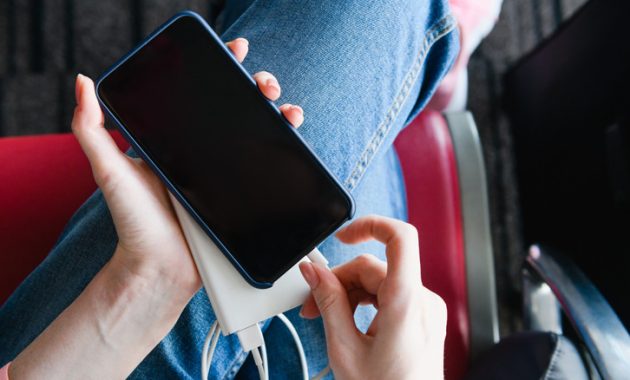
Most portable power banks remain under the 100 watt-hour limit. Devices featuring built-in batteries, such as cameras, laptops, tablets, and smartwatches, must accompany passengers in the cabin. High-powered laptop power banks represent a potential exception, though many standard models like the 25K Anker Power Bank comply with regulations at 90Wh and carry flight-approved labels.

Travelers can verify power bank specifications by checking for watt-hour ratings or calculating them using the formula of milliamp-hours multiplied by voltage divided by 1,000. A 20,000mAh power bank operating at 3.7 volts equals 74Wh, remaining safely within allowed limits. Packaging frequently features a flight-approved label to provide additional clarity.
Traveling With Electronics That Could Raise TSA Red Flags

Lithium Batteries and Fire Hazards

Lithium batteries require cabin storage because overheating creates a potential fire risk. Lithium-ion batteries exceeding 100 watt-hours, including spare units or professional AV equipment, remain prohibited in checked bags. These items are permitted in carry-on luggage only under specific circumstances with airline approval, limited to two per person.

Non-rechargeable lithium metal batteries, such as standard AA batteries intended for toys, are permitted up to 2 grams of lithium content per battery. Keeping these items inside their original packaging minimizes security complications. Alternatively, purchasing them at the destination avoids travel restrictions entirely.
Traveling With Electronics That Could Raise TSA Red Flags

Vapes, E-Cigarettes, and Laser Pointers

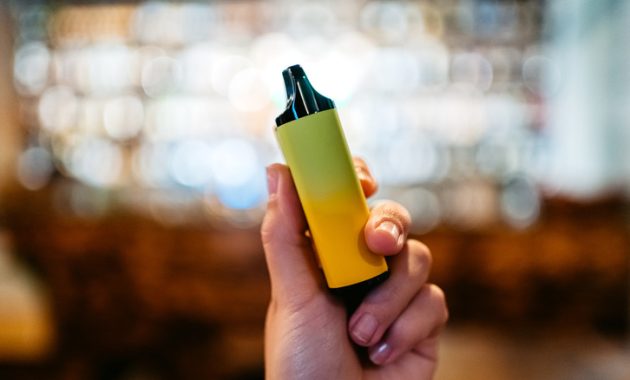
Electronic cigarettes and vapes must travel exclusively in carry-on luggage and cannot go into checked bags. Security screening typically does not require removing them from bags, though placing them in bins can prevent potential alerts. Southwest Airlines restricts passengers to two units per person and explicitly prohibits charging or using them onboard.

Similar restrictions apply to gadgets like laser pointers. While federal rules generally approve them, specific carriers maintain stricter policies. Air Canada bans laser pointers in the cabin entirely, requiring them in checked luggage. Penlights and similar devices may also prompt manual inspection by security personnel.
Traveling With Electronics That Could Raise TSA Red Flags

Smart Luggage and Tracking Devices

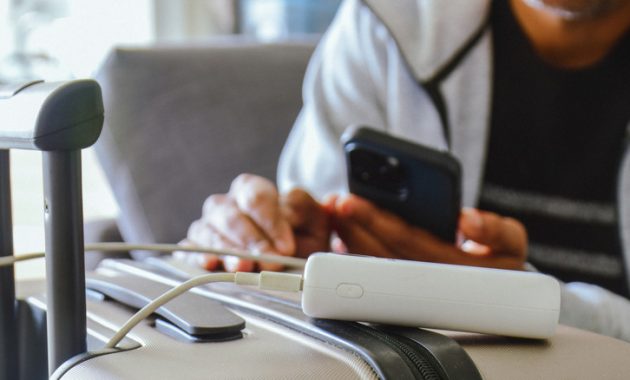
Smart suitcases equipped with integrated chargers, charging ports, GPS trackers, or Bluetooth locks must follow standard lithium battery guidelines. Power sources must be removed before checking a bag to eliminate fire hazards. Removable integrated power banks facilitate this process easily.

Bags featuring non-removable batteries present complications at security checkpoints. Boarding permission depends on sizing requirements and the discretion of TSA agents and flight crews. Tracking devices must contain less than 0.3 grams of lithium metal or 2.7 Wh of lithium-ion. Apple AirTags comply with these standards because their CR2032 batteries contain under 0.1 grams of lithium and remain under 0.7 Wh.

Traveling With Electronics That Could Raise TSA Red Flags

Hoverboards and Ride-On Bags

Passenger policies regarding hoverboards and ride-on luggage vary significantly by airline. American Airlines restricts smart ride-on bags, while Delta Air Lines prohibits motorized rideable suitcases. Air Canada bans electric skateboards, airwheels, mini Segways, balance wheels, battery-assisted bikes, and electric scooters. Hoverboards remain strictly prohibited on commercial flights due to safety considerations.

Electric Toothbrushes and Personal Care Gadgets

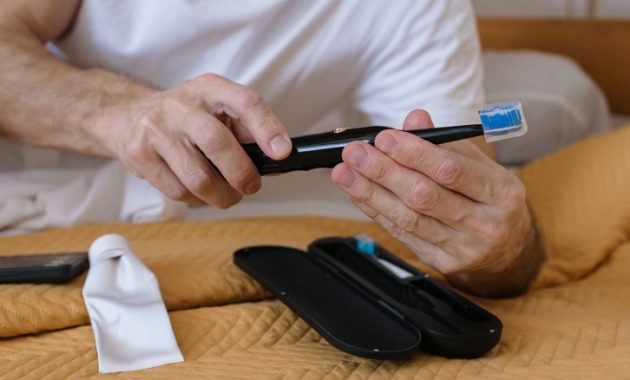
Electric toothbrushes containing batteries must travel in carry-on luggage. Passengers can utilize these devices during long flights or airport layovers. However, failing to power down an electric toothbrush or portable massager can cause accidental activation and buzzing noises that prompt TSA investigations. Leaving these items inside the bag is acceptable as long as they remain completely turned off.

Smartphones and Computers at Security Checkpoints

The Samsung Galaxy Note 7 launched in 2016 remains the sole smartphone entirely banned from commercial flights due to verified fire hazards. All other smartphones must travel in the cabin. TSA agents generally require passengers to place phones, tablets, laptops, and portable gaming systems into separate bins for scanning, though alternative instructions should be followed if agents advise leaving items inside bags. A 2014 ruling permits security personnel to request that devices be powered on to verify functionality, underscoring the importance of maintaining adequate battery life.

Complying with TSA screening requests ensures a faster security process. Travelers can minimize delays by packing restricted tech correctly and avoiding items that trigger red flags during screening.


Views: 36

Share this:

Related posts:

  • IDScan Offers Free Credit Monitoring After Driver’s License Data Breach

  • Google Search European Union Changes

  • How to Know If a Waterproof USB-C Cable Is Reliable

Ethan Carter

Ethan Carter

Ethan Carter is a tech writer focused on Windows optimization, lightweight software, and practical PC troubleshooting. He enjoys testing utilities, improving low-end PC performance, and sharing simple tech solutions that help everyday users get more from their devices.

Next Post
Weighing the Pros and Cons of an All-in-One Desktop Computer

Weighing the Pros and Cons of an All-in-One Desktop Computer

Leave a Reply Cancel reply

Your email address will not be published. Required fields are marked *

Recommended.

How to See Signed-In Devices on Your Google Account (and Sign Them Out)

How to See Signed-In Devices on Your Google Account (and Sign Them Out)

November 3, 2026
How to Use the Hidden Windows 11 Menu for Faster Troubleshooting

How to Use the Hidden Windows 11 Menu for Faster Troubleshooting

November 2, 2026

Trending.

Microsoft PC Manager Review: Surprisingly Useful, But Not the PC Booster You Expect

Microsoft PC Manager Review: Surprisingly Useful, But Not the PC Booster You Expect

June 16, 2026
Is CCleaner Worth It in 2026? Honest Review After Testing It on Modern Windows PCs

Is CCleaner Worth It in 2026? Honest Review After Testing It on Modern Windows PCs

June 17, 2026
7 Best Free Antivirus for Windows 11 Ranked by Performance and Security

7 Best Free Antivirus for Windows 11 Ranked by Performance and Security

June 19, 2026
20 Operating System Examples Categorized by Device and Purpose

20 Operating System Examples Categorized by Device and Purpose

June 27, 2026
How to Update Your BIOS (UEFI)

How to Update Your BIOS (UEFI): When You Should, When You Shouldn’t, and How to Do It Safely

October 25, 2026
12 Best PC Boosters for Gaming, Low-End PCs, and Everyday Performance

12 Best PC Boosters for Gaming, Low-End PCs, and Everyday Performance

June 17, 2026
iPad mini (A20 Pro): Release Date, OLED, Price, and Specifications

iPad mini (A20 Pro): Release Date, OLED, Price, and Specifications

October 29, 2026
Best Free Screen Recorders for Windows We Tested No Watermarks, No Time Limits

9 Best Free Screen Recorders for Windows We Tested in 2026 (No Watermarks, No Time Limits)

June 23, 2026
What to Expect at Apple’s October 28 Pro and Tell Event

What to Expect at Apple’s October 28 Pro and Tell Event

October 25, 2026
Best PC Cleaner for Windows 11: 7 Safe Tools to Clean Junk Files and Free Up Storage

Best PC Cleaner for Windows 11: 7 Safe Tools to Clean Junk Files and Free Up Storage

June 17, 2026
What Is Utility Software? Functions, 5 Types, Benefits, and Real-World Examples

What Is Utility Software? Functions, 5 Types, Benefits, and Real-World Examples

June 16, 2026
Internal Hardware of a Computer: Definition, Components, and How Internal Computer Hardware Works

Internal Hardware of a Computer: Definition, Components, and How Internal Computer Hardware Works

March 9, 2026
What Is Programming Software? Types, Functions, and Best Tools for Beginners

What Is Programming Software? Types, Functions, and Best Tools for Beginners

June 14, 2026
Windows 11 version 26H2 Now Broadly Available for Eligible Devices

Windows 11 version 26H2 Now Broadly Available for Eligible Devices

October 26, 2026
Apple’s November 2026 Lineup: Hardware Shipping, OS 27.3, and New TV+ Shows

Apple’s November 2026 Lineup: Hardware Shipping, OS 27.3, and New TV+ Shows

November 3, 2026
macOS 27 Golden Gate: What’s New, Compatible Macs, and Features

macOS 27 Golden Gate: What’s New, Compatible Macs, and Features

October 29, 2026
New Apple Products Coming in 2026 and 2027: What’s Next for Mac, iPhone, and iPad

New Apple Products Coming in 2026 and 2027: What’s Next for Mac, iPhone, and iPad

October 29, 2026
How Good Is Microsoft Defender Antivirus? Is It Really Enough for Windows 11?

How Good Is Microsoft Defender Antivirus? Is It Really Enough for Windows 11?

May 14, 2026
What Is a Device Driver in a Computer? Functions, Types, How It Works, and Examples

What Is a Device Driver in a Computer? Functions, Types, How It Works, and Examples

July 2, 2026
PowerToys 0.102 Adds Mouse Utilities, Quick Commands, and Dictation

PowerToys 0.102 Adds Mouse Utilities, Quick Commands, and Dictation

October 27, 2026
iPhone Duo Guide: Price, Specifications, Availability, and Reviews

iPhone Duo Guide: Price, Specifications, Availability, and Reviews

October 26, 2026
How to Resize the Windows 11 Start Menu With New Built-In Controls

How to Resize the Windows 11 Start Menu With New Built-In Controls

October 26, 2026
iOS 27 Features, Compatibility, and Siri AI Overview

iOS 27 Features, Compatibility, and Siri AI Overview

October 29, 2026
How to Fix a USB Device That Keeps Disconnecting

How to Fix a USB Device That Keeps Disconnecting

October 26, 2026
Microsoft Tests Controller-Friendly Gaming Task View for Windows 11

Microsoft Tests Controller-Friendly Gaming Task View for Windows 11

October 26, 2026
Best CPU Temperature Monitor Tools for Gaming and Real-Time Tracking

7 Best CPU Temperature Monitor Tools for Gaming and Real-Time Tracking

May 31, 2026
What Are the Communication Devices? Definition, Key Characteristics, Types, and Real-World Examples

What Are the Communication Devices? Definition, Key Characteristics, Types, and Real-World Examples

June 19, 2026
Apple Unveils Thinner, Lighter iPad mini (A20 Pro) with OLED Screen and Major Power Boosts

Apple Unveils Thinner, Lighter iPad mini (A20 Pro) with OLED Screen and Major Power Boosts

October 29, 2026
What Is a Distributed Operating System? Architecture, How It Works, Functions, Benefits, and Examples

What Is a Distributed Operating System? Architecture, How It Works, Functions, Benefits, and Examples

June 27, 2026
OBS Studio Review: Powerful, Free, and Surprisingly Frustrating

OBS Studio Review: Powerful, Free, and Surprisingly Frustrating

June 11, 2026
Intechfy

Intechfy.com is a technology-focused information platform created to make everyday tech concepts easier to understand, more practical, and more accessible.

  • About
  • Contact
  • Disclaimer
  • Sitemap
  • Privacy Policy
  • Terms Of Service

© 2026 Intechfy.com - Information Technology for You

No Result
View All Result
  • Home
  • Guides
  • Utilities
  • Reviews
  • Tech Basics
    • Computer
    • Hardware
    • Software
    • Operating System
    • Networking

© 2026 Intechfy.com - Information Technology for You