

Every digital device depends on system software long before users open their favorite apps. It runs quietly in the background, coordinating hardware, preparing memory, and making sure everything responds when you press a key or tap the screen. Most people never see it directly, yet nearly every computing task relies on this hidden layer.
System software is the foundational set of programs that manage hardware and enable applications to run. That simple definition explains why modern computing cannot function without it. The moment power flows into a device, the underlying control layer takes charge and prepares the environment for everything that follows.
You can see the impact during a simple real-life moment. When you press the power button on a laptop, nothing appears instantly. Behind the scenes, the system layer in computer environments begins initializing hardware, loading core components, and preparing the interface that eventually appears. What feels like a quick startup actually involves several coordinated steps.
Many beginners only notice Operating systems software such as Windows or Linux, yet the ecosystem extends far beyond the OS alone. Drivers, firmware routines, and background services all help keep devices stable and responsive. Each component contributes to the overall experience.
What Is System Software?
Simple Definition
At a basic level, system software refers to the programs that keep a computer running smoothly behind the scenes. It acts as the control layer that connects hardware with the applications people use every day. Without it, even powerful machines would struggle to perform useful tasks.
A helpful analogy is to picture the operating crew of a large building. Visitors interact with the front office, while real coordination happens in maintenance rooms and control panels. The role of the system layer follows the same pattern, quietly managing resources while applications handle the visible work.
According to TechTarget, system software refers to computer programs designed to operate hardware and manage application software, acting as the intermediary layer between hardware and user applications. In plain language, the platform functions like a middle manager inside the computing environment. Hardware stays organized, and applications receive the resources required to run properly.
The importance becomes obvious during everyday use. Opening a web browser triggers automatic memory allocation, processor scheduling, and device preparation. Most users never notice those steps, yet smooth performance depends on them.
Technical Definition
From a deeper technical perspective, system software forms the lowest operational layer above physical hardware. At its core sits the kernel, the central component of the operating system responsible for direct resource control. The kernel manages process scheduling, memory allocation, and hardware communication in real time.
Within the broader computer software hierarchy, the operating system provides hardware abstraction. Complex device details remain hidden behind a clean interface presented to applications. Programs no longer need to understand computer hardware specifics because the platform standardizes communication.
That architectural separation improves both stability and portability. Applications remain easier to maintain, and developers can focus on features rather than low-level device control.
Why Users Rarely Notice It
Most users rarely think about system software since it is designed to remain invisible. The primary objective is automation rather than visibility. When everything works smoothly, there is little reason to think about the underlying processes.
Consider what happens when you power on a laptop. The screen lights up, the login interface appears, and the machine becomes ready within seconds. During that brief window, dozens of background operations have already completed. Hardware initialization, driver loading, and service startup all run automatically.
That invisible behavior is intentional. A seamless experience usually signals that the underlying platform is doing its job well. Users stay focused on their tasks while the control layer quietly manages coordination.
Main Functions of System Software
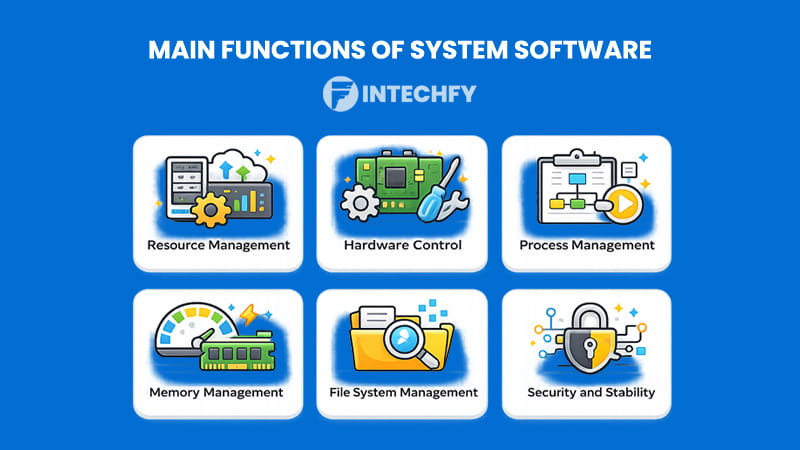
The operational strength of system software becomes clear when examining what happens behind the scenes. Responsibilities extend far beyond starting the device. The platform continuously manages hardware resources, coordinates processes, and maintains overall stability.
Based on GeeksforGeeks, system software is responsible for managing computer hardware and creating the foundation that allows other software to run efficiently. In practical terms, the platform builds a stable environment where applications can operate without needing direct access to hardware.
Modern computing depends heavily on that coordination layer. Without it, multitasking would break down, memory conflicts would appear frequently, and hardware devices would behave unpredictably. The core functional areas below show how the platform keeps systems running smoothly.
Resource Management
One of the most critical responsibilities of the platform is allocating resources efficiently. The memory manager tracks how RAM is distributed across active programs, preventing conflicts and unnecessary waste. At the same time, the CPU scheduler determines which processes receive processor time and in what order.
Storage handling also belongs in this category. Data moves between memory and disk through carefully managed operations. Balanced allocation keeps devices responsive even under heavy workloads.
Hardware Control
The system layer also manages direct communication with physical components. Device drivers serve as translators between the operating environment and hardware such as printers or GPUs.
When a document is sent to print, the platform converts that request into signals the printer can interpret. That communication layer allows very different devices to work together inside one computing environment.
Process Management
Modern computers run many programs simultaneously, and the underlying control layer makes that possible through process management. The process scheduler organizes foreground and background tasks so the machine stays responsive.
Multitasking relies heavily on that coordination. While one application handles user input, others may update files or monitor network activity. Proper scheduling prevents any single process from dominating system resources.
Memory Management
Memory control remains another core responsibility. RAM is allocated dynamically, freed when programs close, and expanded when workloads increase. Virtual memory extends available capacity by using disk storage when physical memory becomes limited.
Paging techniques move data efficiently between memory and storage. Memory protection also prevents one process from interfering with another, which helps maintain system stability during demanding workloads.
File System Management
Organizing stored data is equally important. The system layer manages file structures, directory hierarchies, and storage formats such as NTFS and ext4. The platform ensures files can be created, located, and modified without corruption.
Efficient file handling improves performance and reduces the risk of data loss. It also enables consistent access across different applications.
Security and Stability
Security features protect both the platform and its users. Permission controls define what each user or process can access, while privilege levels prevent unauthorized changes to sensitive areas.
Additional safeguards such as sandboxing isolate risky applications, and integrity checks watch for unexpected modifications. Together, these mechanisms keep the computing environment stable, secure, and dependable over time.
How System Software Works
Behind every smooth startup and responsive application sits a carefully coordinated process. System software does not simply appear when a device turns on. It follows a structured sequence that prepares hardware, loads core components, and establishes the environment where applications can run reliably.
The process begins the moment power reaches the machine and continues throughout the entire session. Each stage builds on the previous one, gradually transforming a powered device into a fully operational computing platform.
System Software Boot and Runtime Flow
| Step | Stage Name | What Happens | Key Component |
|---|---|---|---|
| 1 | Power On | Firmware initializes hardware | BIOS / UEFI |
| 2 | Boot Loading | Bootloader loads kernel | Bootloader |
| 3 | Kernel Initialization | Kernel prepares resources | Kernel |
| 4 | Hardware Detection | Devices configured | Device Drivers |
| 5 | Service Startup | Background services start | System Services |
| 6 | User Environment Ready | Interface loads | Operating System |
| 7 | Application Execution | Apps use resources | OS + Process Manager |
| 8 | Continuous Monitoring | Real-time management | System Core |
The sequence above shows how system software gradually takes control of a device. It starts with firmware checks and ends with continuous monitoring while the machine is in use. Each stage ensures hardware and applications work together without conflict. When any step fails, the entire startup process can break down, which is why the flow must remain tightly coordinated.
From Boot Process to Running Applications
The journey begins at the firmware level. When power is applied, BIOS or UEFI routines wake the hardware and perform initial checks. After basic validation, the bootloader takes over and locates the kernel stored on disk.
Once loaded, the kernel becomes the central controller. It initializes memory structures, activates the process scheduler, and prepares device access. At this point, the operating system gains full control of the machine. Background services start quietly, and the user interface begins to load.
By the time the desktop or login screen appears, the heavy lifting is already complete. What feels instant to the user actually involves multiple tightly synchronized steps working in sequence.
Background Operations
After startup, the platform continues working constantly in the background. Process scheduling ensures active programs receive fair CPU time, while memory handling keeps RAM usage balanced across running tasks.
Device coordination also happens continuously. Input from keyboards, network adapters, and storage devices flows through controlled channels. Interrupt handling allows the machine to respond immediately when hardware signals require attention.
All of this activity happens without interrupting the user experience. A well-tuned system keeps everything responsive even when many programs run at once.
Continuous System Monitoring
The work does not stop once applications are running. System software keeps watching the environment in real time. Error detection routines look for abnormal behavior, resource balancing prevents overload, and built-in security checks guard sensitive areas of the system.
This continuous oversight helps maintain long-term stability. When resource usage spikes or a process behaves unexpectedly, corrective actions occur automatically. Users rarely notice the intervention, yet it plays a major role in keeping devices dependable day after day.
Common Misconceptions About System Software
Despite its importance, the system layer is often misunderstood. Many users assume it refers only to the operating system, while others believe it requires constant manual interaction. Clearing up these misconceptions helps build a more accurate picture of how modern platforms function.
Is System Software the Same as an Operating System?
Not exactly. The operating system is the most visible part of system software, but it represents only one component within a larger ecosystem. Drivers, firmware routines, and core services also belong to this category.
The operating system acts as the central coordinator, while other low-level components support hardware communication and ongoing maintenance. Treating the OS as the entire platform overlooks several important layers working quietly behind the scenes.
Do Users Interact With It Directly?
In most situations, interaction happens indirectly. Users typically engage with applications and graphical interfaces rather than the underlying platform itself.
That said, certain administrative tools and configuration panels do expose parts of the core system environment. Power users and IT professionals often adjust settings related to memory usage, drivers, or security policies. For everyday tasks, the background control layer continues operating without requiring attention.
Is Firmware Different From System Software?
Firmware occupies a slightly different position but still overlaps with the broader platform category. It sits closer to the hardware and usually runs during the earliest startup phase.
Many experts consider firmware part of the extended platform stack because it prepares hardware for the operating system. The distinction mainly comes down to how tightly the code is bound to the device. In practical terms, both layers work together to make modern computing possible.
Types of System Software
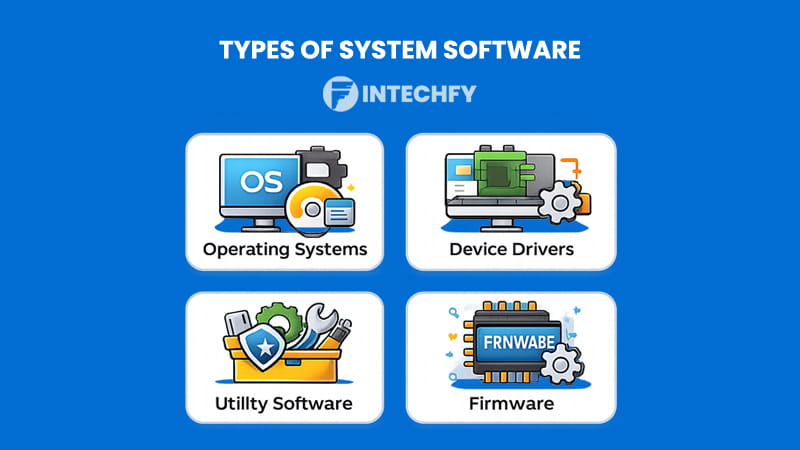
Modern platforms rely on several specialized categories working together. System software is not a single program but a collection of tightly integrated components, each handling a specific responsibility. Some manage hardware directly, while others focus on maintenance or low-level control.
Understanding the major types helps clarify how the ecosystem stays organized and efficient.
Operating Systems
Operating systems form the core of most environments. They manage hardware resources, coordinate running applications, and provide the interface users interact with daily.
Examples include Windows, Linux, and macOS. Each platform handles process scheduling, memory allocation, and device access in slightly different ways. Even so, the fundamental purpose remains consistent across implementations.
Because the operating system sits at the center of system software, its stability and performance heavily influence the overall user experience.
Device Drivers
Device drivers act as translators between hardware components and the operating environment. Without them, the system would struggle to communicate with printers, graphics cards, network adapters, and other peripherals.
Each driver contains instructions tailored to a specific device. When installed correctly, the hardware becomes fully functional within the platform. Poor or outdated drivers, on the other hand, often lead to performance issues or hardware errors.
Utility Software
Utility tools focus on maintenance and optimization rather than direct hardware control. Disk cleanup tools, backup utilities, and antivirus scanners all fall into this category.
These programs help keep the system running efficiently over time. They remove unnecessary files, monitor health status, and protect against potential threats. While not always visible, utilities play a quiet but important role in long-term stability.
Firmware
Firmware operates at the lowest practical level of the platform. It resides in non-volatile memory and runs during the earliest startup phase. BIOS and UEFI routines are the most familiar examples.
This layer initializes hardware, verifies basic functionality, and prepares the environment for the operating system to load. Without firmware, the rest of the platform would never get the chance to start.
Types of System Software Overview
| Type | Primary Role | Example | Runs When |
|---|---|---|---|
| Operating System | Manages hardware & apps | Windows, Linux | Always |
| Device Drivers | Hardware communication | GPU driver | When device used |
| Utility Software | Maintenance | Disk cleanup | On demand |
| Firmware | Low-level control | BIOS/UEFI | During boot |
Real Examples of System Software
Seeing real products in action makes the concept easier to grasp. System software appears in many familiar environments, from desktop computers to smartphones and embedded devices. Each example below highlights how the platform quietly supports everyday computing without drawing much attention.
Desktop Operating Systems
Desktop environments offer some of the clearest examples. Windows, macOS, and Linux each manage hardware resources while providing a stable interface for applications.
Windows focuses heavily on broad hardware compatibility and commercial software support. macOS emphasizes tight integration with Apple hardware, which often results in smooth performance and consistent updates. Linux, on the other hand, provides flexibility and open-source customization that appeals to developers and advanced users.
Despite their differences, all three platforms perform the same core job. They allocate memory, schedule processes, and coordinate device access so applications can run without conflict. In that sense, each one represents a mature implementation of system software designed for general-purpose computing.
Mobile Operating Systems
Mobile devices rely on a similar foundation, although the environment is optimized for touch interaction and power efficiency. Android and iOS dominate this space, each offering a tightly managed runtime environment for mobile apps.
Android supports a wide range of hardware configurations and manufacturers. Its flexibility makes it popular across many price tiers. iOS takes the opposite approach by focusing on deep hardware–software integration within Apple devices.
Both platforms manage memory carefully, regulate background activity, and control access to sensors such as cameras and GPS modules. Even though users interact mainly with apps, the underlying platform keeps everything balanced and responsive.
Firmware Examples
Firmware provides another important layer, especially on motherboards and embedded components. BIOS and UEFI routines stored on the motherboard initialize hardware during the earliest startup phase.
When a computer powers on, firmware checks the processor, memory modules, and storage devices before handing control to the operating system. Without this early-stage preparation, the rest of the boot process would never begin.
Routers, smart TVs, and many IoT devices also rely heavily on firmware. In each case, the low-level code ensures hardware behaves predictably before higher-level services start.
Common Utility Tools
Utility programs often receive less attention, yet they play a major role in keeping systems healthy over time. Disk cleanup tools remove temporary files, defragmentation utilities optimize storage layout, and antivirus scanners monitor for threats.
These tools do not usually run constantly in the foreground. Instead, they support long-term maintenance and protection. When configured properly, they help extend device lifespan and maintain consistent performance.
Together, desktop platforms, mobile environments, firmware routines, and maintenance utilities illustrate how broad the ecosystem really is. Each layer contributes to stable and efficient computing in its own way.
Why System Software Is Important
Modern computers simply cannot operate without system software. It forms the control foundation that allows hardware and applications to work together smoothly. Remove that layer, and even powerful machines become little more than powered circuits.
The importance of system software becomes clear when looking at everyday performance. Memory allocation, process scheduling, and device communication all depend on the platform running correctly. When these functions operate smoothly, applications feel fast and reliable. When they fail, users notice immediately.
Stability is one of the biggest benefits. A well-designed platform prevents crashes by isolating processes and managing resources carefully. It also balances workloads across the processor, which helps maintain responsiveness even when many programs run simultaneously.
Performance improvements also depend heavily on the underlying platform. Efficient scheduling and memory handling reduce bottlenecks, allowing applications to launch faster and operate more smoothly. In system software in real life, these optimizations often make the difference between a sluggish device and one that feels responsive.
Security represents another critical role. Permission systems, sandboxing techniques, and integrity checks protect sensitive data from unauthorized access. Without this protection layer, applications would have unrestricted access to hardware and user information.
Consider a short real-world example. A small business once delayed operating system updates across several office computers. Over time, driver conflicts and memory leaks began to appear. Applications froze more often, and one machine failed to boot properly after a routine restart. After updating the platform and drivers, stability returned almost immediately.
That situation highlights the importance of system software in maintaining reliability, performance, and security across everyday environments.
How to Choose the Right System Software (OS Perspective)
Selecting the right platform requires more than picking the most popular name. System software should match the hardware environment, performance goals, and user skill level. A careful evaluation helps avoid compatibility problems and long-term frustration.
Consider Hardware Compatibility
Start by checking whether the operating environment fully supports your hardware. Drivers must exist for the processor, graphics unit, storage controller, and peripheral devices.
Older machines often run more smoothly on lightweight platforms, while newer hardware may benefit from modern optimization features. Verifying compatibility early prevents installation issues and unexpected performance problems later.
Evaluate Performance Needs
Different workloads demand different resource profiles. Creative professionals, gamers, and developers often require stronger multitasking and memory handling.
A lightweight setup may work well for web browsing and office work, while high-performance environments benefit from advanced scheduling and resource management. Matching the platform to the workload ensures the system runs efficiently.
Check Software Ecosystem
Application availability should also influence the decision. Some platforms support a wider range of commercial tools, while others focus on open-source flexibility.
Before committing, confirm that essential programs run natively or have reliable alternatives. A strong ecosystem makes daily work far more convenient.
Security and Updates
Security practices vary across platforms. Regular updates, strong permission controls, and active patch management help protect both personal and business environments.
Choosing a platform with consistent update support reduces exposure to vulnerabilities and improves long-term reliability.
User Skill Level
Finally, consider the experience level of the primary user. Some environments prioritize simplicity and guided setup, while others assume technical familiarity.
Beginners often benefit from polished interfaces and automated maintenance features. Advanced users may prefer platforms that allow deeper customization. Selecting an environment that matches user comfort leads to a smoother overall experience.
System Software vs Other Software Types
Below is a quick breakdown of how major software categories differ in purpose and behavior.
- Application software: Designed for end-user tasks such as document editing, web browsing, or media playback. These programs depend on the underlying platform to access hardware resources and run properly.
- Programming software: Built for developers who create and maintain applications. Tools like compilers, debuggers, and code editors fall into this category. They assist with writing and testing code rather than performing everyday user tasks.
- Middleware: Acts as a bridge between separate systems or services. It enables communication between databases, web services, and distributed applications without requiring direct integration at every level.
- Embedded software: Runs inside dedicated devices such as smart appliances, automotive controllers, or IoT hardware. It focuses on device-specific control rather than general-purpose computing.
Conclusion
Throughout modern computing, system software remains the quiet foundation that keeps digital environments running reliably. It prepares hardware, manages resources, and provides the structured platform that applications depend on every second.
Its importance goes far beyond startup routines. Stable multitasking, efficient memory usage, secure access control, and smooth hardware communication all rely on this core layer working correctly. When the platform is well designed, users rarely notice it. When problems appear, the impact becomes immediately obvious.
Looking ahead, the role of system software will continue expanding as devices grow more complex and interconnected. Cloud infrastructure, edge computing, and smart devices all depend on tightly coordinated low-level control. Systems that once operated in isolation now interact constantly across networks and platforms.
For anyone working with modern technology, building a solid grasp of this foundation pays long-term dividends. The more clearly you understand how the platform operates, the easier it becomes to troubleshoot issues, optimize performance, and make informed technology decisions.
FAQs About System Software
Is an operating system system software?
Yes. An operating system is the most visible part of system software, but it is only one component within the broader platform that manages hardware and supports applications.
Can a computer run without system software?
No. Without this foundational layer, hardware has no structured way to execute programs or manage resources. The machine would power on but remain unusable.
What is the main purpose of system software?
Its primary purpose is to manage hardware resources and provide a stable environment where applications can run efficiently and securely.
What is the difference between firmware and OS?
Firmware operates at a lower level and usually runs during early startup, while the operating system manages resources after the machine has fully initialized.
Is utility software part of system software?
Yes. Utility tools such as disk cleanup programs and antivirus scanners are commonly classified within the extended system software category because they support maintenance and protection functions.



